Waveform database and special waveform tags
Power Operation lets you browse the waveform database for specific I/O devices. Search for all waveforms within certain time frame is also supported, allowing you to search for all waveforms that could be linked with a given alarm. When you perform this search, a list of all matching waveforms displays. If there are multiple waveforms in the list, you can select the waveform you want to view.
In addition, there are two special digital waveform tags defined (0 = FALSE, 1 = TRUE):
- WaveformDownloading: indicates whether a waveform file is currently being downloaded
- WaveformCollectionEnabled: indicates whether the waveform collection is enabled at all
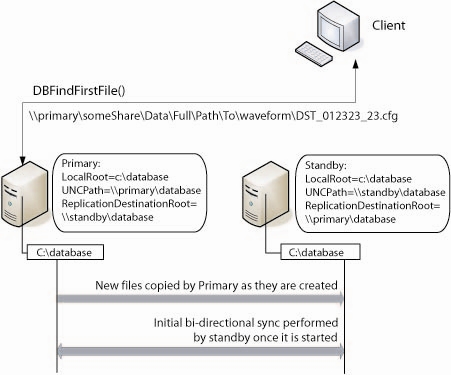
The following image illustrates a configuration example and replication and linkage processes: