Configuring the Setpoint Display Bar to monitor electrical health
Use the Setpoint Display Bar to measure and display a single parameter.
To configure the Setpoint Display Bar:
- In Graphics Editor, from the Components pane > Power Measurement category, drag the Setpoint Display Bar to the work area.
- In the Objects pane, bind your equipment to the Setpoint Display Bar.
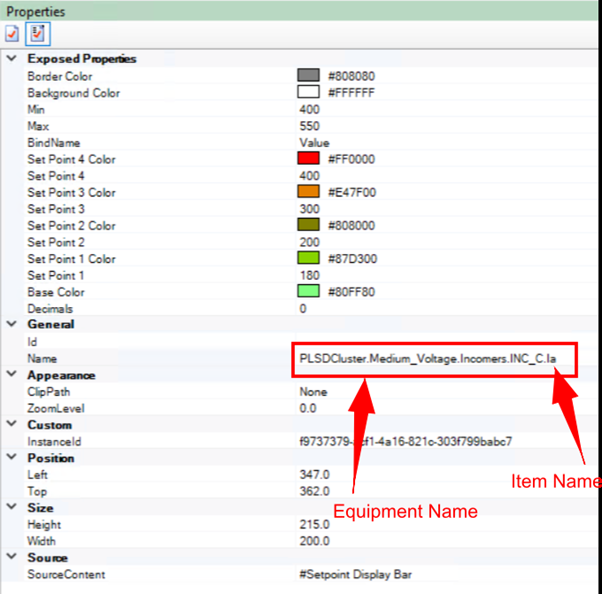
- In the Properties pane, set the following to match the equipment's operational ranges:
- The minimum and maximum values.
- Appropriate values for each setpoint.
- Associated colors.
- In the Properties pane, in the Name property, enter a name using the following format: EquipmentName.Item Name.