Modbus Parameter Setting
Overview
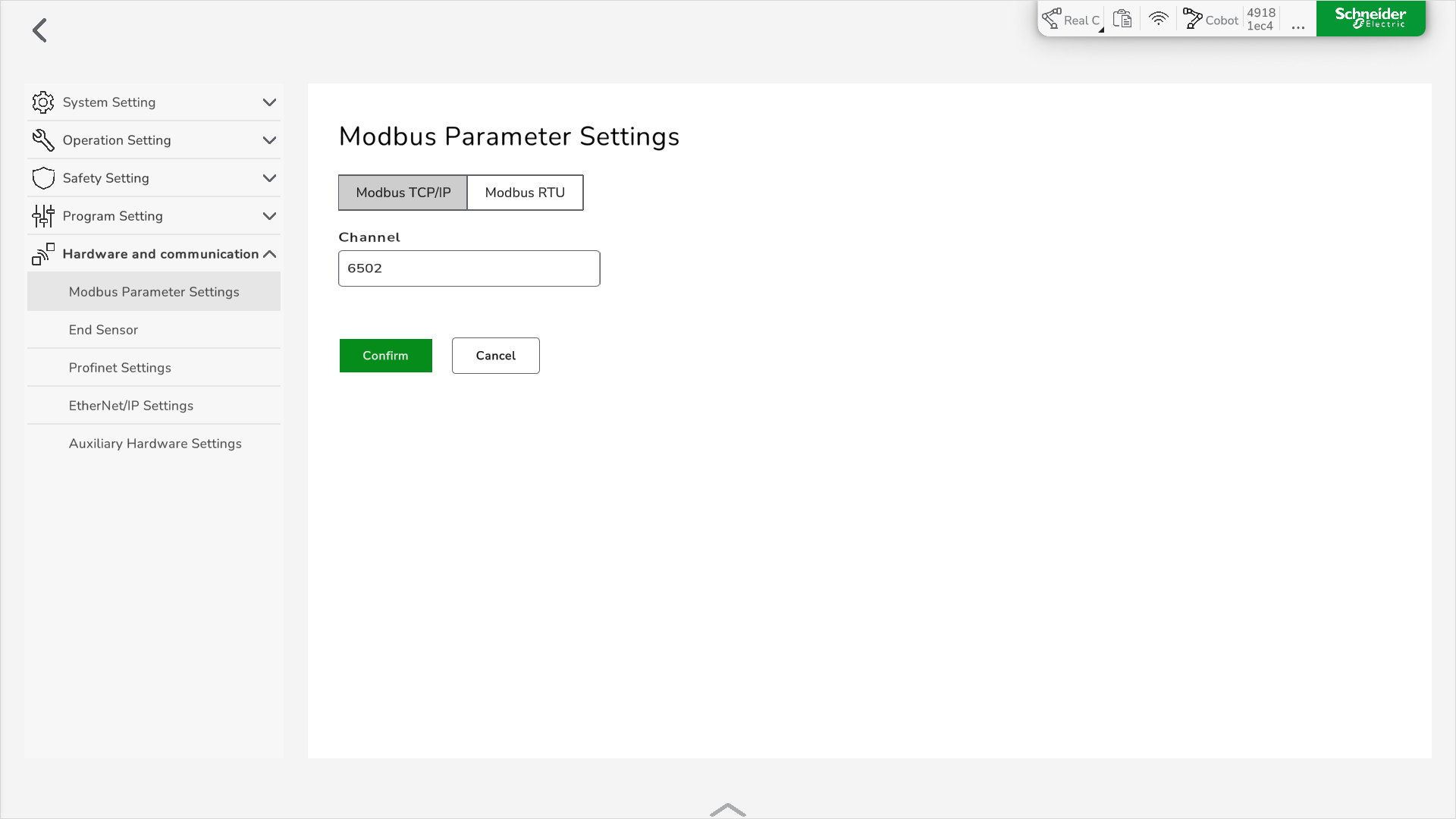
The Lexium Cobot supports Modbus TCP/IP and Modbus RTU communication modes.
To set the parameters for a connection with the Modbus server, go to .
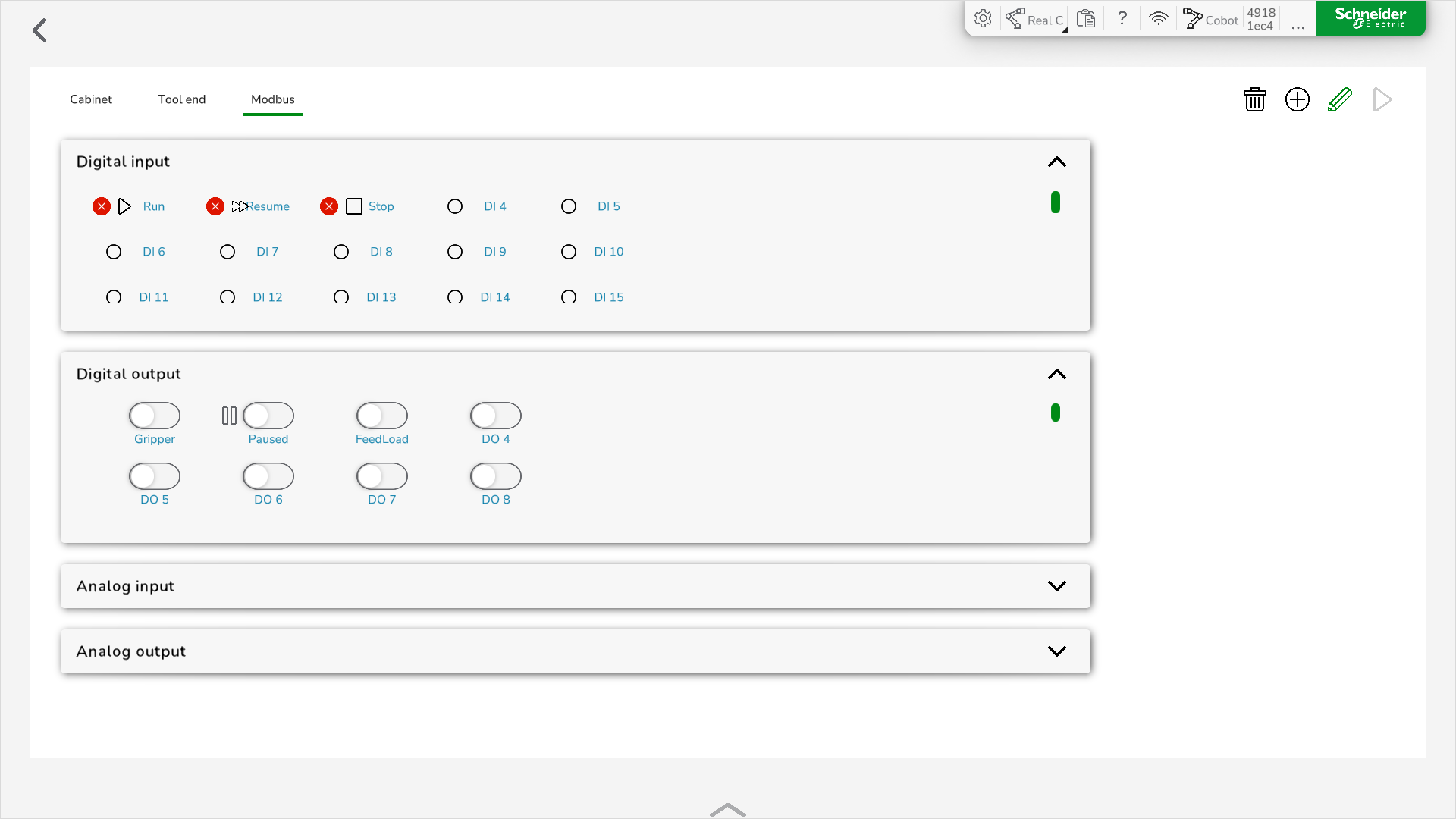
After the connection is established on client side, you can read the Lexium Cobot state and control the Lexium Cobot I/O signal based on the register address and the function code program in the Modbus Address Table.
To edit the Modbus information, click in the feature bar.
Setting the Modbus TCP/IP Mode
To set the Modbus TCP/IP mode, perform the following steps:
|
Step |
Action |
|---|---|
|
1 |
In , select Modbus TCP/IP. |
|
2 |
In Channel, edit the channel number according to your Modbus settings. |
|
3 |
Click Confirm. Result: The new Modbus port is set. |
|
4 |
Restart the Lexium Cobot Controller. |
Setting the Modbus RTU Mode
To set the Modbus RTU mode, perform the following steps:
|
Step |
Action |
|---|---|
|
1 |
In , select Modbus RTU. 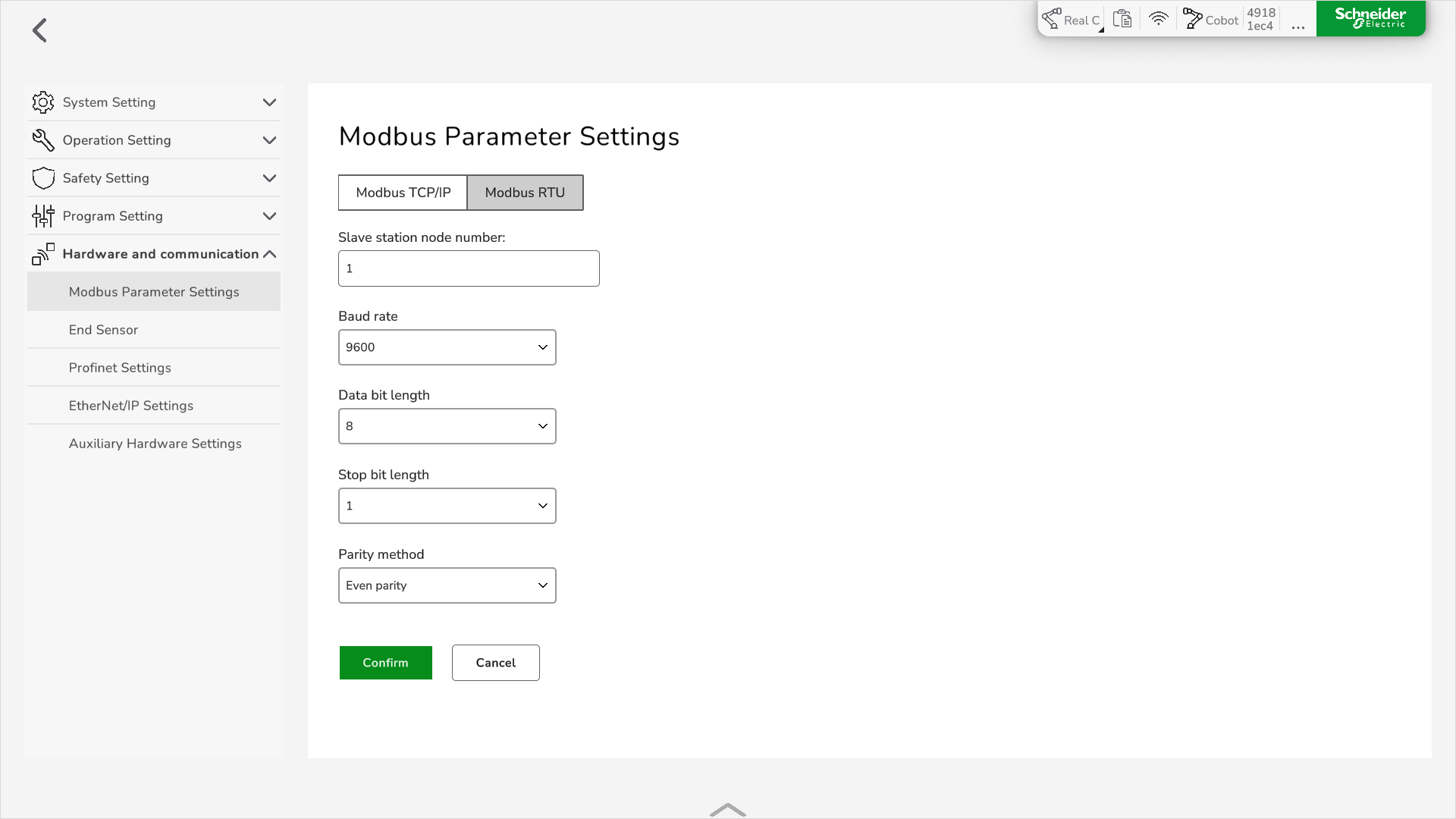
|
|
2 |
Set the parameters for the Modbus server.
NOTE: PLC-side setting interface must be configured as it is for the Lexium Cobot.
The default parameters are:
|
|
3 |
Click Confirm. Result: The new Modbus configuration is set. |
|
4 |
Restart the Lexium Cobot Controller. |