Box iPC Universal and Performance (HMIBMU/HMIBMP) HDD/SSD Drive Installation
The Box iPC supports three types of SATA devices and four SATA ports.The table shows the SATA device configuration:
|
SATA port |
SATA device |
SATA speed |
|---|---|---|
|
Port 1 |
mSATA |
6 Gb/s; 3 Gb/s; 1.5 Gb/s |
|
Port 2 |
CFast |
|
|
Port 3 |
HDD/SSD 1 |
|
|
Port 4 |
HDD/SSD 2 |
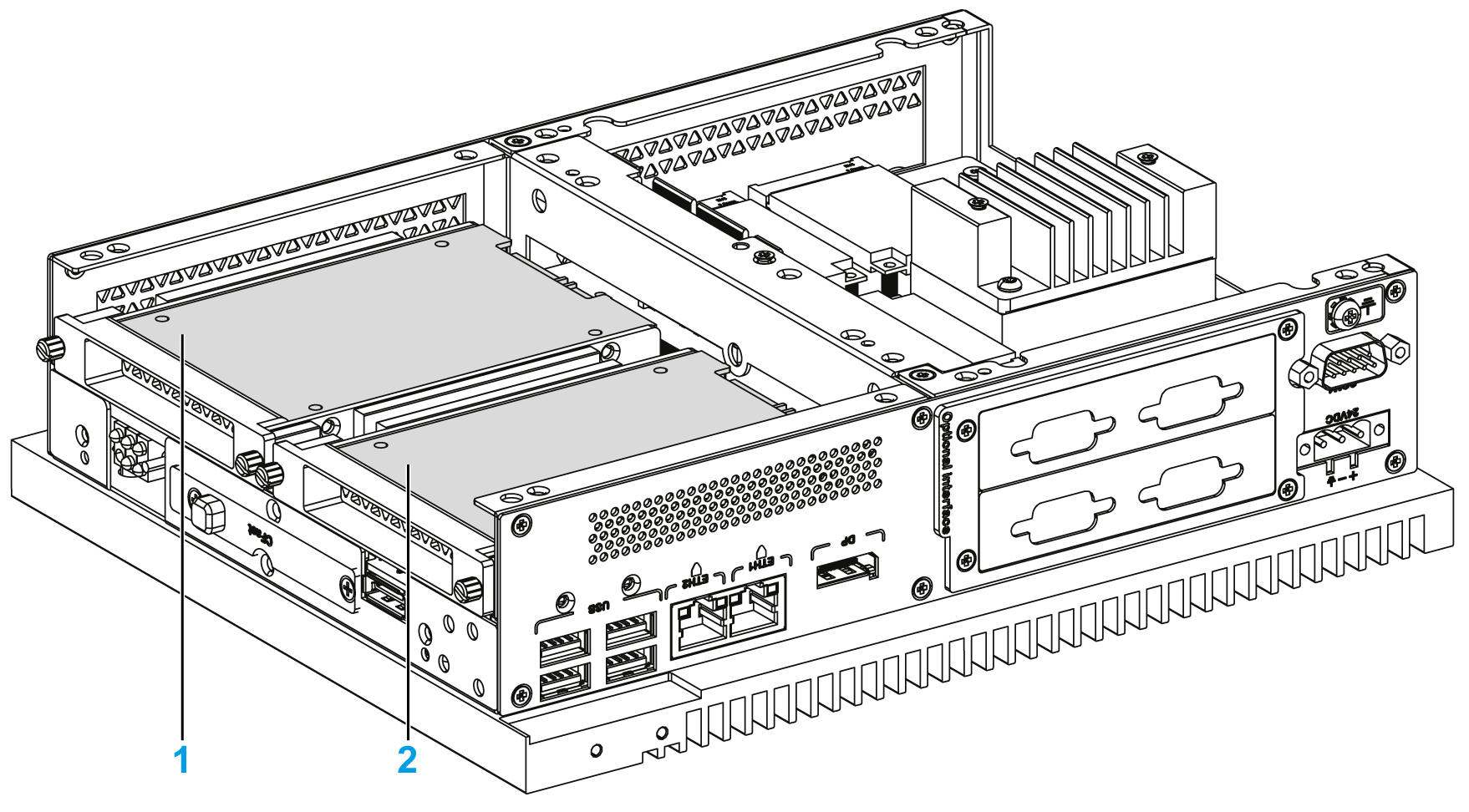
1 HDD/SSD 1
2 HDD/SSD 2
The Box iPC supports RAID 0/1 (redundant array of independent disks) feature (two HDD or two SSD can support this feature). The RAID is a data storage virtualization technology that combines multiple physical disk drive components into a single logical unit for the purposes of data redundancy, performance improvement, or both.
Use Intel rapid storage technology (Intel RST) to support RAID 0/1 feature (see the Intel rapid storage user manual on the recovery media). Do not use Windows RAID configuration tool:
oRAID level 0 performance scaling up to six drives, enabling higher throughput for data intensive applications such as video editing.
oData redundancy is offered through RAID level 1, which performs mirroring.
The Box iPC supports HDD or SSD SATA hot-swap feature:
|
SATA RAID |
Description |
Hot-Swap |
|---|---|---|
|
RAID 0 |
Spanned volume |
No |
|
RAID 1 |
Mirroring |
Yes |
NOTE: There is a limitation with the System Monitor when RAID mode is enabled. The Hard Information is not updated.
|
NOTICE |
|
ELECTROSTATIC DISCHARGE |
|
Take the necessary protective measures against electrostatic discharge before attempting to remove the Magelis Industrial PC cover. |
|
Failure to follow these instructions can result in equipment damage. |
|
|
|
OVERTORQUE AND LOOSE HARDWARE |
|
oDo not exert more than 0.5 Nm (4.5 lb-in) of torque when tightening the installation fastener, enclosure, accessory, or terminal block screws. Tightening the screws with excessive force can damage the installation fastener. oWhen fastening or removing screws, ensure that they do not fall inside the Magelis Industrial PC chassis. |
|
Failure to follow these instructions can result in injury or equipment damage. |
NOTE: Remove all power before attempting this procedure.
|
Step |
Action |
|---|---|
|
1 |
Disconnect the power cord to the Box iPC. |
|
2 |
Touch the housing or ground connection (not the power supply) to discharge any electrostatic charge from your body. |
|
3 |
Remove the two screws of the front cover and remove it: 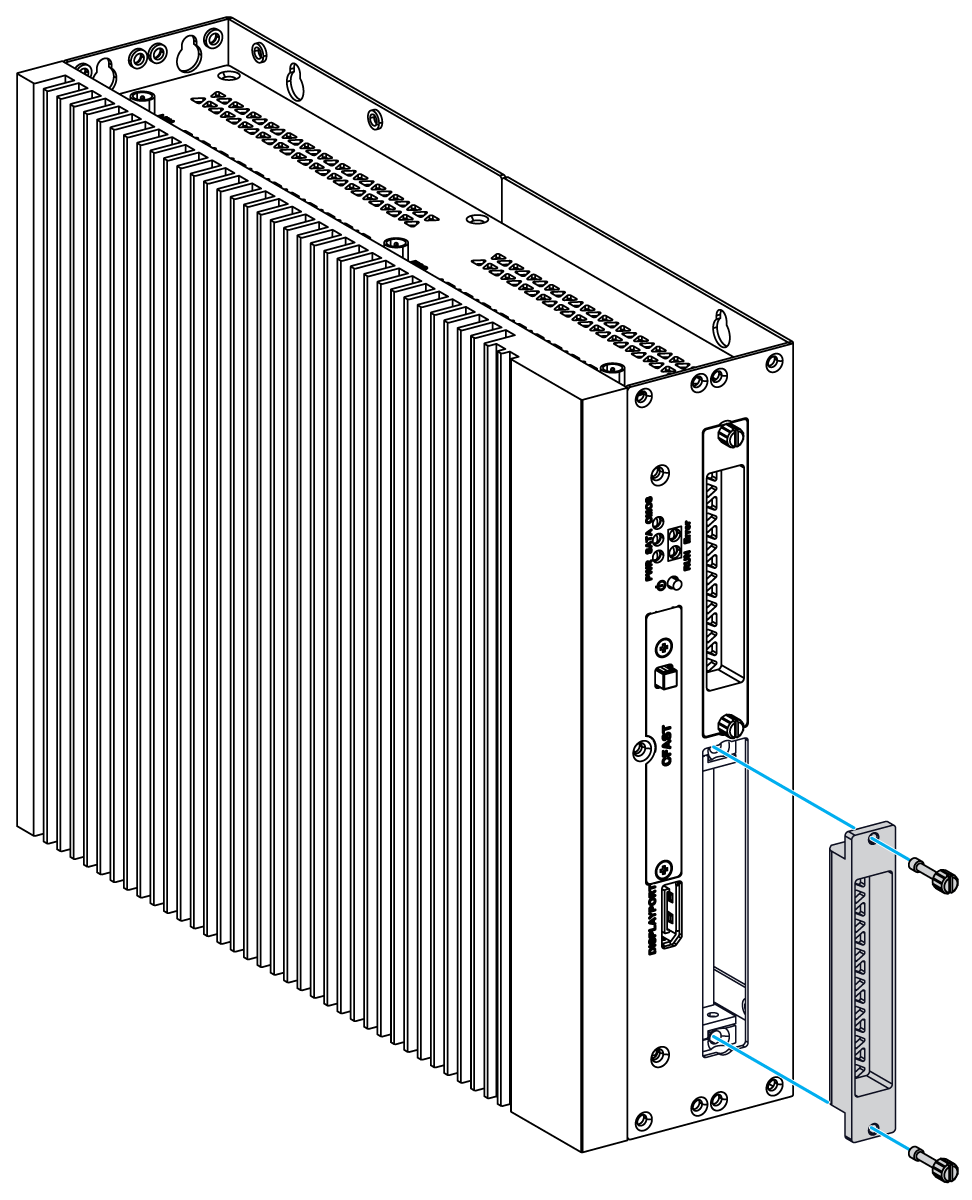
|
|
4 |
Install the 2.5" SATA HDD/SSD on the HDD/SSD bracket of the slide-in (HMIYMADSDD1). Screw in the four screws on the side of HDD/SSD bracket (the screws are in the accessory box). Insert the HDD/SSD drive inside the slot: 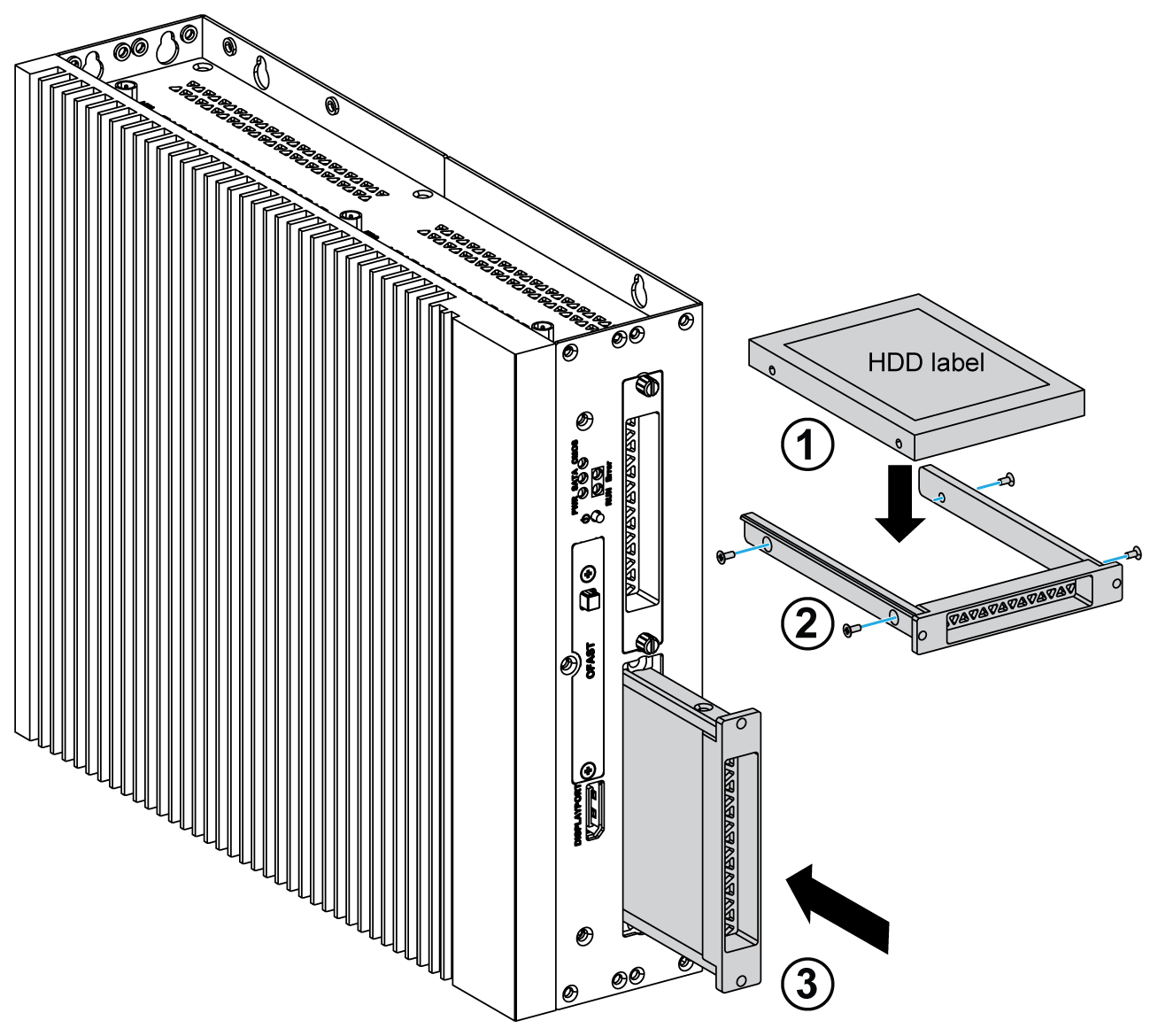
|
|
5 |
Replace the front cover. Secure the front cover using the two screws. NOTE: The recommended torque to tighten these screws is 0.5 Nm (4.5 lb-in). |