Code example for setting:
myCf: IoDrvUtility.ConnectorFlagController; // Define in FB of IoDrv
/// In UpdateConfiguration:
myCf.Init(m_pConnector, nCount, TRUE); // Last parameter is _xSetChildren
/// Somewhere else (UpdateConfiguration, IoDrvStartBusCycle, AsyncTask, ...):
myCf.State := IoDrvUtility.ConnectorState.NO_DRIVER_FOUND;
myCf.DiagnosticAvailable := FALSE;
myCf.DemolicenseActive := FALSE;
Code example for reading:
myCf: ConnectorFlagController; // Define in FB of IoDrv
/// In UpdateConfiguration:
myCf.Init(m_pConnector, 0, FALSE); // Last parameter is _xSetChildren, nCount dosen´t matter -> no Children are set
/// Somewhere in your code, e.g. PLG_PRG
if( myCf.State = IoDrvUtility.ConnectorState.RUNNING) THEN
;
END_IF
if( myCf.DiagnosticAvailable ) THEN
;
END_IF
if( myCf.DemolicenseActive ) THEN
;
END_IF
This lib/folder/project simplifies the use of the ConnectorFlags, which are processed in 4 different locations:
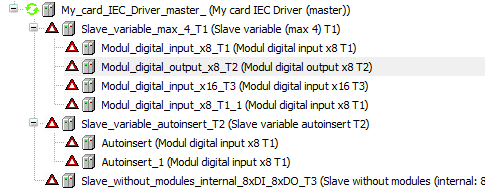
In AutomationPlatform\Implementation\Sources and Projects\DefaultNavigators\Common.cs are set the pictures in the tree and the color for the text in the tree:
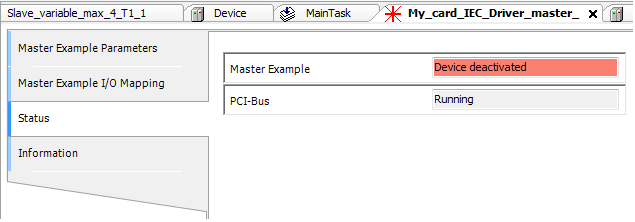
In AutomationPlatform\Implementation\Sources and Projects\DeviceEditor\StatusControl.cs is set the status text over "_tbStatus.Text":
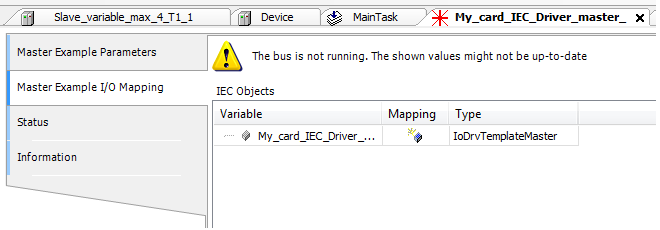
In AutomationPlatform\Implementation\Sources and Projects\DeviceEditor\IOMappingEditorPage.cs in UpdateModuleStatus is set a warning in the I/O Mapping tab, if an errorflag is set:
In the Device Diagnosis (Enduser can wait until the bus is in "running"-state to start his programm or can react, if the bus has crashed) :

DED can be activated over the PLC settings: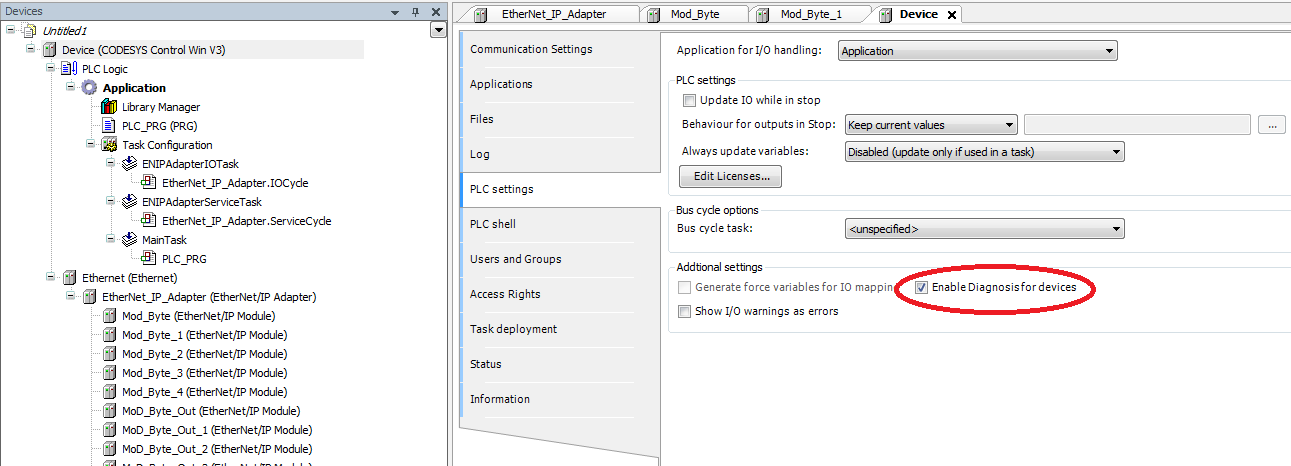
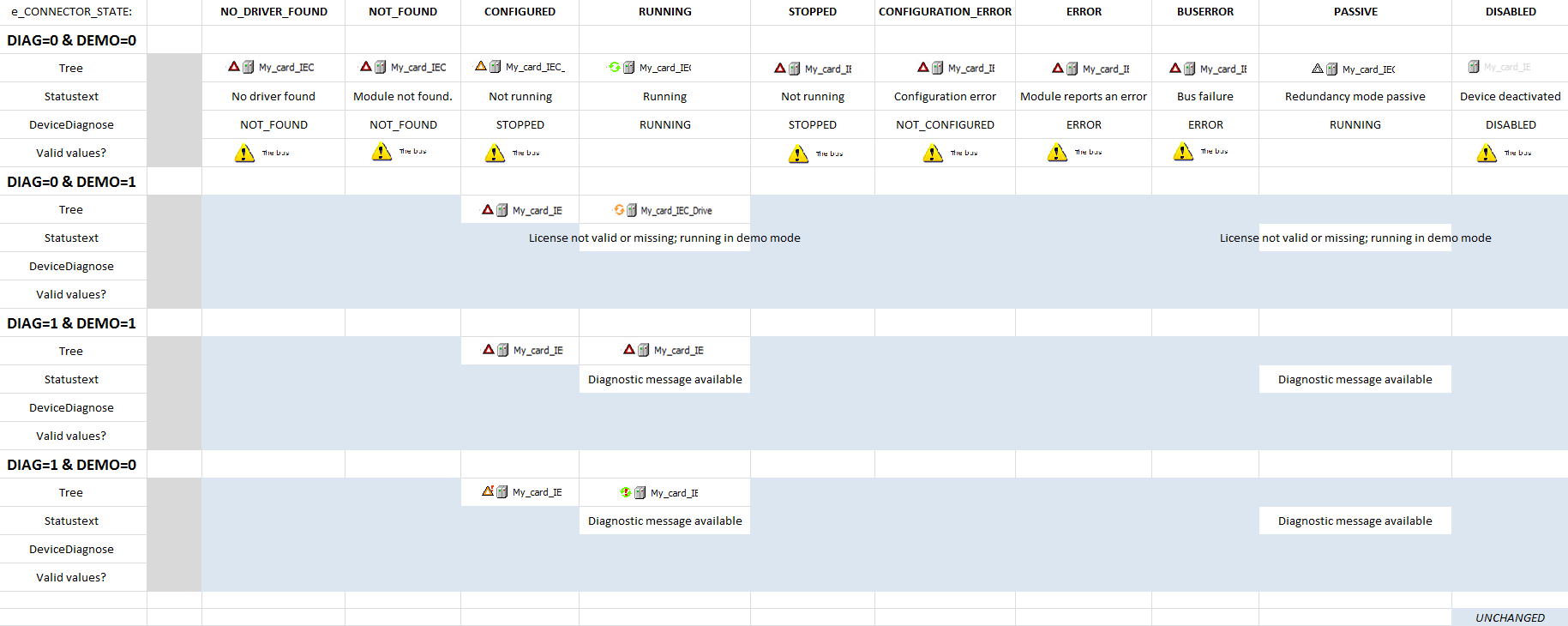
The following table shows the result of the 4 different locations to the 3 changeable properties (ConnectorFlagController.State, ConnectorFlagController.DiagnosticAvailable, ConnectorFlagController.DemolicenseActive) in the version 3.5 SP9:
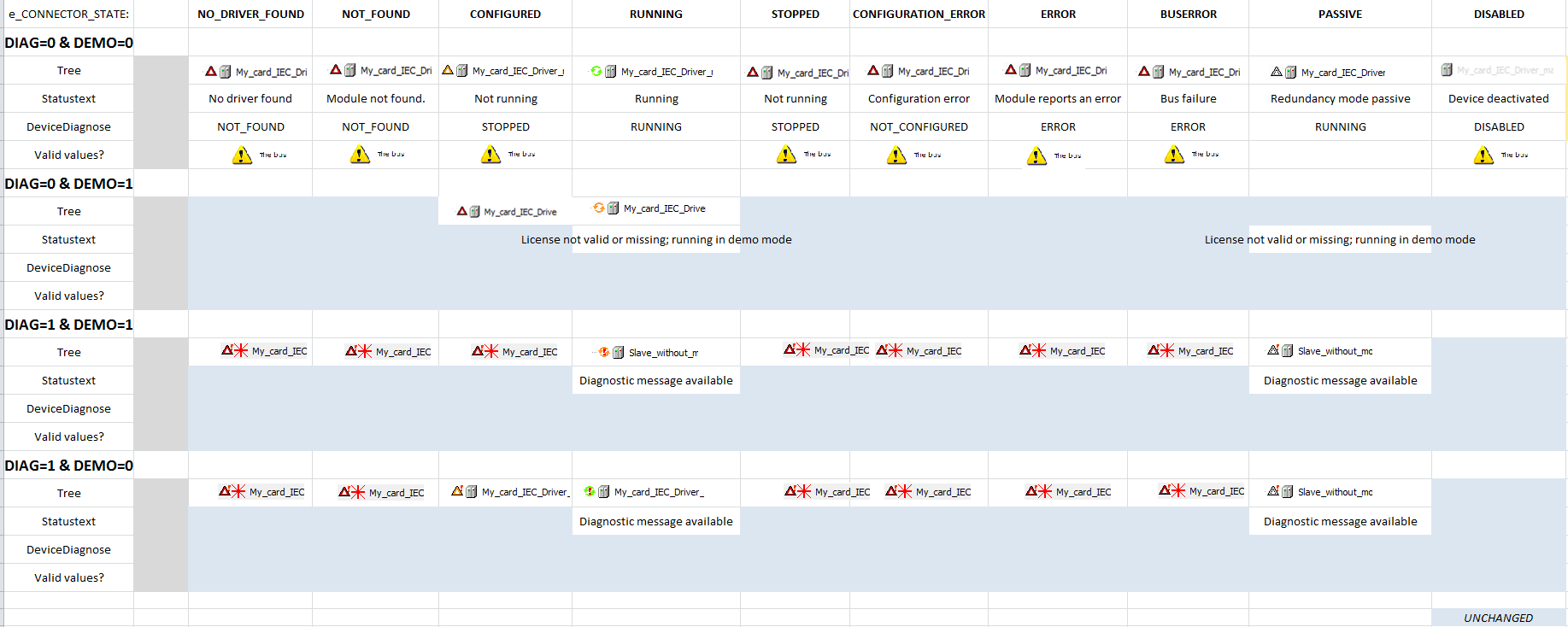
In the version 3.5 SP8 and before it is: