The QuickMotionProgramming project is intended for the device drive Lexium 52. If you want to use another drive type, you can convert the device as decribed in the following procedure.
The following procedure explains how to change the device drive from Lexium 52 to Lexium 62 or Lexium 62 ILM:
|
Step |
Action |
|---|---|
|
1 |
In the Device tree, right-click on DRV_Master and select Convert Device. 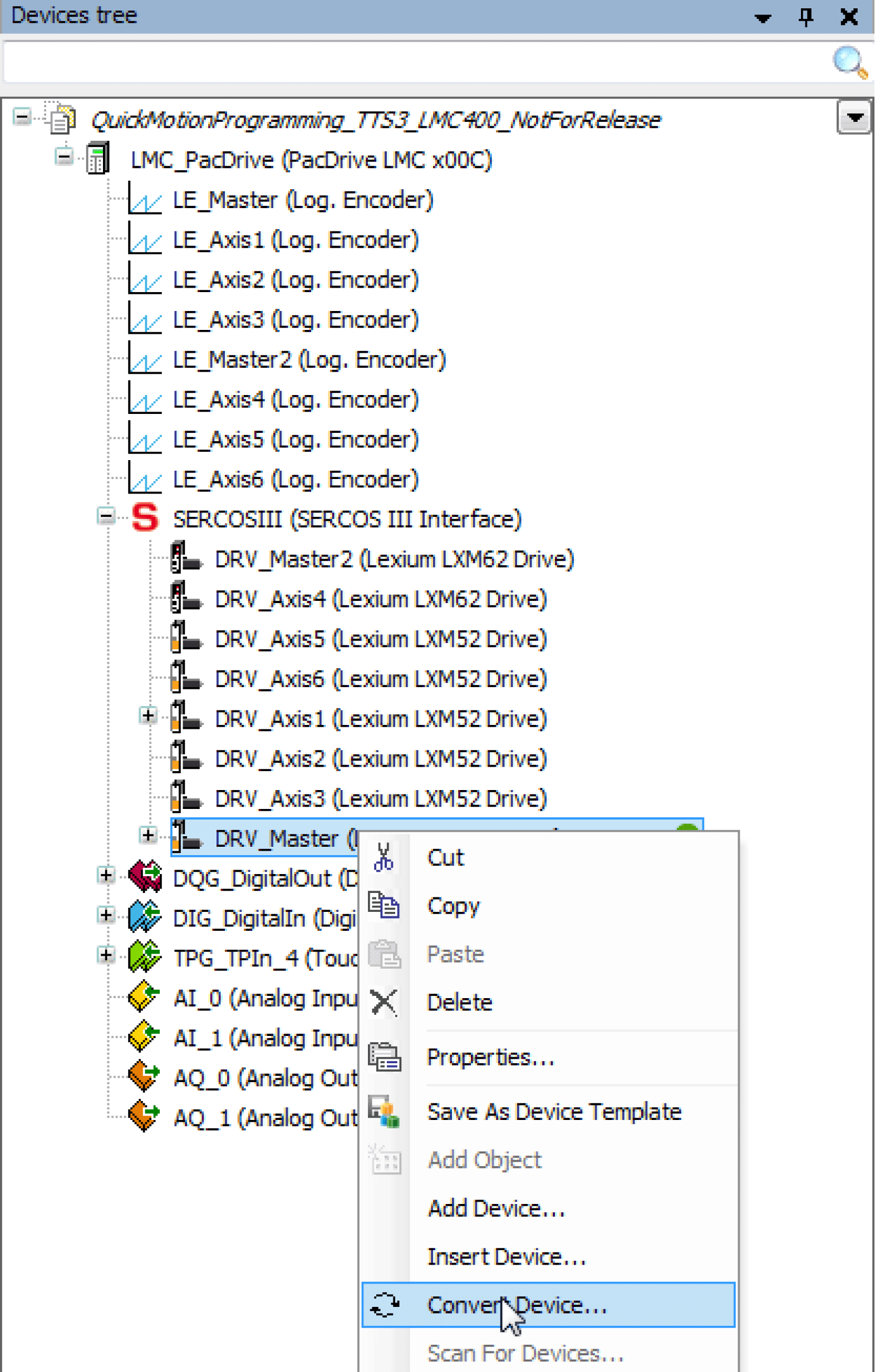
|
|
2 |
In the Convert device dialog, choose the device Lexium LXM62 Drive or Lexium ILM62 Drive Module and click OK to complete the conversion. 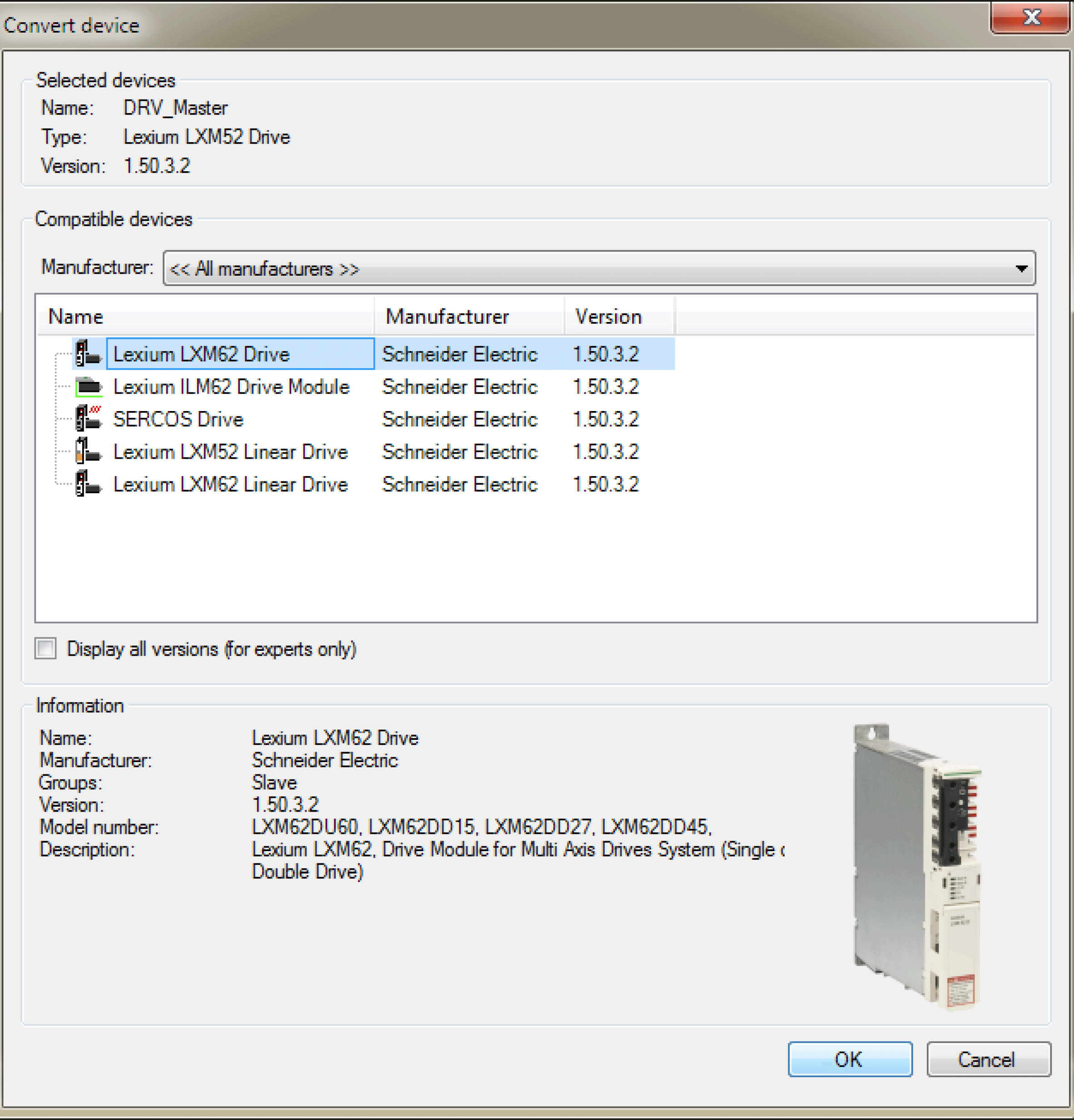
|
|
3 |
In the displayed safety prompt, click Yes to accept the conversion of the device drive. |
|
4 |
Repeat the steps above for all drives. |
|
5 |
In the Device tree, right-click on SERCOSIII and select Add Device... to add a power supply to the Sercos III. |
|
6 |
Execute the command Online > Login, or click the Login button |
|
7 |
If no automatic restart has been carried out, select Online > Cold reset of controller to restart the PacDrive LMC. |

 from the toolbar, or press