Panel Cut-Out Dimensions and Installation
Inserting a Display Module Without an Anti-Rotation Tee
Create a panel cut-out and insert the display module into the panel from the front.
The figure shows the panel cut-out:
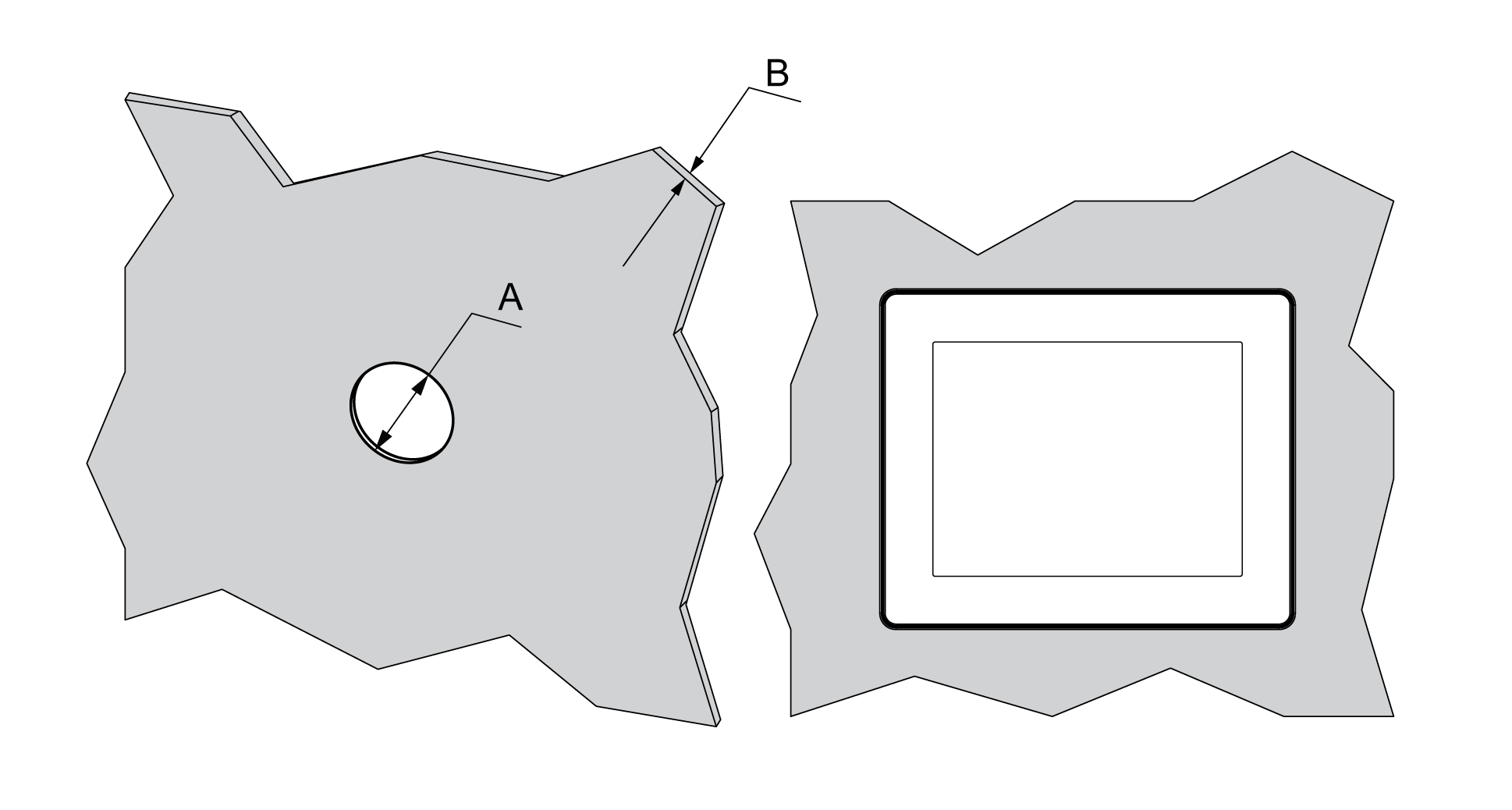
Cut-out dimensions for mounting on a flat surface:
|
A |
B (1) |
B (2) |
|---|---|---|
|
22.500/-0.30 mm (0.880/-0.01 in.) |
1.5...6 mm (0.06...0.23 in.) |
3...6 mm (0.11...0.23 in.) |
|
(1) Steel sheet (2) Glass fiber reinforced plastics (minimum GF30) |
||
NOTE: Without the tee option, the display module supports a rotating torque of 2.5 N•m (22.12 lb-in).
Inserting a Display Module With an Anti-Rotation Tee
Create a panel cut-out and insert the display module into the panel from the front.
The figure shows the panel cut-out for a HMISCU Controller using a tee:
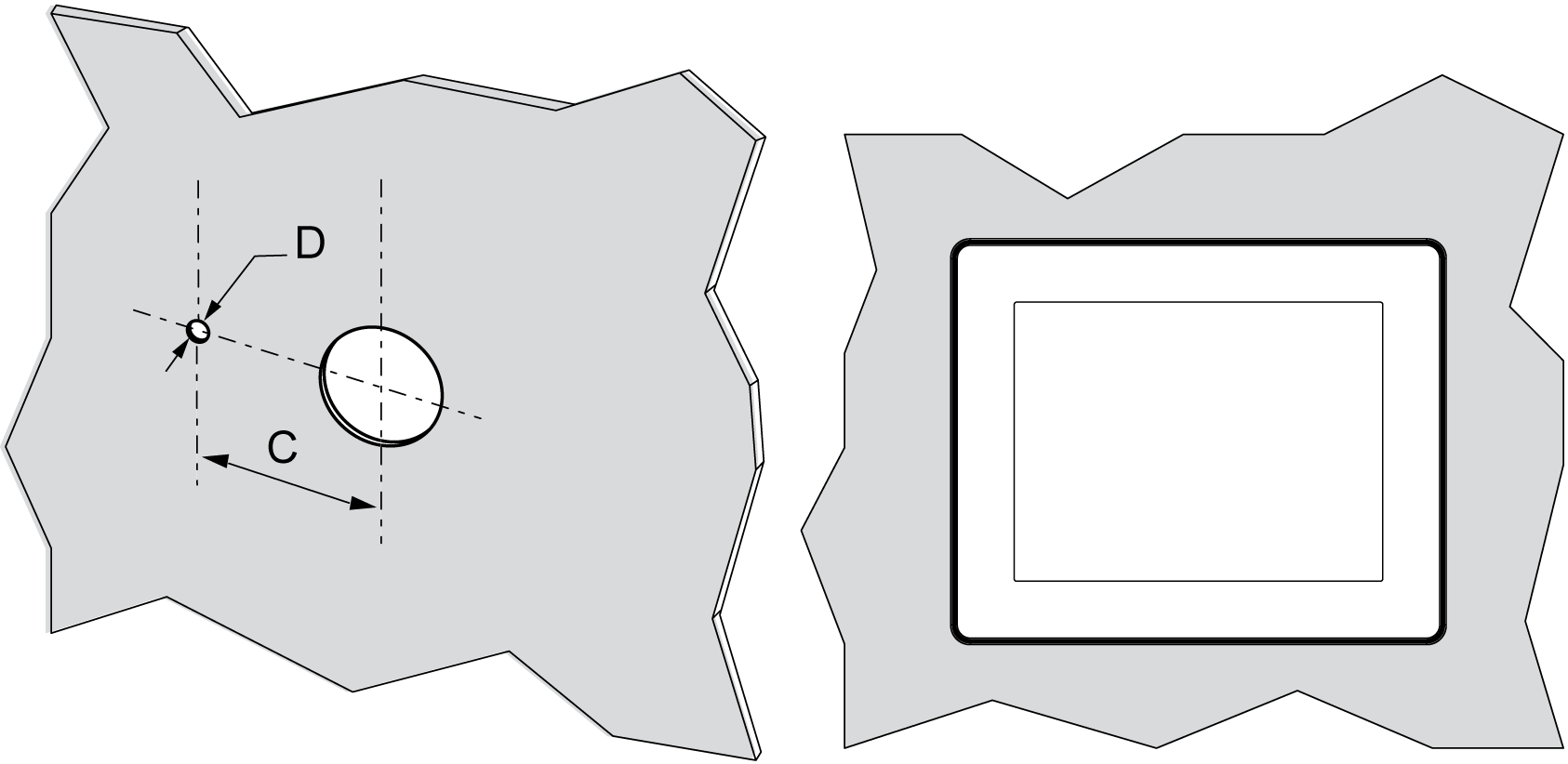
Cut-out dimensions for mounting on a flat surface:
|
C |
D |
|---|---|
|
300/-0.20 mm (1.180/-0.0007 in.) |
40/-0.20 mm (0.150/-0.007 in.) |
NOTE: With the tee option, the display module supports a rotating torque of 6 N•m (53.10 lb-in).
The figure shows the assembly:
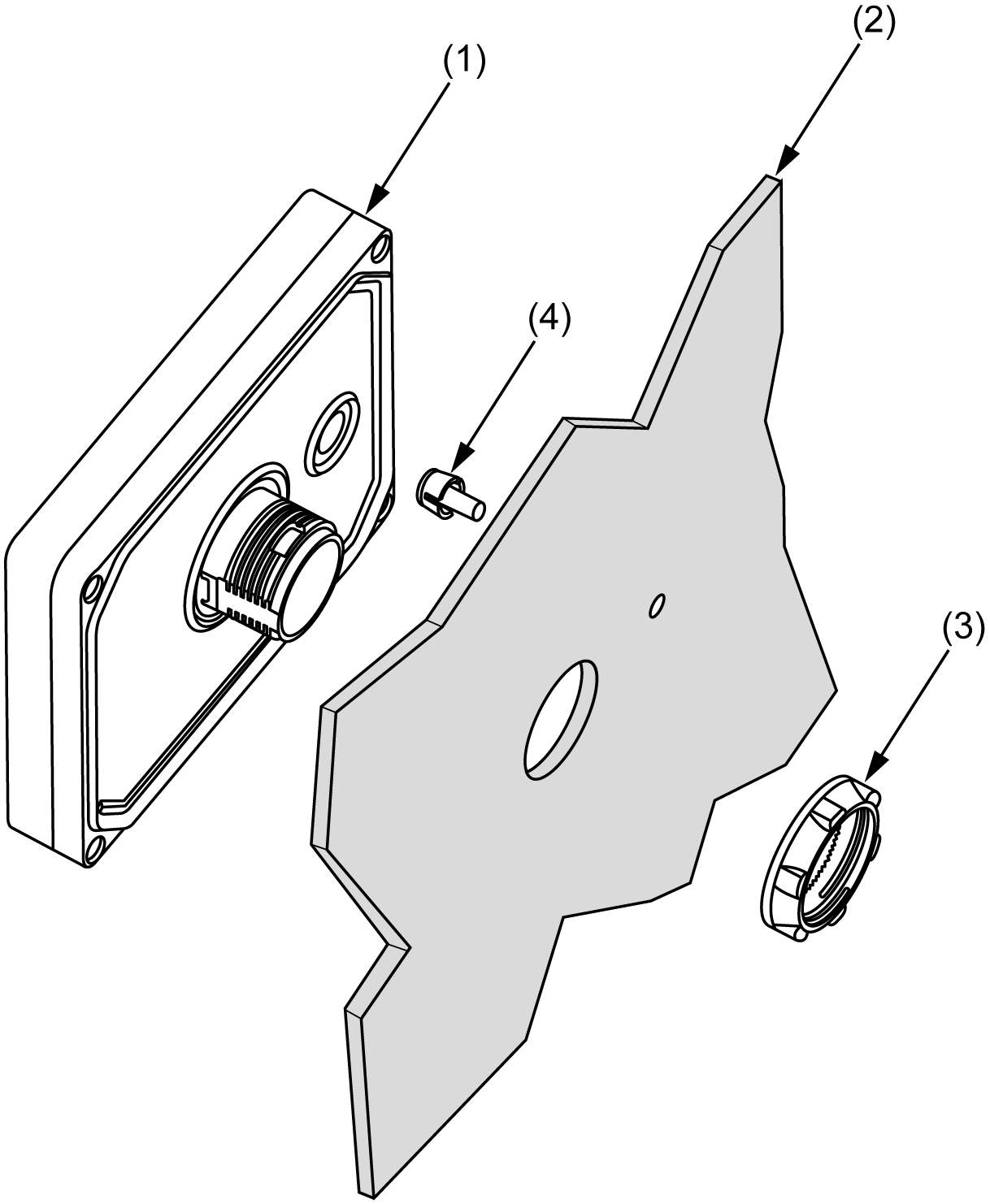
(1) Display module
(2) Panel
(3) Display installation nut
(4) Anti-rotation tee
Installing the HMISCU Display with an Adaptor
The panel adaptor, supplied in the accessory kit HMIZSUKIT, allows mounting the product on a:
osteel sheet support with a thickness between 1 and 1.5 mm (0.039 in. and 0.059 in.)
oplastic support with a thickness between 1 and 3 mm (0.039 in. and 0.118 in.)
oglass fiber reinforced plastic with a thickness between 2 and 3 mm (0.078 in. and 0.118 in.)
The figure shows the assembly with the HMI adaptor:
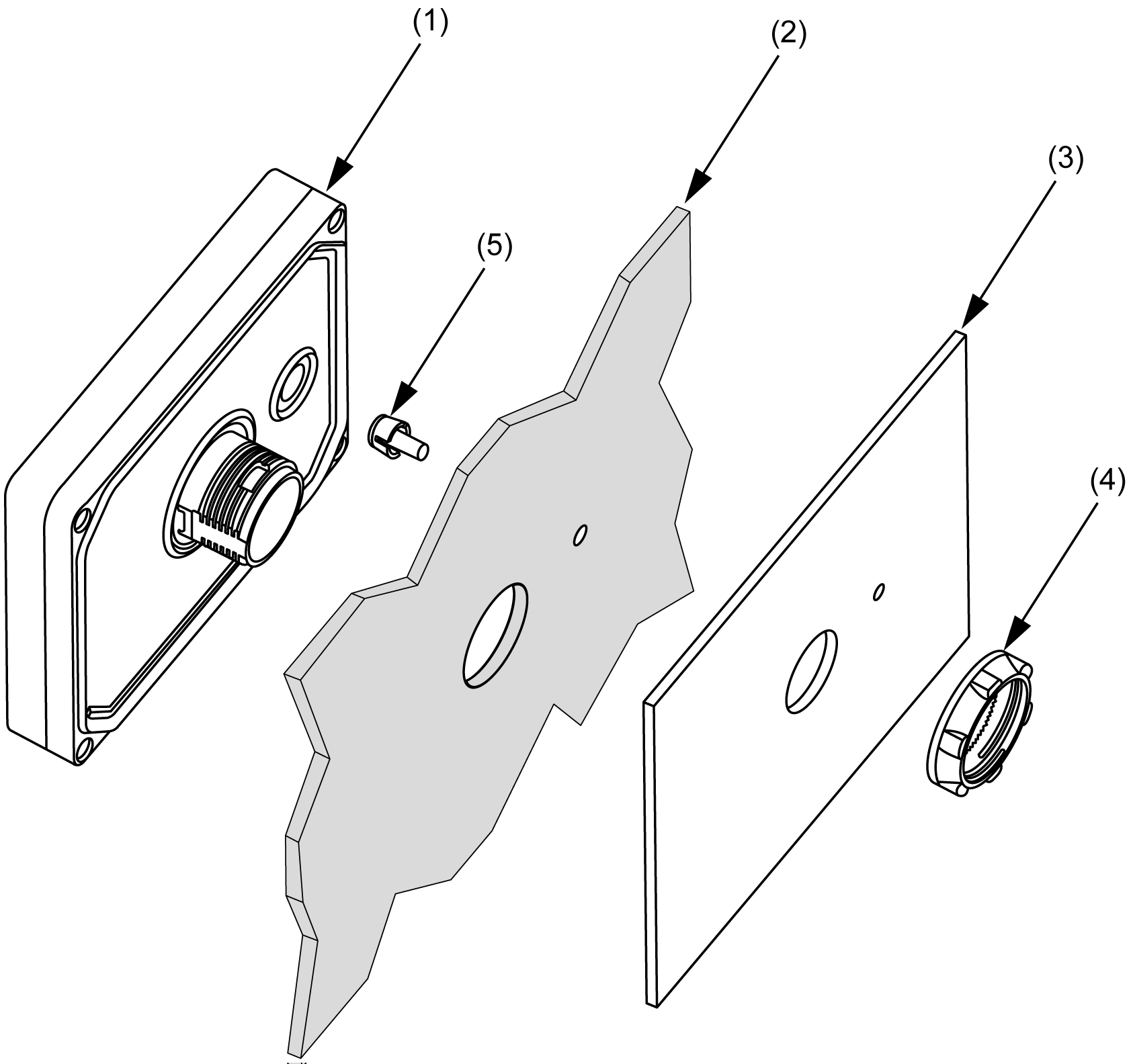
(1) Display module
(2) Panel
(3) Panel adaptor
(4) Display installation nut
(5) Anti-rotation tee