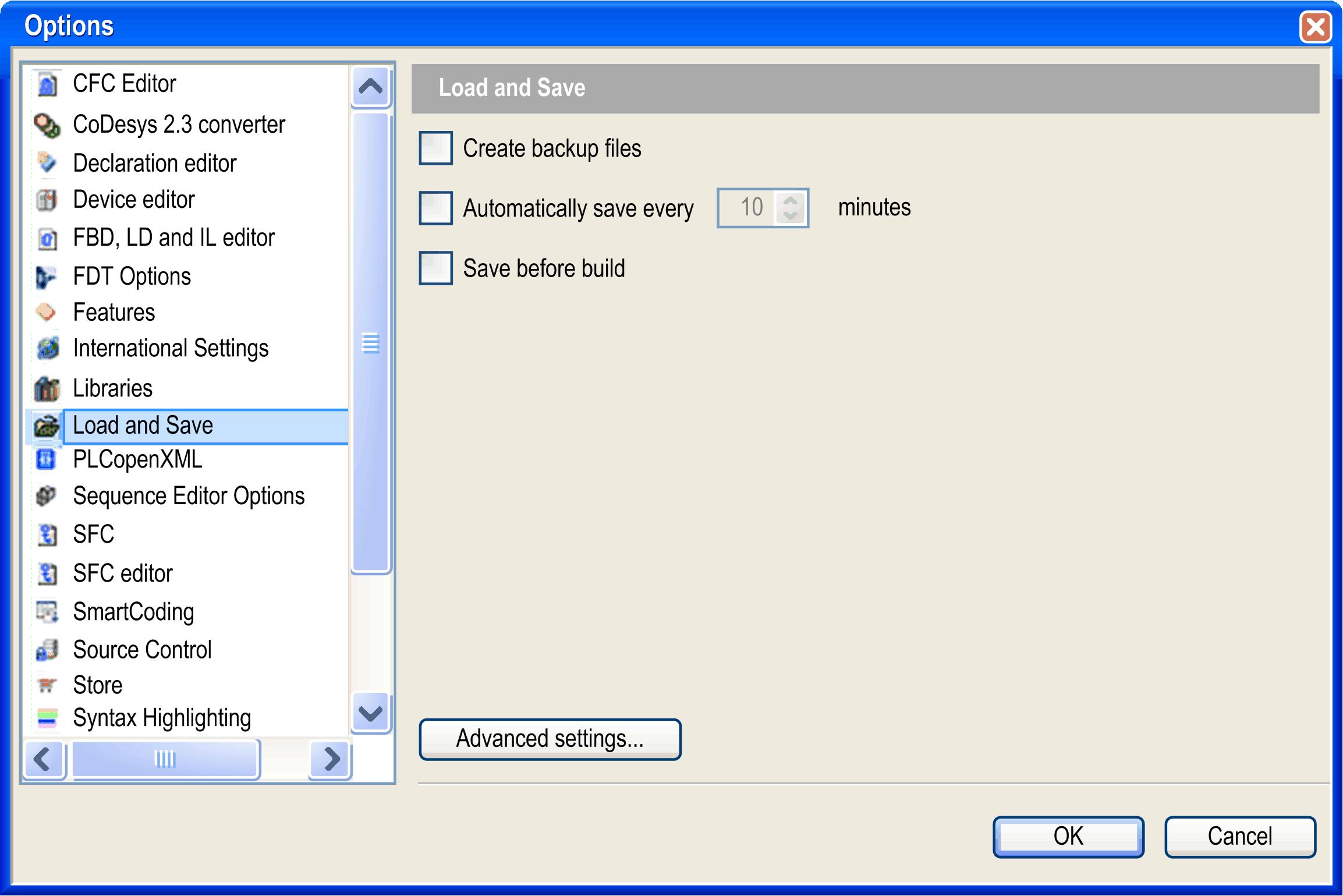
The Tools > Options > Load and Save dialog box allows settings concerning the behavior of EcoStruxure Machine Expert at loading and saving a project.
Options > Load and Save dialog box
|
Create backup files |
If this option is enabled, at each saving the project will not only be saved in a <projectname>.project file but also copied to a file <projectname>.backup. If needed, you can rename this backup file and reopen it in EcoStruxure Machine Expert. |
|
Automatically save every ... minutes |
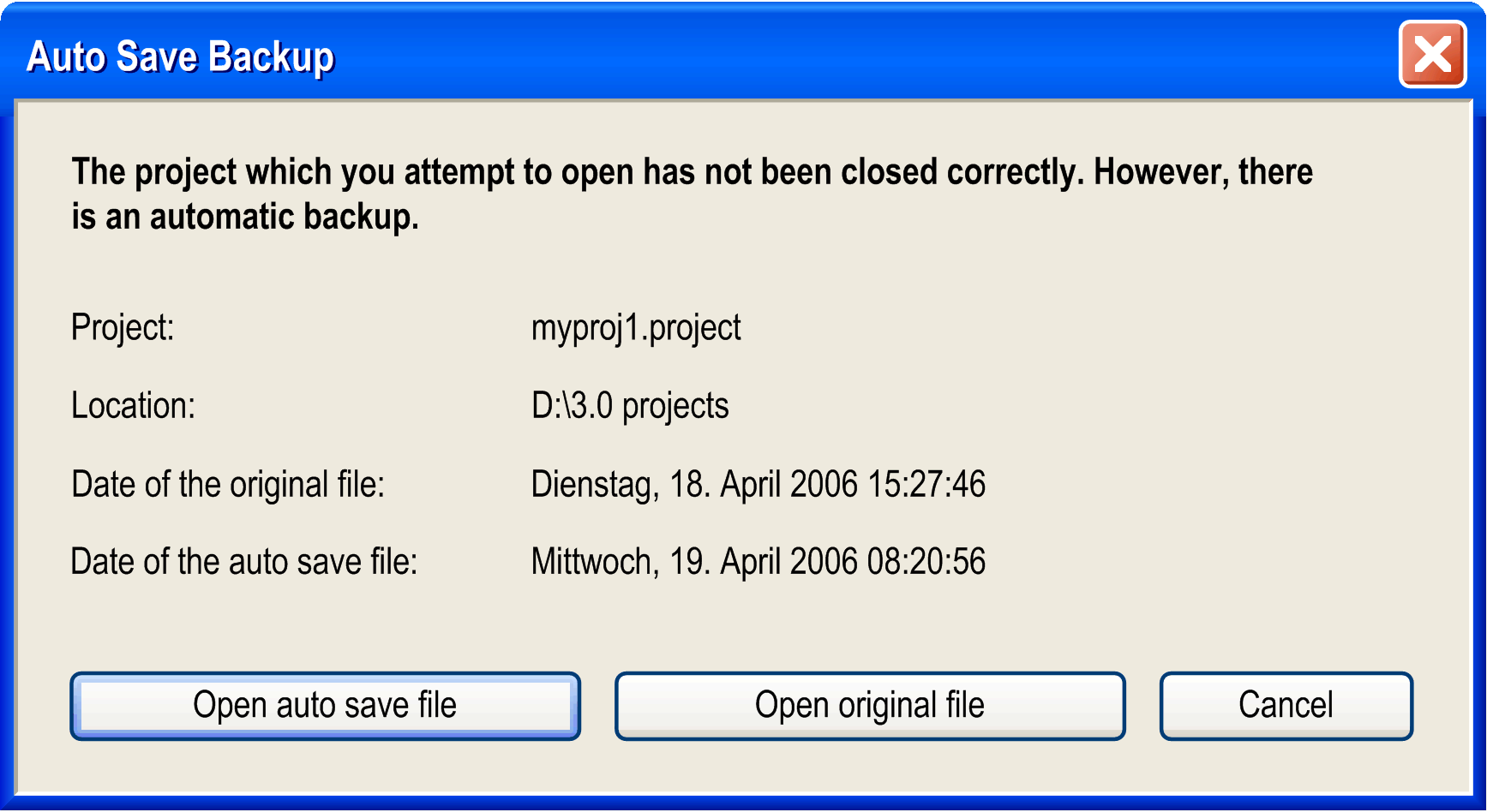
If this option is enabled, the project will be automatically saved in the defined time intervals to a file <projectname>.autosave in the project directory. If you regularly save or close the currently opened file, the associated auto save file will be deleted, unless the save file command is cancelled or terminated in error. In this case, the file will be kept. If you reopen a project for which an appropriate auto save file is found, the Auto Save Backup dialog box is displayed. You can reopen the auto save project or the saved last version. |
|
Save before build |
EcoStruxure Machine Expert saves the project automatically before each build run. The last saved version of the project is overwritten. |
Auto Save Backup dialog box
|
Open auto save file |
The auto save file <projectname>.autosave will be opened and marked as modified. An asterisk (*) is displayed behind the file name in the title bar. |
|
Open original file |
The last version of the project saved will be opened. |
|
Allow editing of read-only file, warn when attempt to save |
You can edit a project which is restricted to read-only access. But nevertheless an alert (warning) will be generated when you are going to save the file. |
|
Advanced Settings... |
Click this button to open the same-named dialog box. |
|
Project Compression |
See the dialog box for further information on the three possible compression levels. Per default, the least amount of compression is set. |
|
Load behavior |
If this option is enabled (default), the loading of libraries and compile information will be done in the background while you start working on the project. |