Publishing Variables in the Controller Part
Publish variables in the controller part of the EcoStruxure Machine Expert application within the Symbol configuration editor or in the Variables view of the software catalog of a POU.
Publishing Variables in the Symbol Configuration Editor
|
Step |
Action |
|---|---|
|
1 |
Create a Symbol Configuration node under the Application node in the Tools tree as described in the Adding a Symbol Configuration chapter. |
|
2 |
Double-click the Symbol Configuration node to open the Symbol configuration editor. |
|
3 |
In the Symbol configuration editor, select those elementary variables that you wish to publish for communication with 1 or several HMI terminals by selecting or deselecting the check box in the Symbols column: 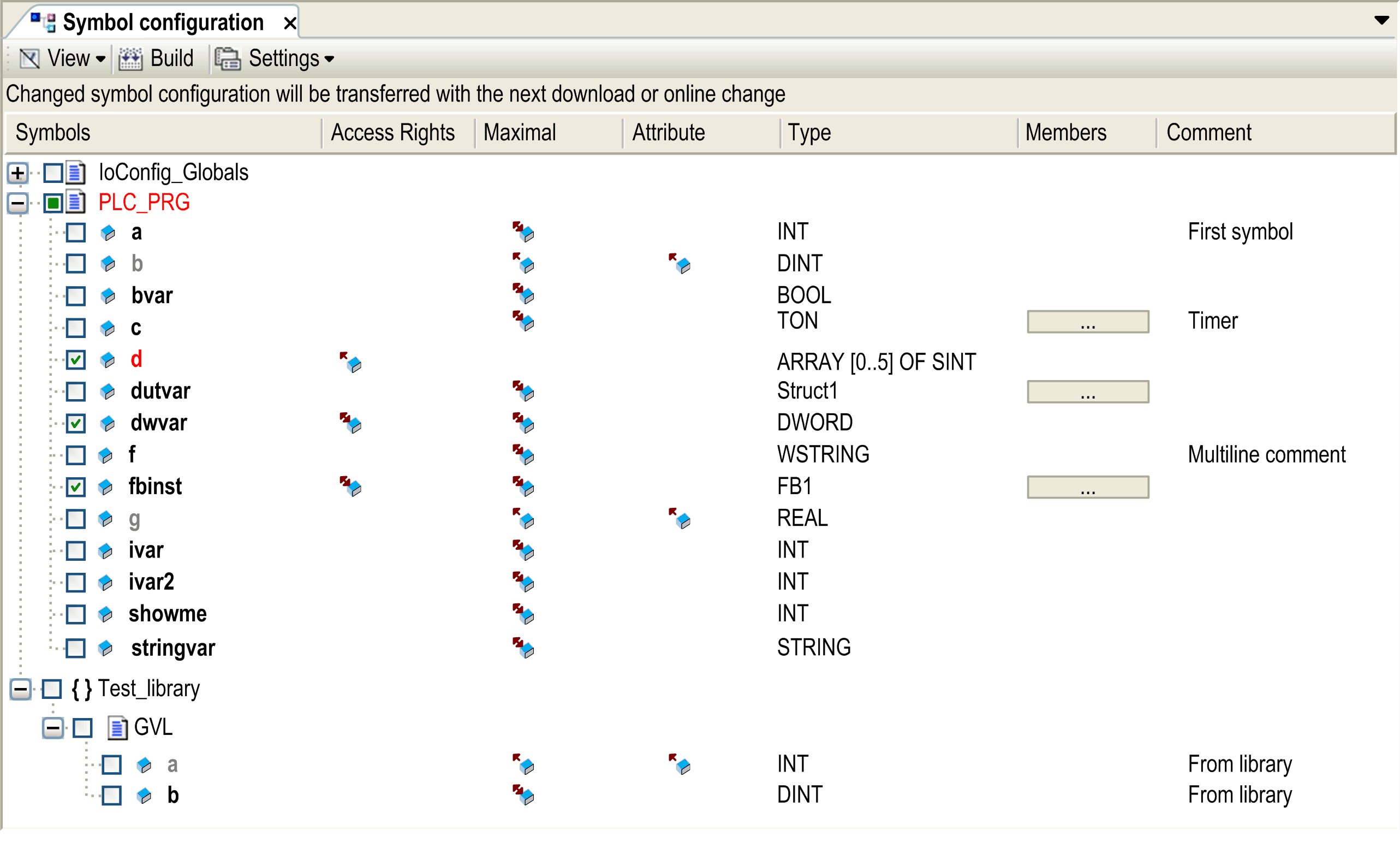
You can also assign read/write access rights to each variable individually in the Access Rights column. For further information, refer to the description of the Symbol configuration editor. Note: Only variables on elementary data types are available for interchange with HMI terminals. |
|
4 |
For your settings to become valid, click the Download link in the Symbol configuration editor. |
NOTE: The publishing mechanism consumes an overhead of about 50 Kbyte in the controller. Each published variable consumes 11 bytes within the controller application.
Publishing Variables in the Variables View of the Software Catalog
|
Step |
Action |
|---|---|
|
1 |
Open the Variables view of the software catalog. |
|
2 |
To publish a variable, select the respective check box in the Publish column. 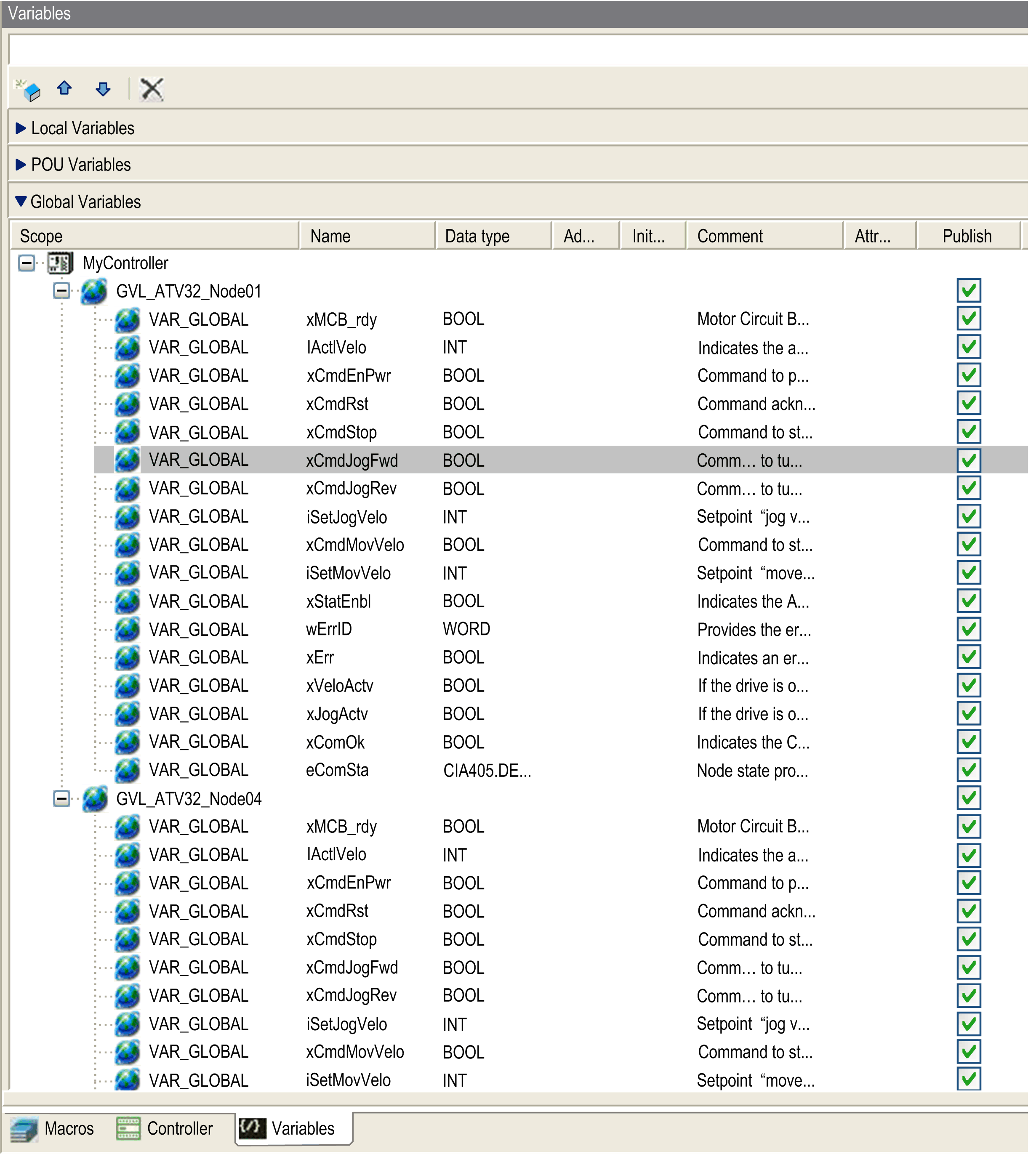
|
NOTE: Verify that the POU of the selected variables is called in a task. Otherwise the selected variables will not be published.
