USB Cable Clamp for USB (Type A)
When using a USB device, attaching a USB cable clamp to the USB interface to prevent the USB cable from being disconnected.
NOTE: Watch your fingers. The edge of the clip is sharp.
|
Step |
Action |
|---|---|
|
1 |
Mount the clip to the USB mark 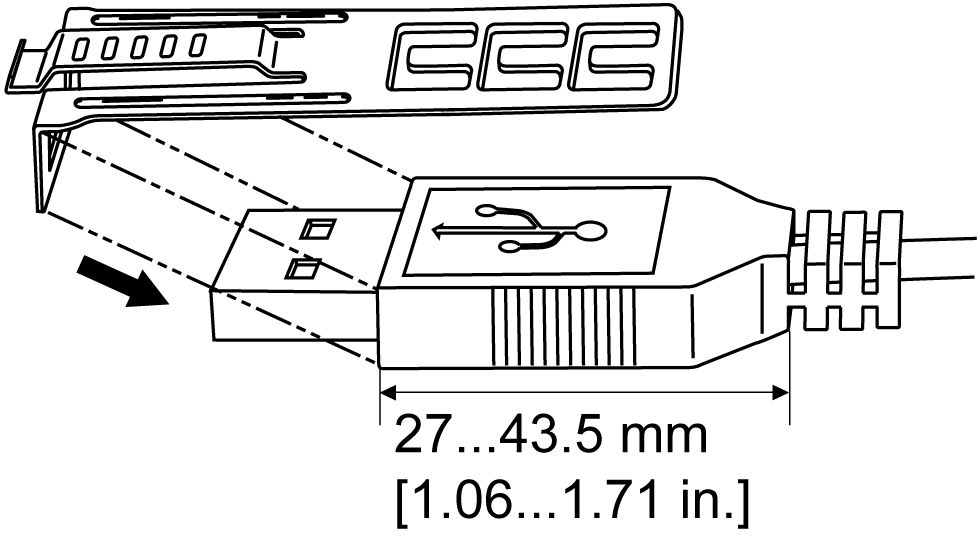
|
|
2 |
Align the clip and the USB cable connector shell. Adjust the position of the holes where the clip is attached. To ensure stability, select the clip-hole position that is closest to the base of the connector shell. 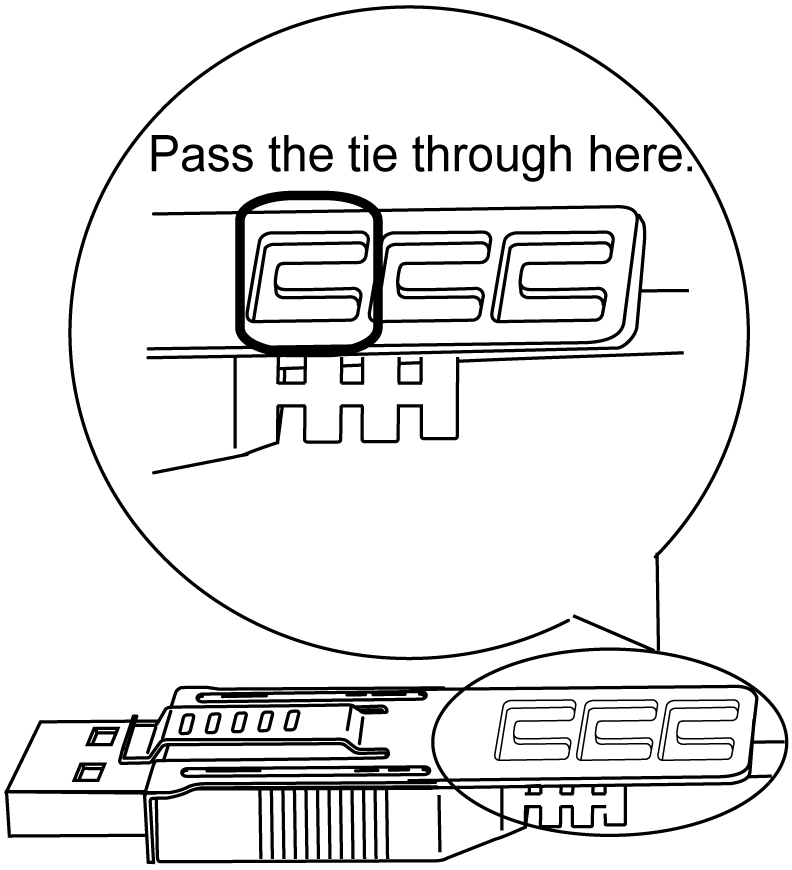
|
|
3 |
As shown, pass the tie through the clip hole. Next, turn the tie and pass it through the head so that the USB cable can pass through the center of the tie loop. The clip is now attached to the USB cable. 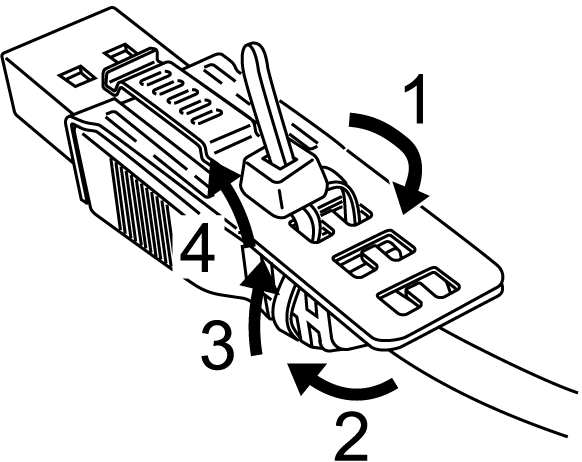
NOTE: oCheck the direction of the head beforehand. Make sure that the USB cable is through the center of the tie loop and that the tie can pass through the head. oYou can substitute the tie provided with commercially available ties with a width of 4.8 mm (0.19 in) and thickness of 1.3 mm (0.05 in). |
|
4 |
While pressing the grip on the clip, insert the cable from step 3 all the way into the USB host interface. Make sure that the clip tab is secured to the USB cable attached to the HMIGTO. 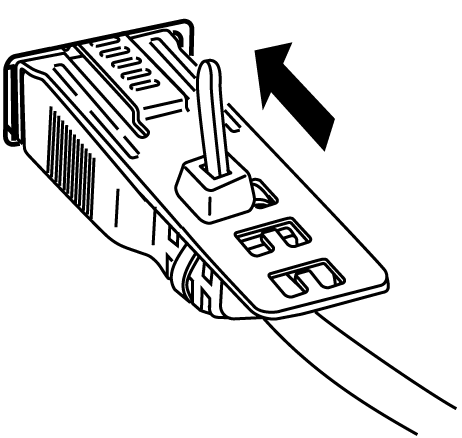
|
Remove the USB cable while pushing the grip section of the clip.
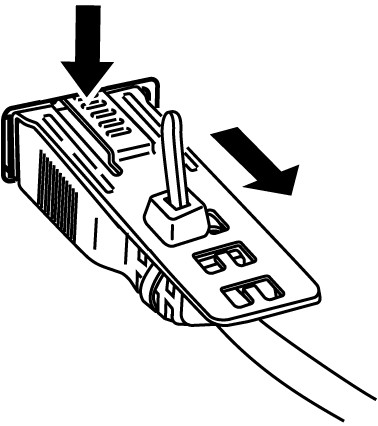


 connector shell so that it overlaps. The clip matches the 27...43.5 mm (1.06...1.71 in) length of the USB connector.