Packaging Library Function Block
VBagPTOMoveFast Function Block
This function block commands a relative move at a specified velocity.
There are 7 possible results when a stop signal occurs:
oStop signal is triggered during the acceleration:
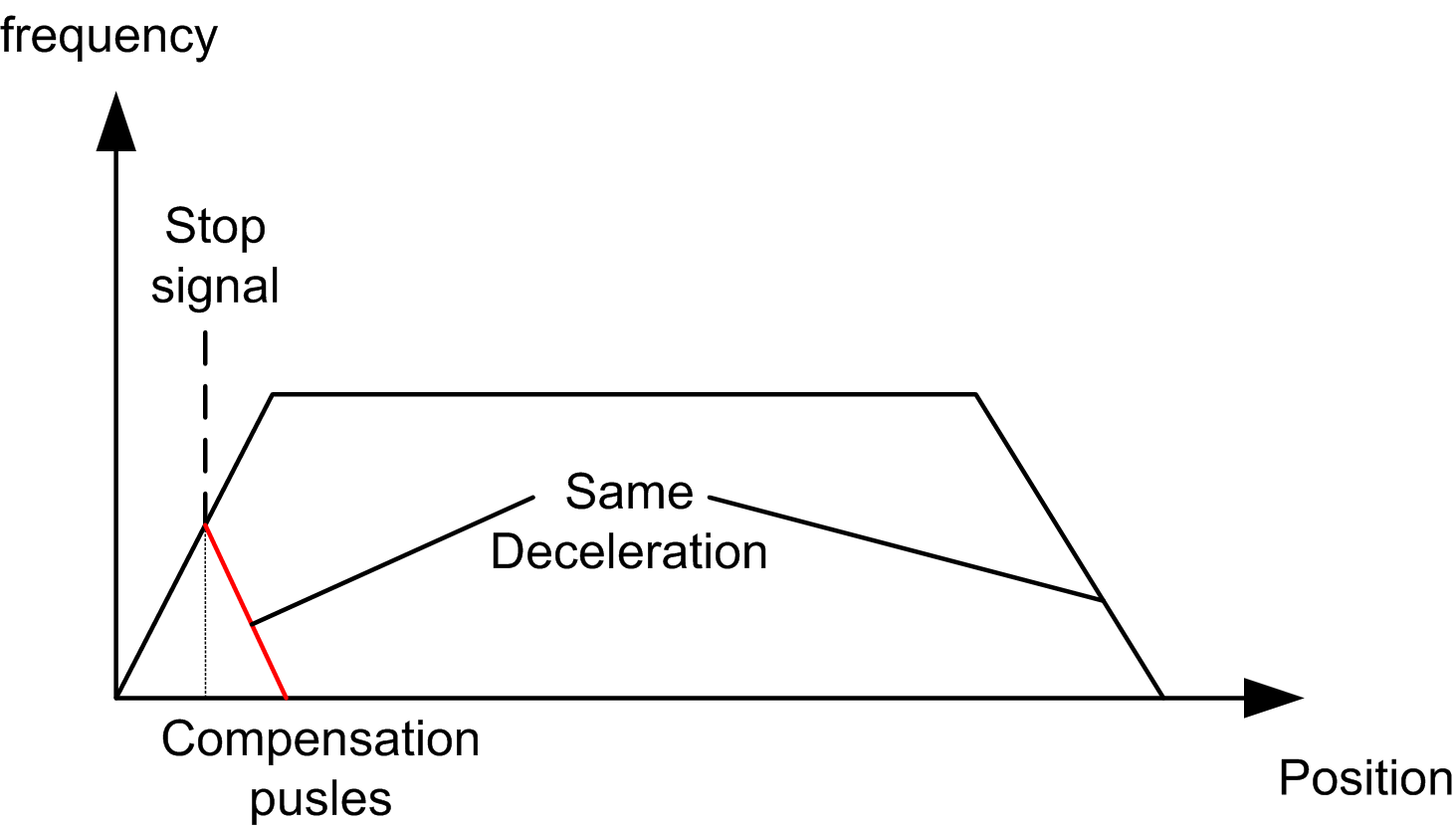
oStop signal is triggered before the deceleration and the number of pulses from the compensation is greater than the rest pulses of TargetDistance.
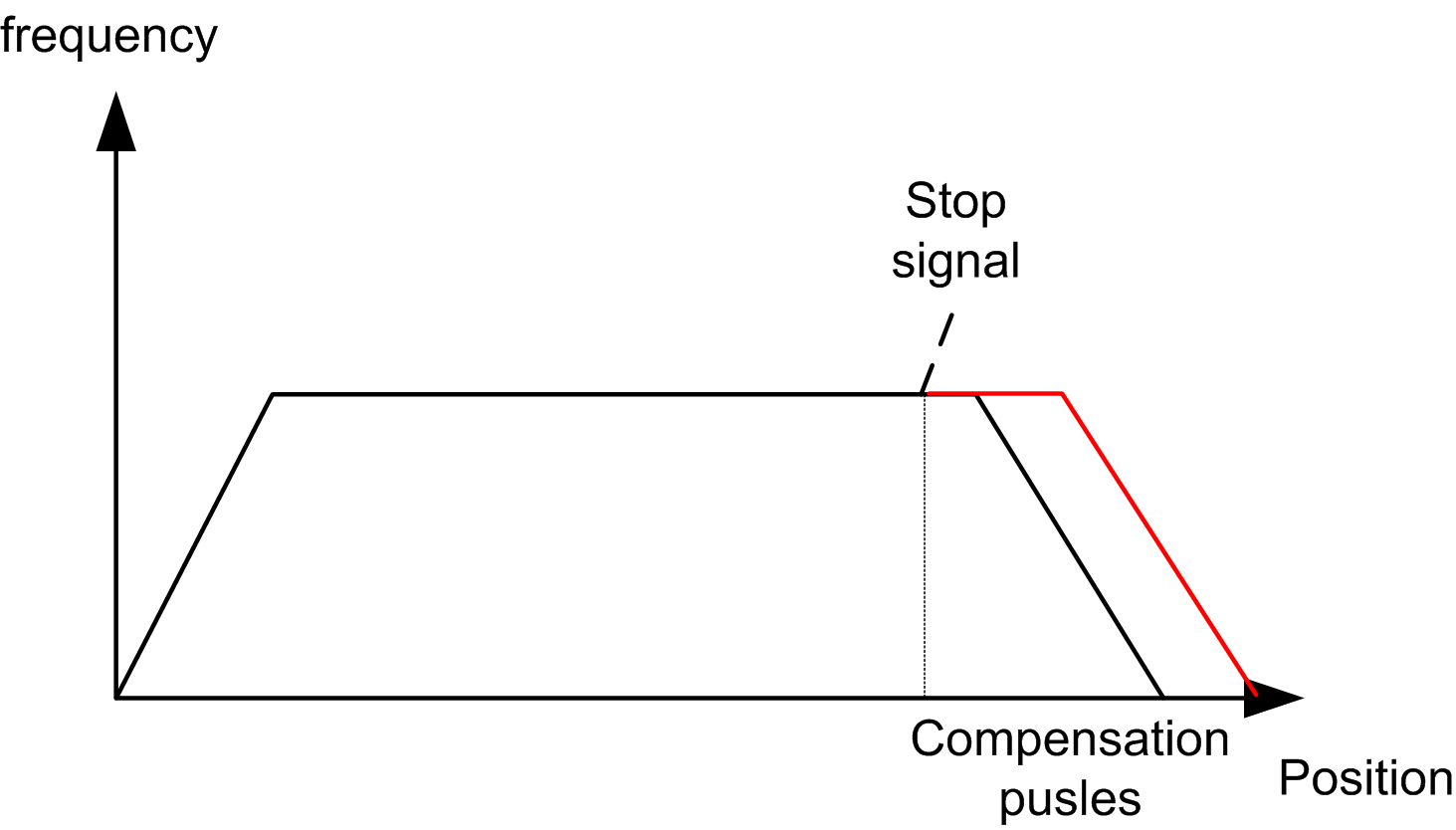
oStop signal is triggered during the deceleration and the numbers of pulses from the compensation is greater than the remaining pulses of TargetDistance.
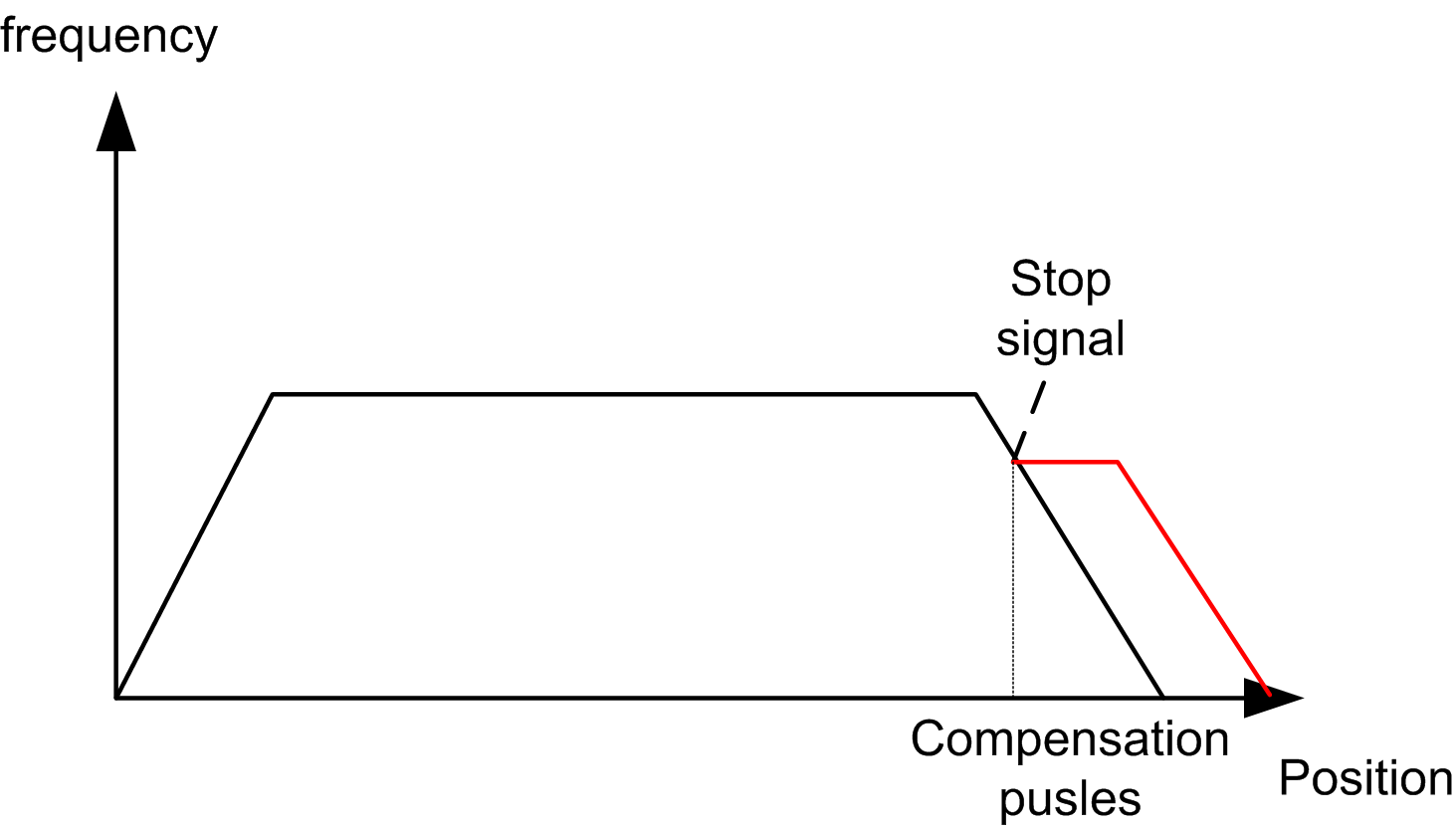
oStop signal is triggered before the deceleration, and the number of pulses from the compensation is less than the remaining pulses of TargetDistance.
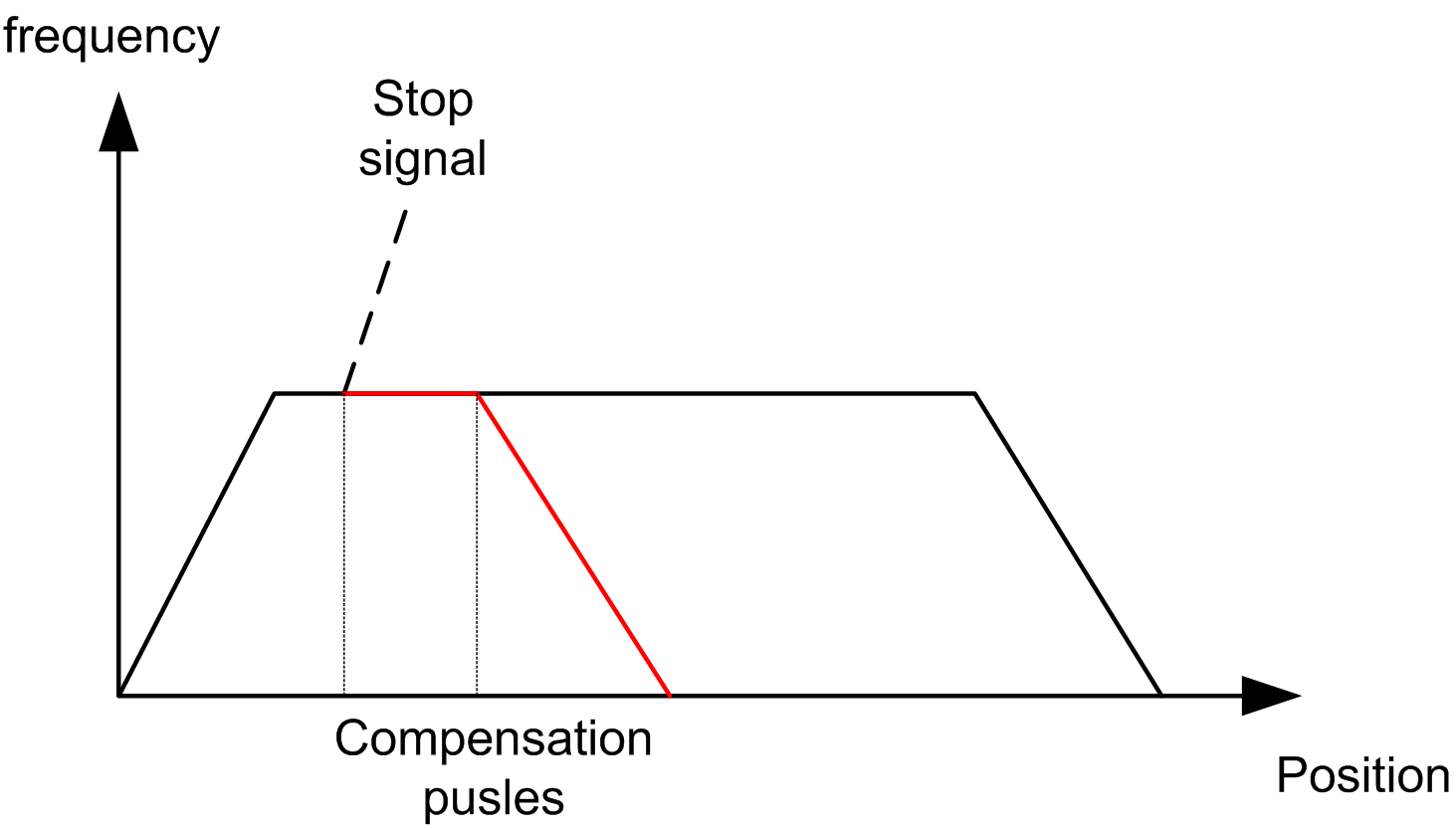
oStop signal is triggered during the deceleration, and the number of pulses from the compensation is less than the rest pulses of TargetDistance.
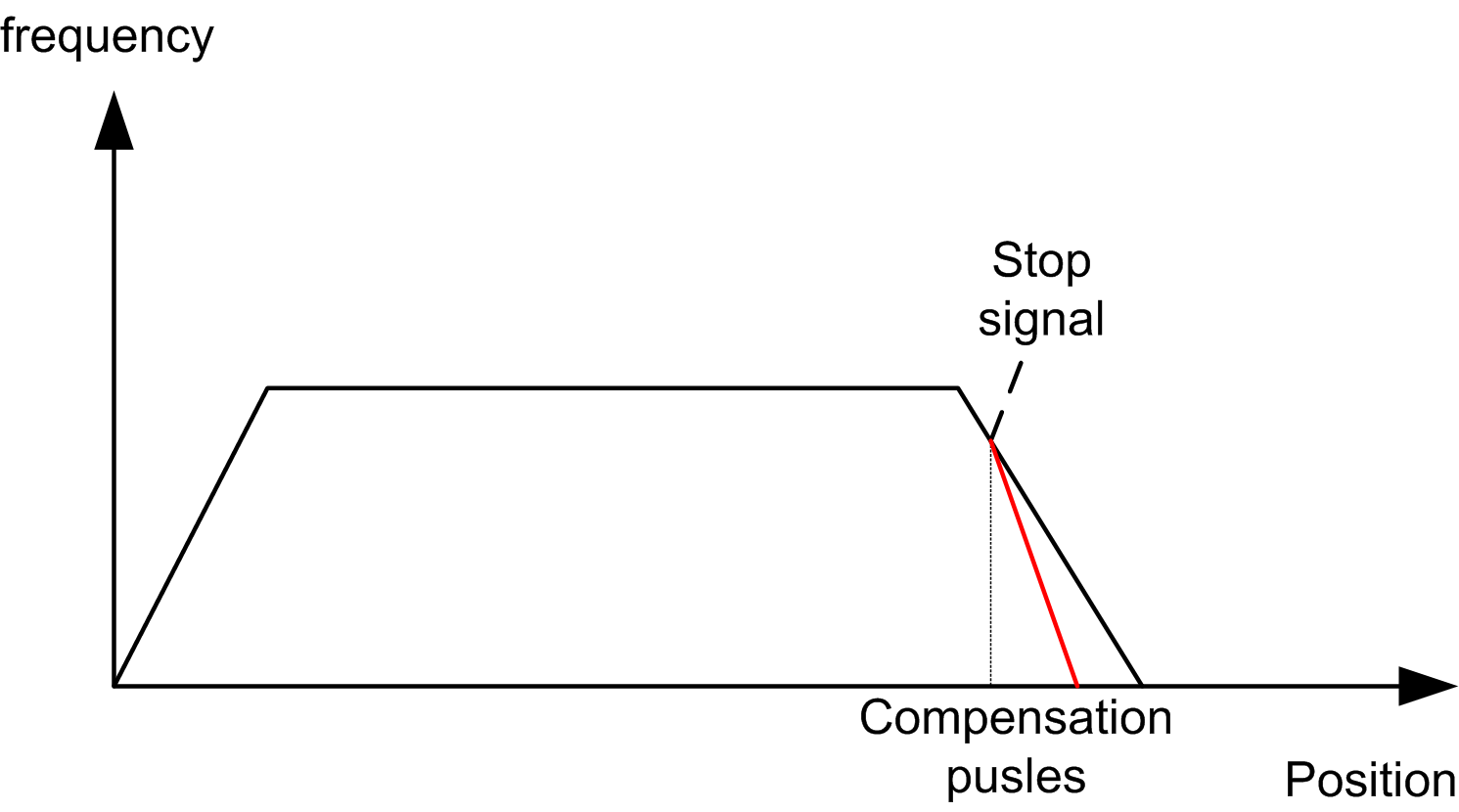
oIf stop signal is triggered during the deceleration, but the speed is very low resulting in a very long compensation time.
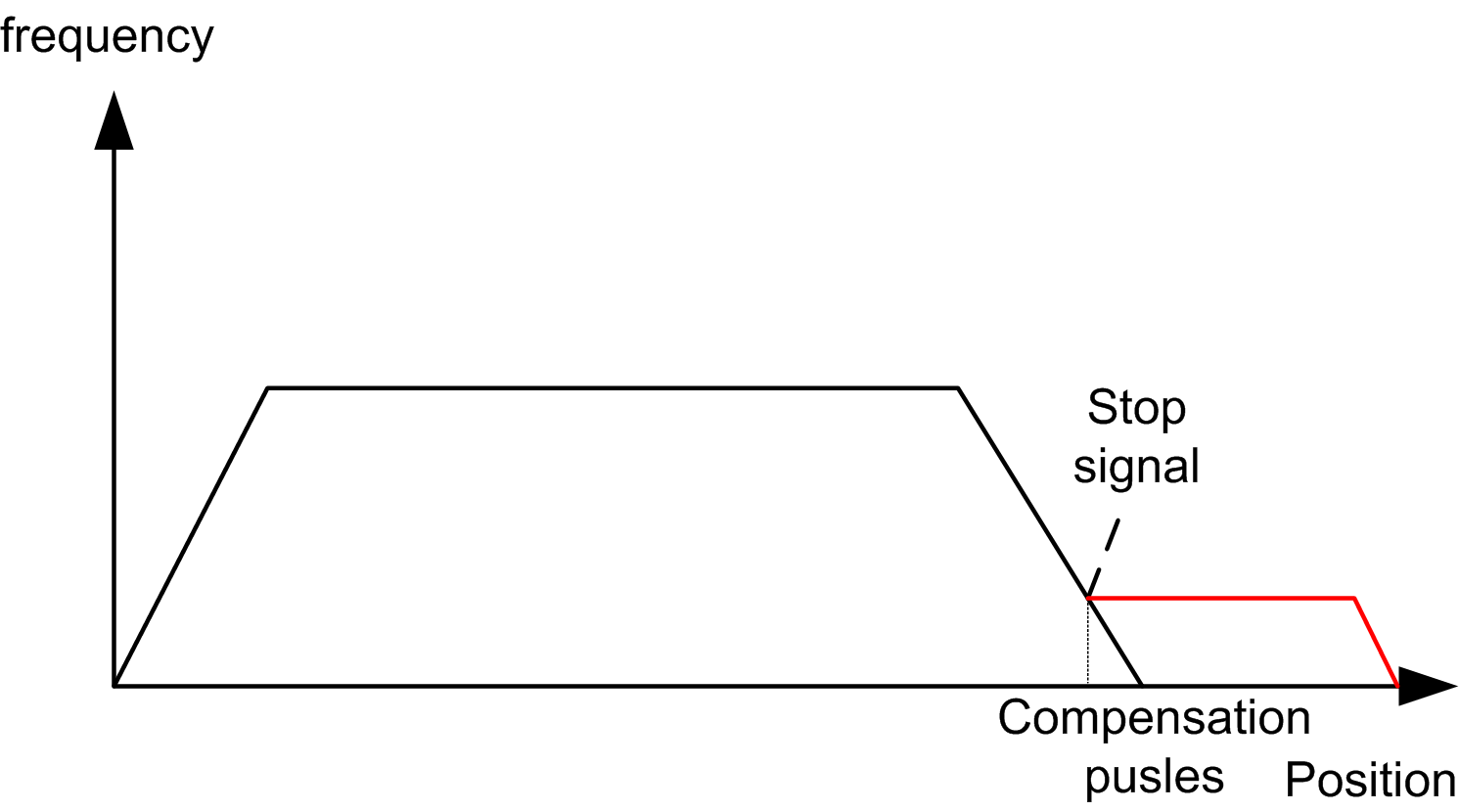
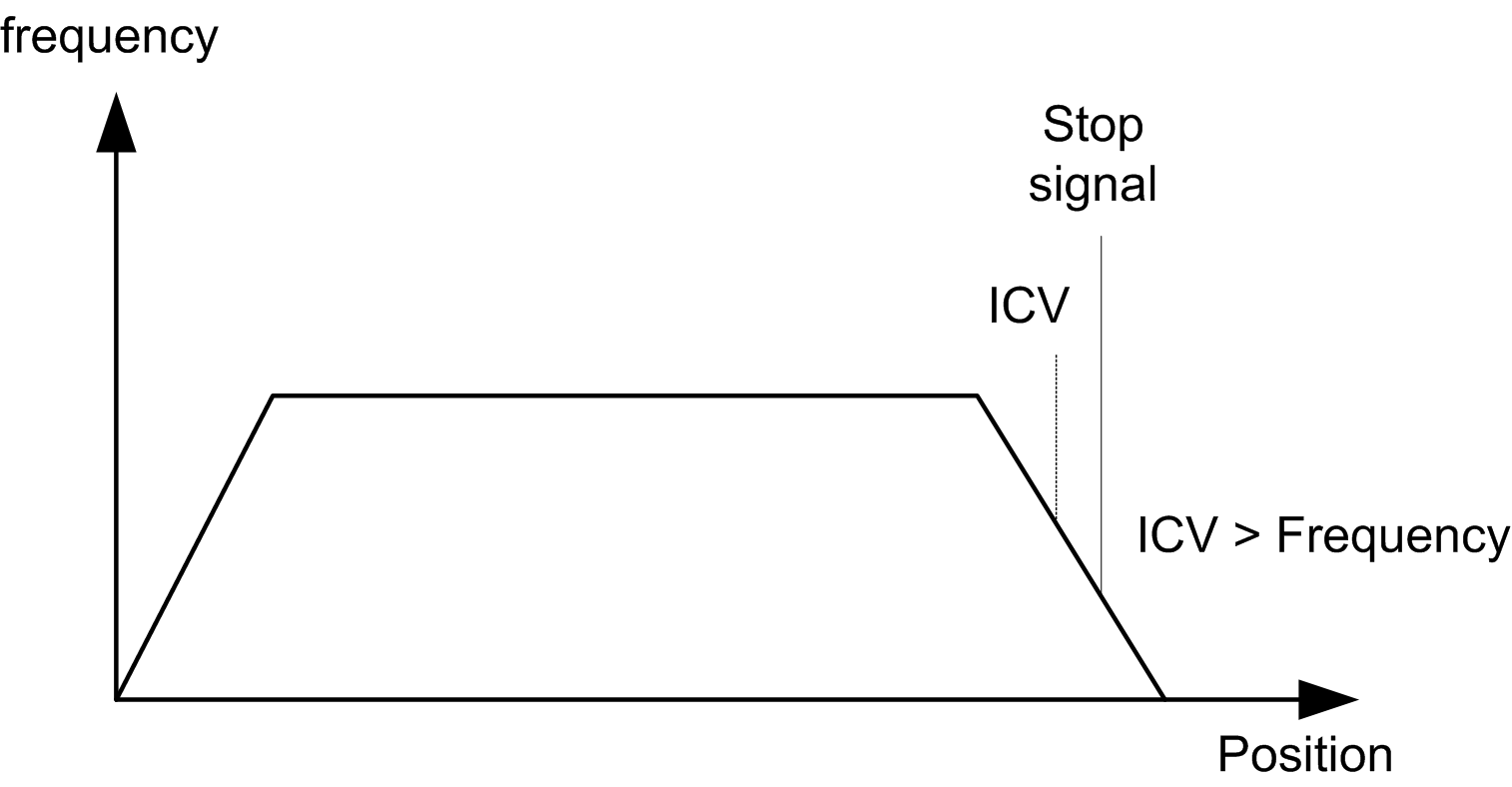
In order to avoid a very long compensation, use the IgnoreCompVelocity input.
If the current velocity < IgnoreCompVelocity (ICV), the stop signal will be ignored and the move will finish normally.
oYou can set two points A and B. If the stop signal is triggered between A and B, stop action is executed, else stop signal is ignored.
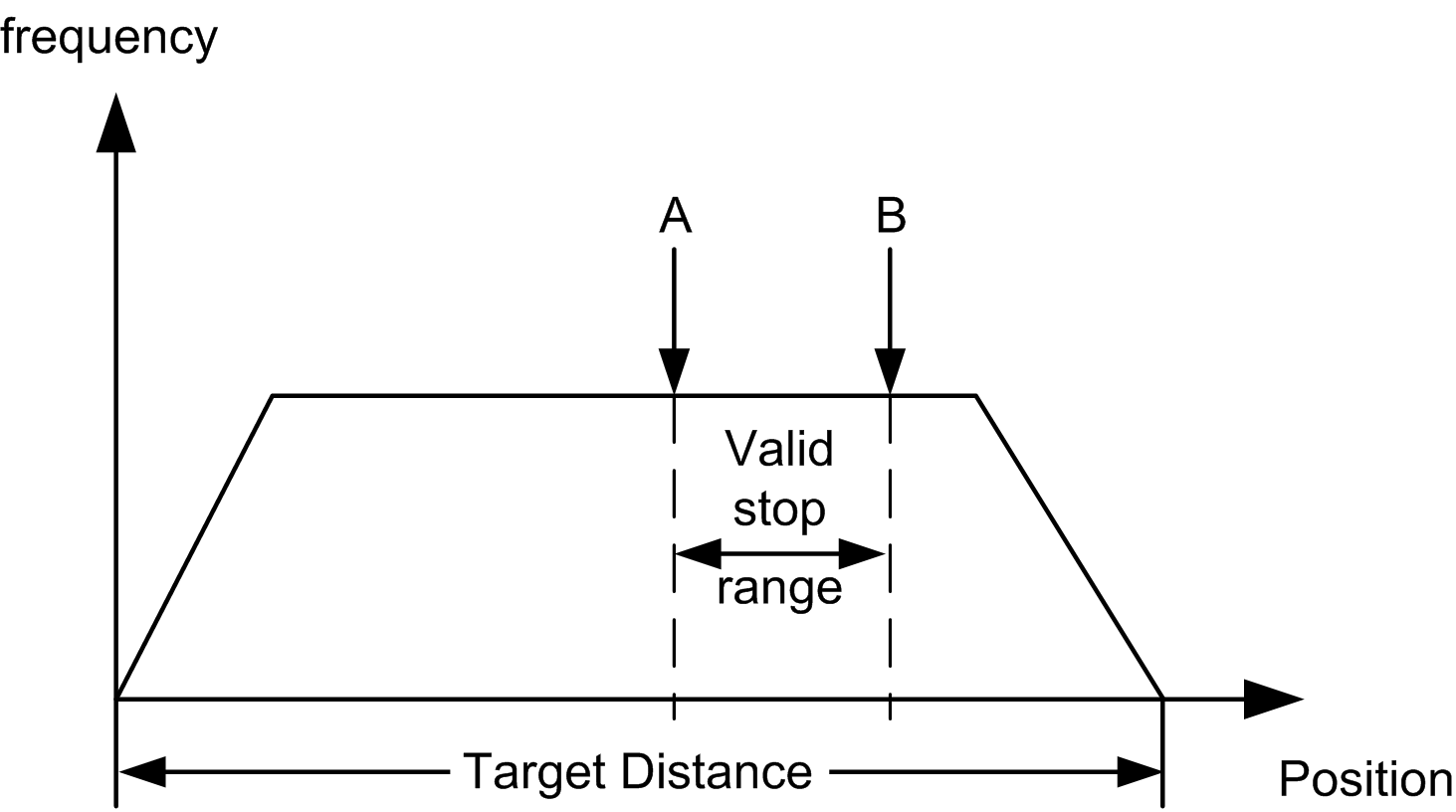
Both A and B are more than 0 and less than TargetDistance.
A – start inhibit
B – stop inhibit
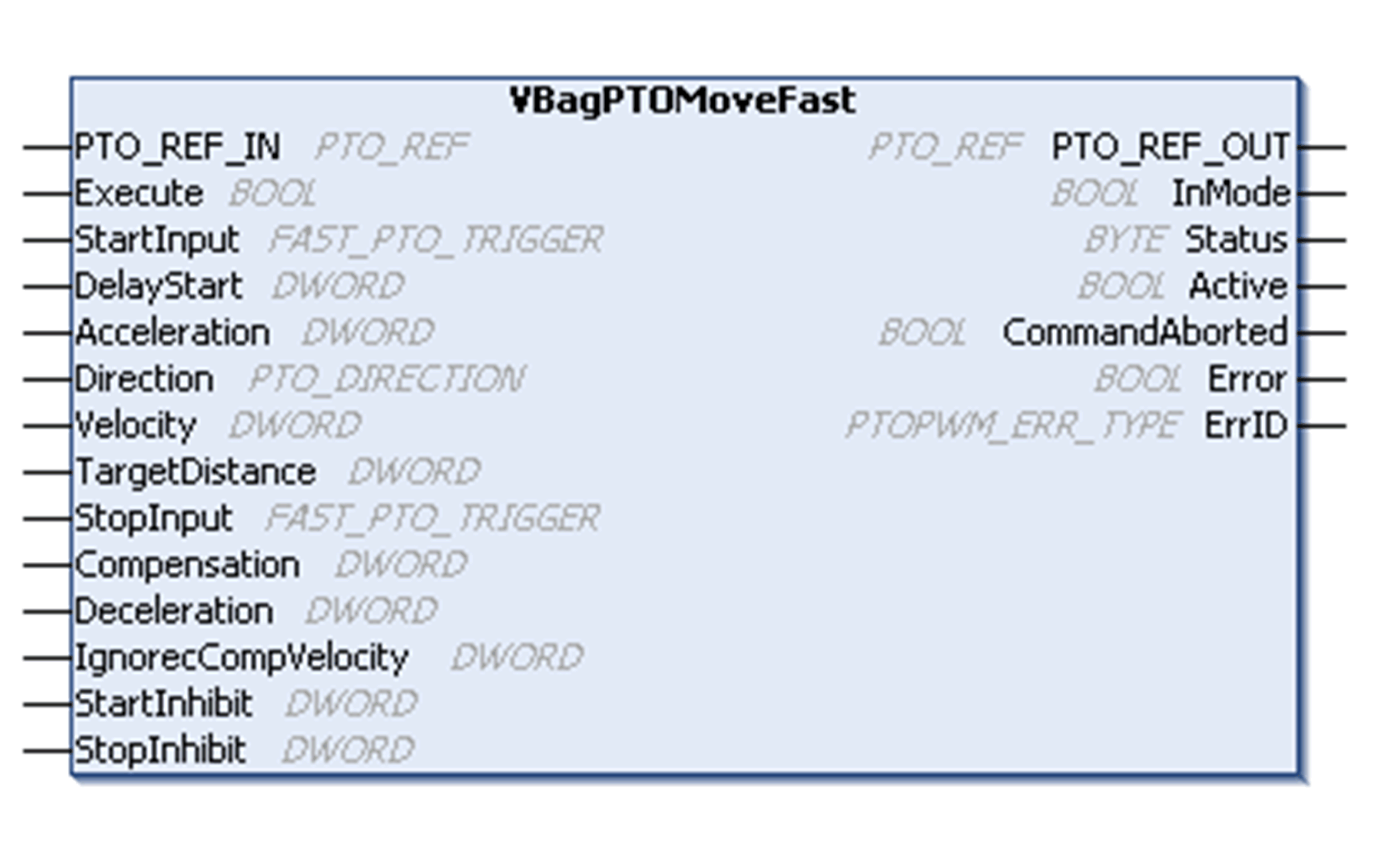
To see the general representation in IL or ST language, refer to the chapter Function and Function Block Representation.
The following table describes the input variables:
|
Inputs |
Type |
Comment |
|---|---|---|
|
PTO_REF_IN |
Reference to the PTO axis. To be connected to the PTO_REF of the PTOSimple or the PTO_REF_OUT of the Administrative or Motion output pins function blocks. |
|
|
Execute |
BOOL |
On rising edge, starts the function block execution. When FALSE, resets the outputs of the function block when its execution terminates. |
|
StartInput |
Physical input to start the function block |
|
|
DelayStart |
DWORD |
Delays the function block execution after the movement is triggered. (0...1999 ms) |
|
Acceleration |
DWORD |
Acceleration in Hz/ms or in ms (according to configuration). Range ms: Acc. max....Maximum Software Limit |
|
Direction |
Direction of the move. |
|
|
Velocity |
DWORD |
Target velocity in Hz. Range: 1...Frequency max |
|
TargetDistance |
DWORD |
Target distance to perform. If target distance is reached, the movement stops. |
|
StopInput |
Physical input to stop the function block |
|
|
Compensation |
DWORD |
Number of additional pulses after a stop request. |
|
Deceleration |
DWORD |
Deceleration in Hz/ms or in ms (according to configuration). Range Hz/ms: 1...Dec. max. Range ms: Dec. max....Maximum Software Limit |
|
IgnoreCompVelocity |
DWORD |
At any time other than acceleration, when a stop signal occurs, if the current frequency is lower than this value (in Hz), the stop signal is not taken in account and the move finishes normally. |
|
StartInhibit |
DWORD |
Starting point of the valid stop range. Value is user defined in number of pulses. if StartInhibit>StopInhibit an error is reported. |
|
StopInhibit |
DWORD |
Ending point of the valid stop range. Value is user defined in number of pulses. if StartInhibit>StopInhibit an error is reported. |
The following table describes the output variables:
|
Outputs |
Type |
Comment |
|---|---|---|
|
PTO_REF_OUT |
Reference to the PTO axis. To be connected with the PTO_REF_IN input pin of the Administrative and Motion function blocks. |
|
|
InMode |
BOOL |
TRUE = indicates the function is active and can be controlled with external inputs. |
|
Status |
Byte |
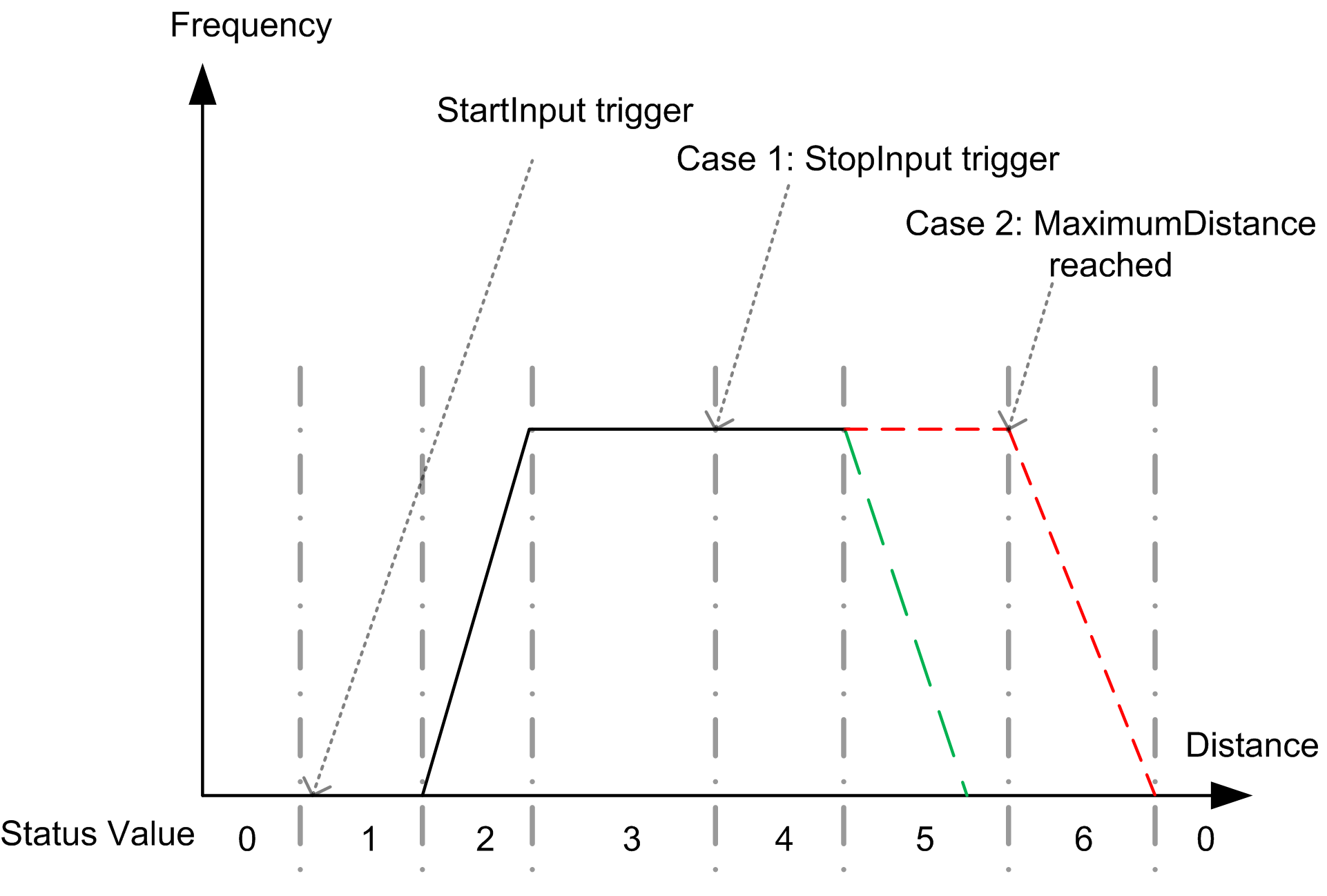
Provides the status of the movement (see the diagram below): 0 No move 1 Move in delay 2 Move in acceleration 3 Move at required frequency 4 Move in compensation 5 Move in deceleration 6 Move in deceleration because target distance reached |
|
Active |
BOOL |
TRUE = indicates that the command is in progress. |
|
CommandAborted |
BOOL |
TRUE = indicates that the command was aborted due to another move command. Function block execution is finished. |
|
Error |
BOOL |
TRUE = indicates that an error was detected. Function block execution is finished. |
|
ErrID |
When Error is TRUE: type of the detected error. |
NOTE: For more information about Done, Busy, CommandAborted and Execute pins, refer to General Information on Function Block Management
This diagram illustrates a PTOFastMove profile and their associated status: