Setting the Sercos III Address
The Sercos III address of the TM5NS31 module is set by using two rotary switches. The address is preset to 0 by default. This way, an automatic addressing is triggered.
NOTE: Only addresses from 1 to 239 are permitted.
The Sercos III address at the rotary switches is in hexadecimal notation.
The following figure shows the rotary switches:
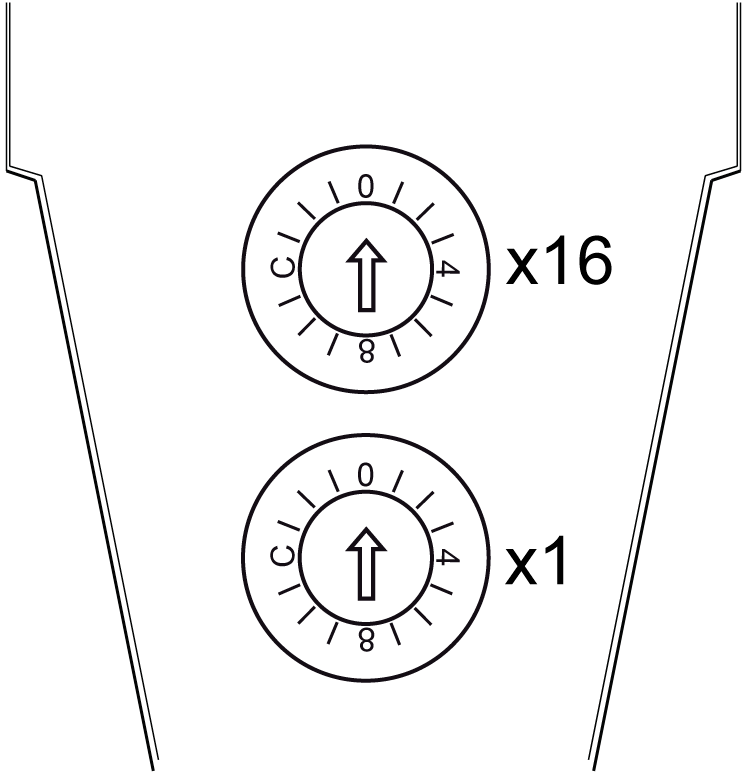
This table describes the addresses for Sercos III:
|
Addresses |
Description |
|---|---|
|
0 dec (0 hex) |
Auto-addressing (not a valid address) The setting 0 is recognized when the value SerialNumberController or TopologyAddress or ApplicationType is selected for the parameter IdentificationMode(1). |
|
1-255 dec (1-FF hex)(1) |
Manual addressing This setting is recognized when the value SercosAddress is selected for the parameter IdentificationMode(1). |
|
(1) IdentificationMode is a parameter in EcoStruxure Machine Expert. |
|
Sercos III Address Setting Example
The following figure shows an example when the Sercos III address is configured to 181 (decimal):
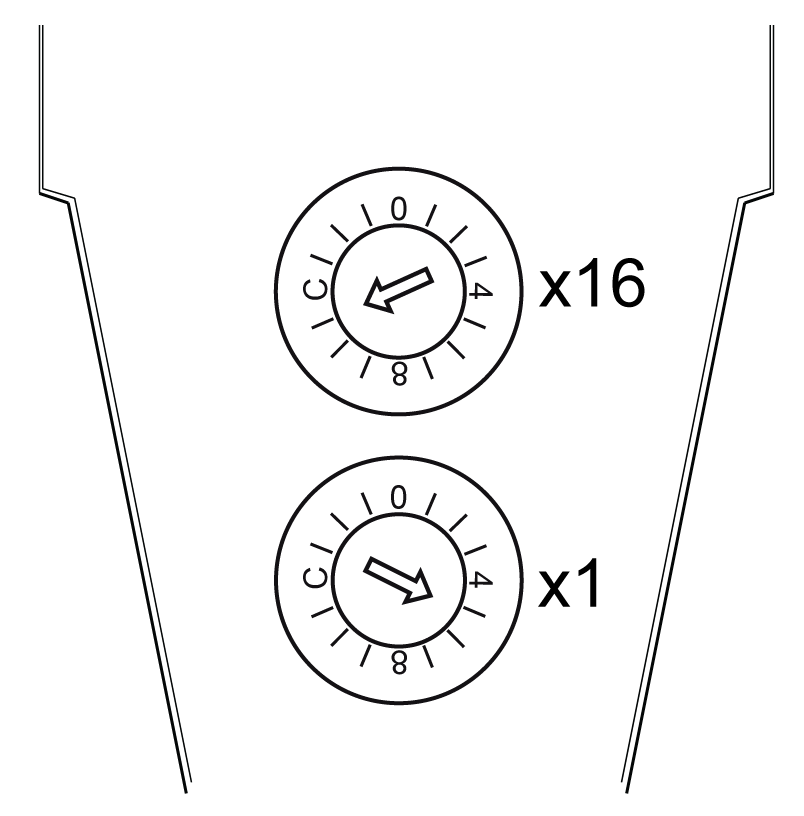
(x16) High-order rotary switch: set to B (Hex) = 11 (decimal)
(x1) Low-order rotary switch: set to 5 (Hex) = 5 (decimal)
Sercos III address = 11x16 + 1x5 = 181