Enabling/Disabling TM5/TM7 Modules
General
It is possible to enable and disable TM5 and TM7 modules either offline or via an IEC application during runtime.
Hence, using a configuration which includes the types of machines can enable or disable the TM5 or TM7 modules, depending on the type of machine.
Offline
In order to disable a TM5/TM7 module offline, click the module using the right mouse button and select from the context menu.
The disabled module is displayed in light gray.
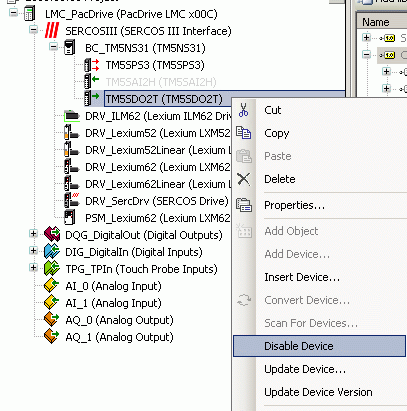
For a disabled module, then, the device command is available in the context menu.
Application
Using an application, the module can be enabled or disabled via the interface of a TM5/TM7 module.
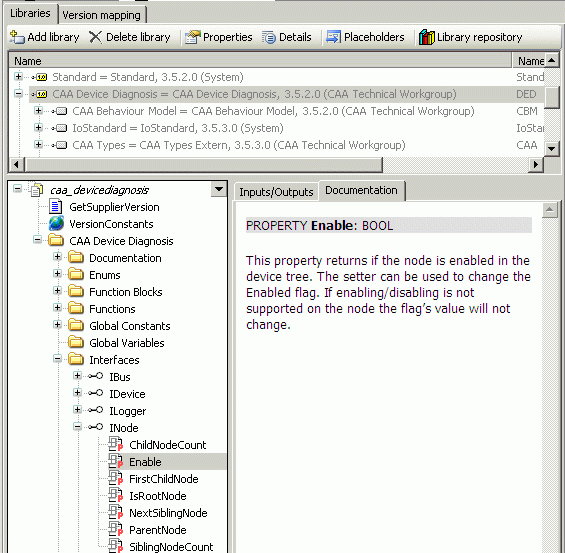
When of the interface is set to TRUE, the module is enabled. By setting it to FALSE, it is disabled.
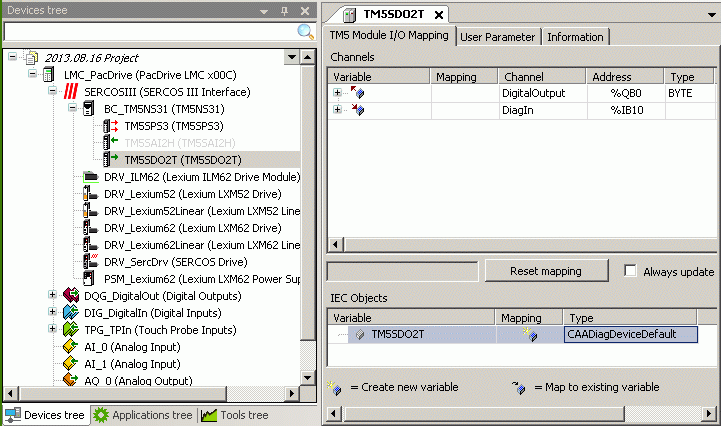
The TM5/TM7 module provides the interface via the object.
TM5/TM7 Safety Modules
TM5/TM7 safety modules can be enabled and disabled too.
However, these modules must then be configured as optional modules in the EcoStruxure Machine Expert - Safety software.