How Can I Enable and Configure Analog Inputs on CANopen?
Overview
This section provides instructions on enabling analog inputs according to the CANopen standard by setting the SDO (Service Data Object) 6423 to the value 1.
Procedure
|
Step |
Action |
|---|---|
|
1 |
Double-click the node of your analog CANopen device in the . |
|
2 |
In the tab of the editor, enable the option . Result: Additional tabs are displayed and the tab is populated with information. |
|
3 |
Open the tab and click the button. Result: The dialog box is displayed. 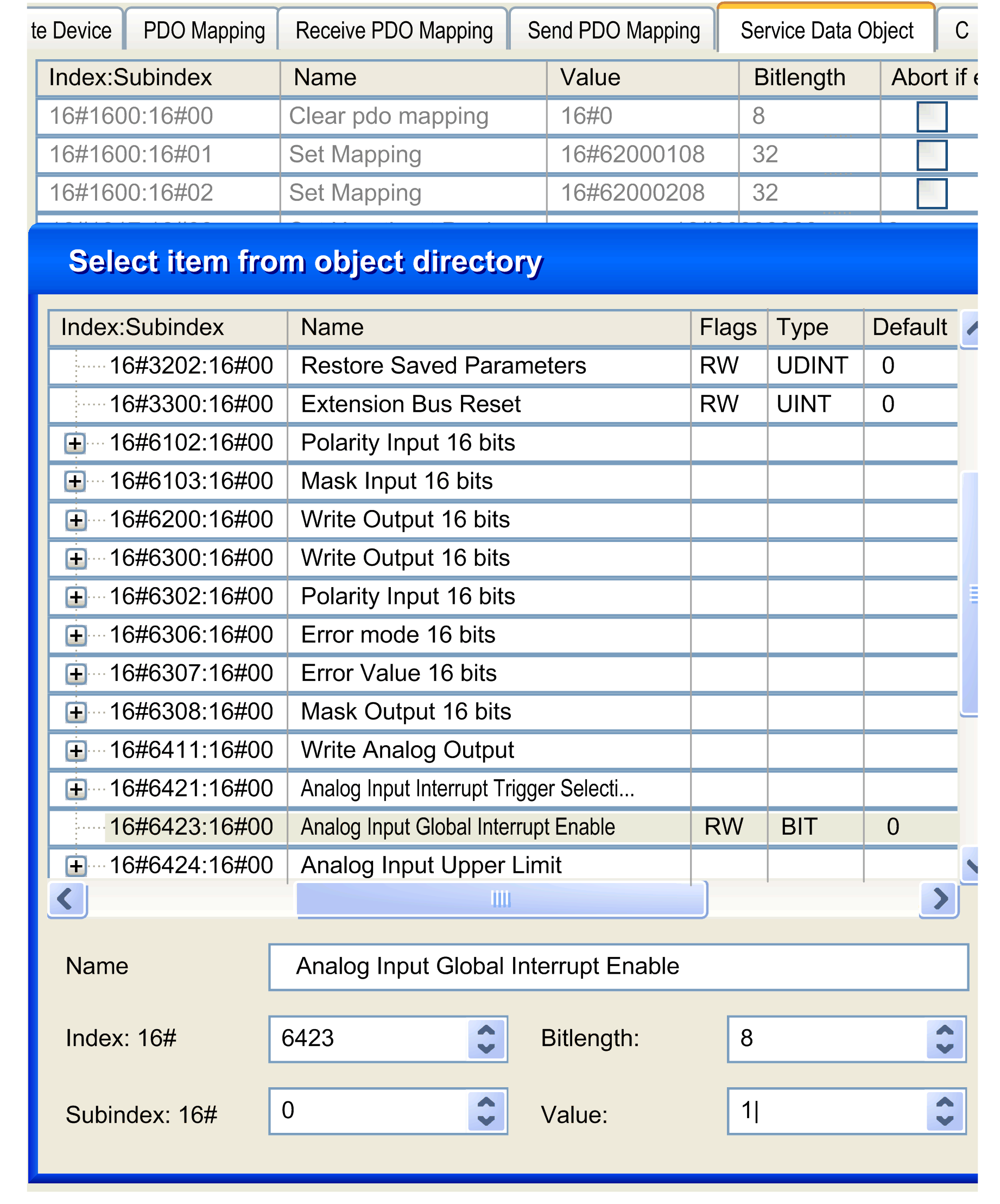
|
|
4 |
From the list of objects, select object , enter Result: Analog input transmission on the CANopen bus is activated. You can now configure parameters of the analog values as described in the hardware manual of your device. |