Real Time Clock (RTC)
Overview
The M251 Logic Controller includes an RTC to provide system date and time information, and to support related functions requiring a real-time clock. To continue keeping time when power is off, a non-rechargeable battery is required (see reference below). A battery LED on the front panel of the controller indicates if the battery is depleted or absent.
This table shows how RTC drift is managed:
|
RTC Characteristics |
Description |
|---|---|
|
RTC drift |
Less than 60 seconds per month without any user calibration at 25 °C (77 °F) |
Battery
The controller has one battery.
In the event of a power interruption, the backup battery maintains the RTC for the controller.
This table shows the characteristics of the battery:
|
Characteristics |
Description |
|---|---|
|
Use |
In the event of a transient power outage, the battery powers the RTC. |
|
Backup life |
At least 2 years at 25 °C maximum (77 °F). At higher temperatures, the time is reduced. |
|
Battery monitoring |
Yes |
|
Replaceable |
Yes |
|
Controller battery type |
Lithium carbon monofluoride, type Panasonic BR2032 |
Installing and Replacing the Battery
While lithium batteries are preferred due to their slow discharge and long life, they can present hazards to personnel, equipment and the environment and must be handled properly.
| DANGER | |
|---|---|
To install or replace the battery, follow these steps:
|
Step |
Action |
|---|---|
|
1 |
Remove power from your controller. |
|
2 |
Use an insulated screw-driver to pull out the battery holder. 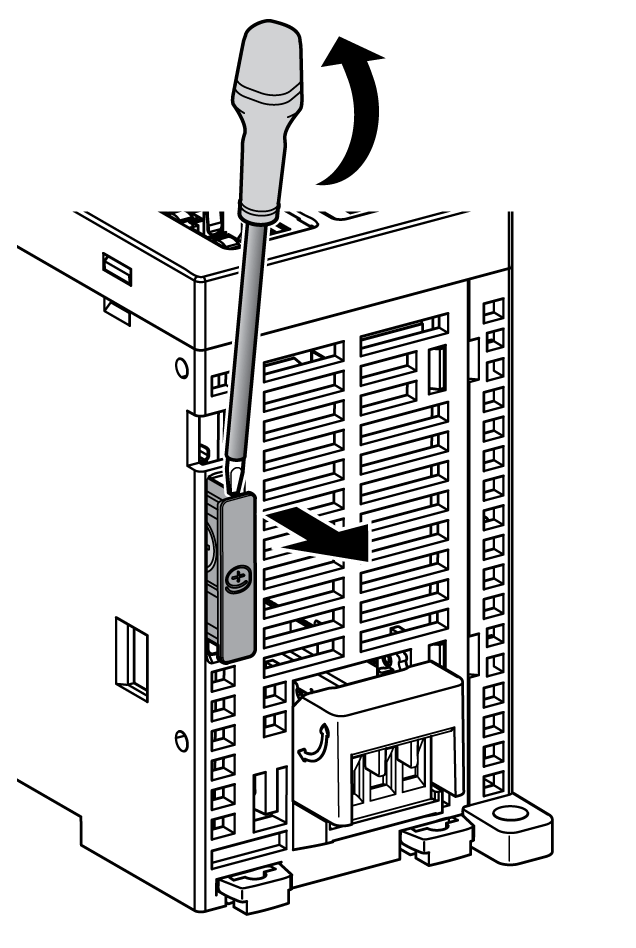
|
|
3 |
Side out the battery holder of the controller. |
|
4 |
Remove the battery from the battery holder. 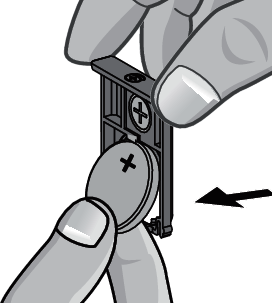
|
|
5 |
Insert the new battery into the battery holder in accordance with the polarity markings on the battery. 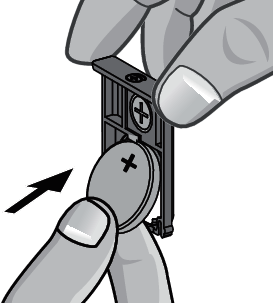
|
|
6 |
Slide in the battery holder of the controller and verify that the latch clicks into place. 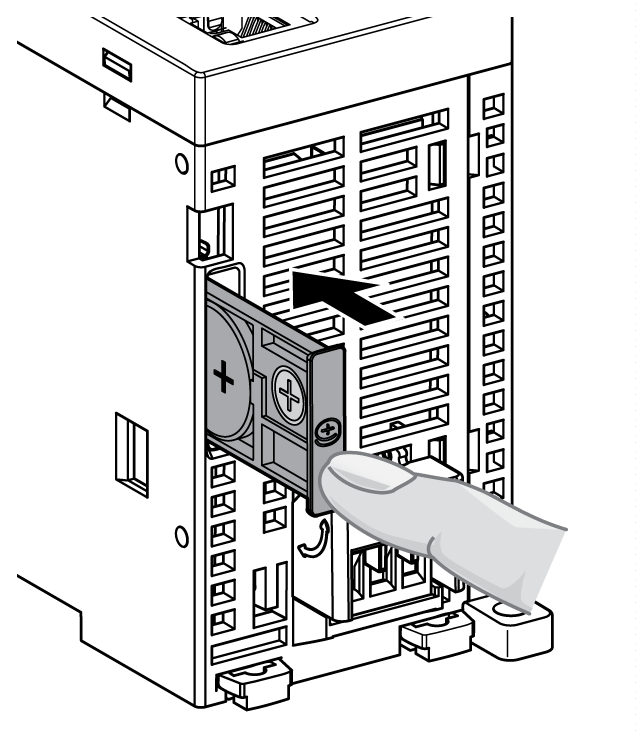
|
|
7 |
Power up your M251 Logic Controller. |
|
8 |
Set the internal clock. For further details on the internal clock, refer to M251 Logic Controller Programming Guide. |
| WARNING | |
|---|---|