Relocation Table
Introduction
The allows you to organize data to optimize communication between the controller and other equipment by regrouping non-contiguous data into a contiguous table of located registers, accessible through Modbus.
Relocation Table Description
This table describes the organization:
|
Register |
Description |
|---|---|
|
60200...61999 |
Dynamic Memory Area: Read Relocation Table
The |
|
62200...63999 |
Dynamic Memory Area: Write Relocation Table
The |
For further information, refer to the Modicon M262 Logic/Motion Controller – System Functions and Variables – System Library Guide.
Adding a Relocation Table
This table describes how to add a to your project:
|
Step |
Action |
|---|---|
|
1 |
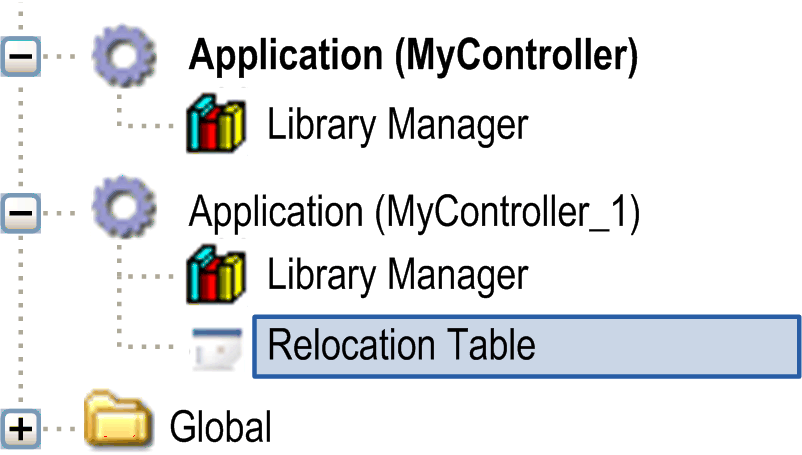
In the tab, select the node. |
|
2 |
Click the right mouse button. |
|
3 |
Click . Result: The window is displayed. |
|
4 |
Click . Result: The new relocation table is created and initialized.
NOTE: As a relocation table is unique for a controller, its name is Relocation Table and cannot be changed.
|
Relocation Table Editor
The relocation table editor allows you to organize your variables in the relocation table.
To access the relocation table editor, double-click the node in the tab:
This picture describes the relocation table editor:
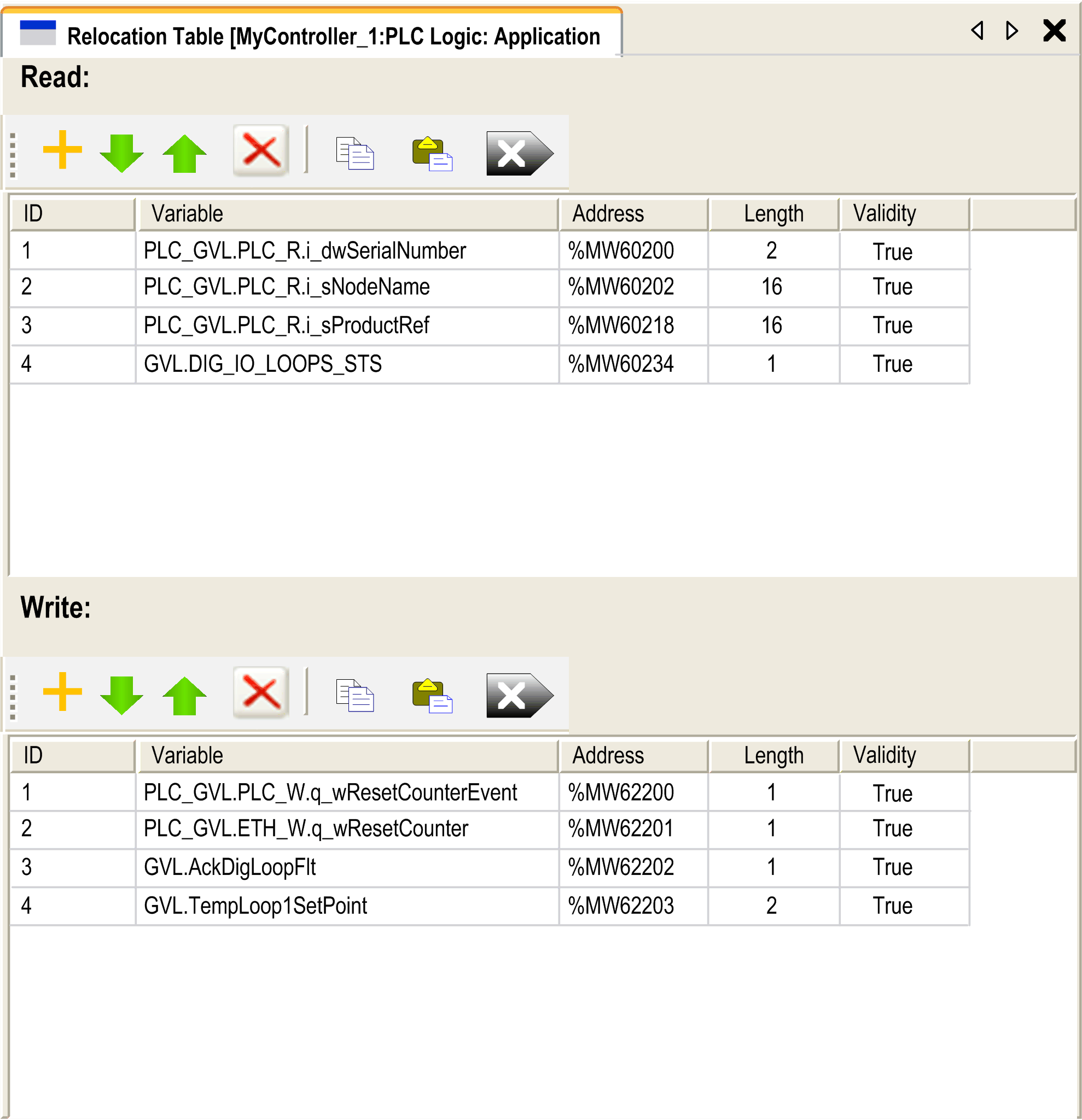
|
Icon |
Element |
Description |
|---|---|---|
|
|
New Item |
Adds an element to the list of mapped variables. |
|
|
Move Down |
Moves down the selected element of the list. |
|
|
Move Up |
Moves up the selected element of the list. |
|
|
Delete Item |
Removes the selected elements of the list. |
|
|
Copy |
Copies the selected elements of the list. |
|
|
Paste |
Pastes the elements copied. |
|
|
Erase Empty Item |
Removes all the elements of the list for which the "Variable" column is empty. |
|
- |
ID |
Automatic incremental integer (not editable). |
|
- |
Variable |
The name or the full path of a variable (editable). |
|
- |
Address |
The address of the system area where the variable is stored (not editable). |
|
- |
Length |
Variable length in word. |
|
- |
Validity |
Indicates if the entered variable is valid (not editable). |


