Equipment Removal
Introduction
The following procedures describe how to remove a TM5 System or part of a system from the DIN rail.
| DANGER | |
|---|---|
Complete Configuration Removal
The following procedure describes how to remove a complete configuration:
|
Step |
Action |
|
|---|---|---|
|
1 |
Remove all power from all equipment. |
|
|
2 |
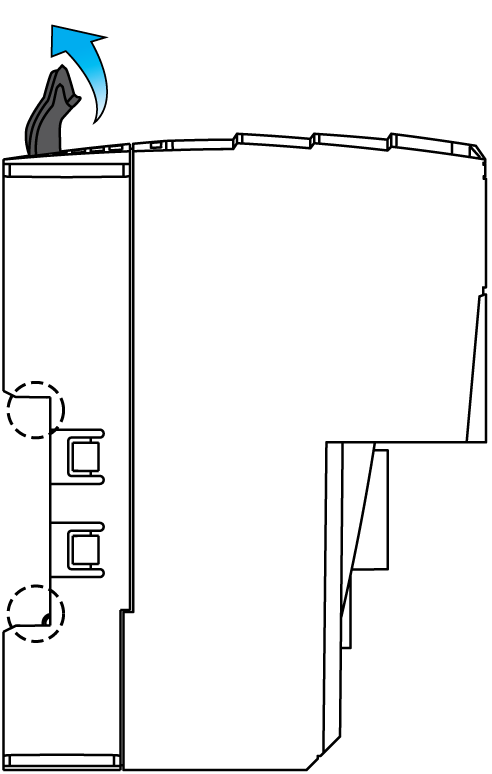
Push all the locking levers all the way up. This opens the locking mechanism for equipment installation. |
|
|
3 |
Remove the TM5 System configuration from the mounting rail. |
|
Partial Configuration Removal
|
Step |
Action |
|
|---|---|---|
|
1 |
Remove all power from all equipment. |
|
|
2 |
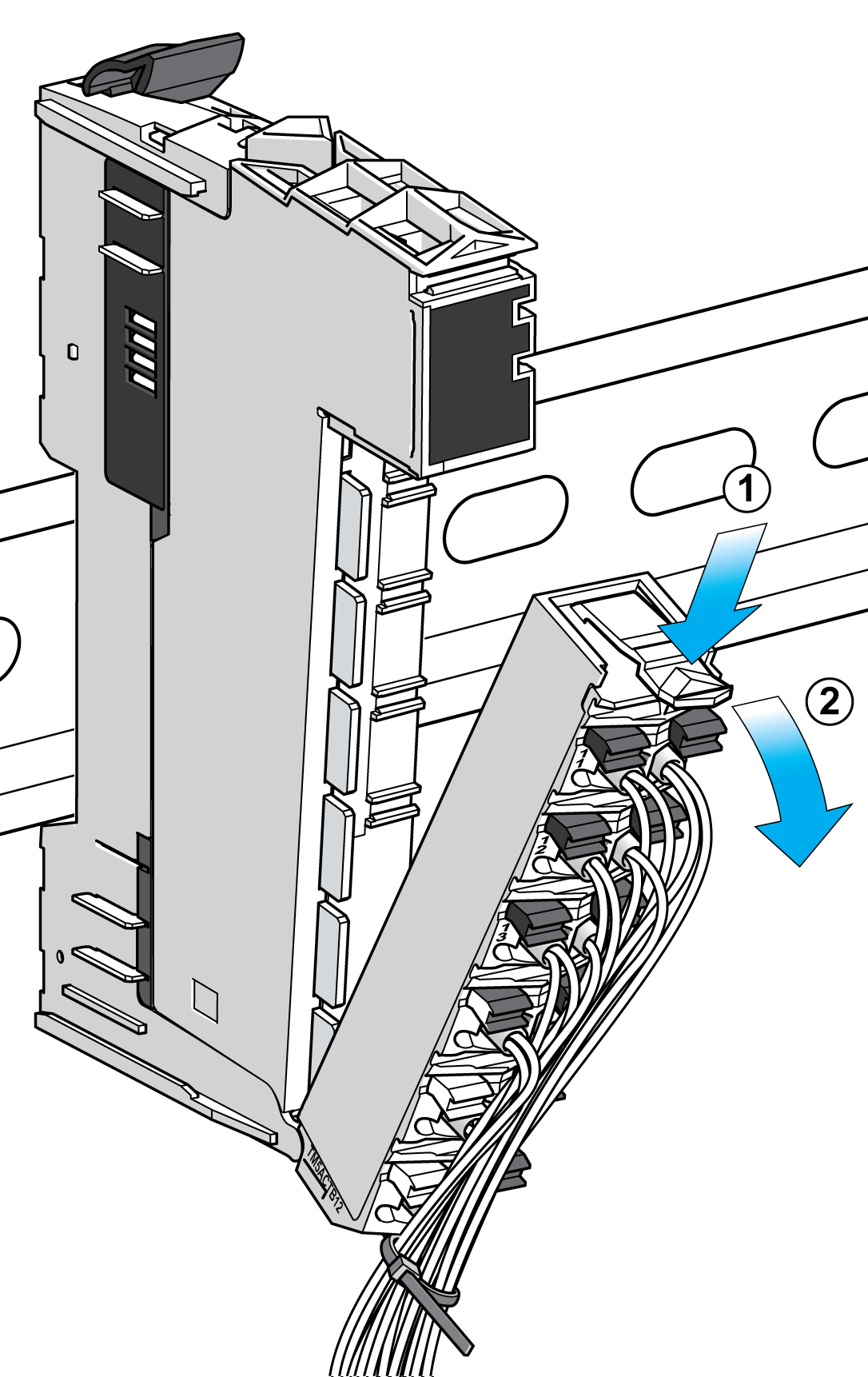
For mechanical reasons, remove the terminal block of the electronic module at the left of the partial configuration to be removed. To do this: 1 push down on the locking lever on the terminal block 2 rotate the terminal block out and down |
|
|
3 |
Push the locking levers of the configuration to be removed all the way up. This opens the locking mechanism for equipment installation. |
|
|
4 |
Remove the partial configuration from the mounting rail. 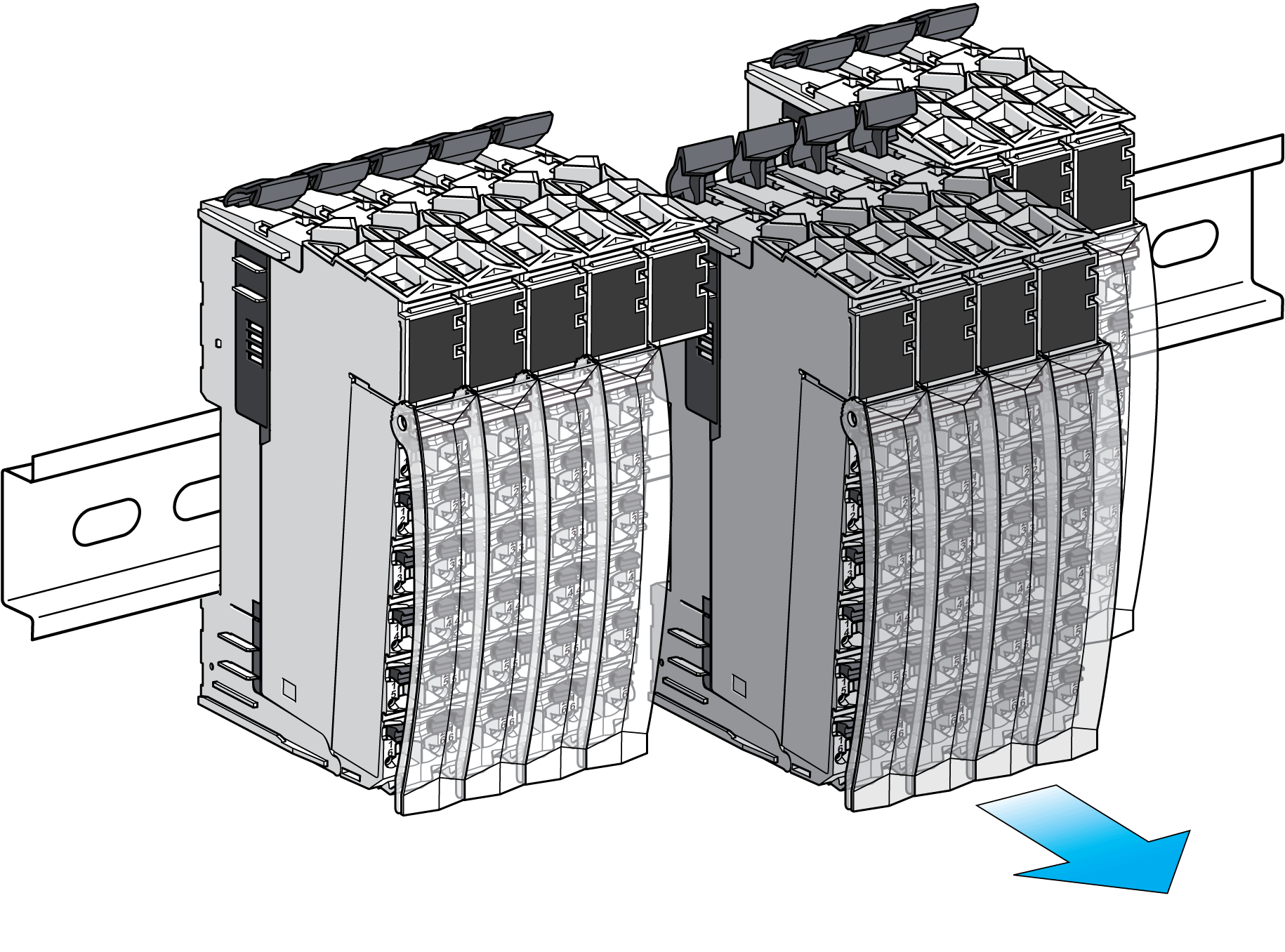
|
|
|
5 |
Put the removed terminal block back on the electronic module. |
|