Operation Mode Panel
Overview
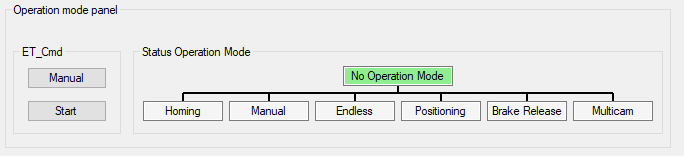
If the module is online, the indicates the present operation mode.
Depending on the selected tab (, , , , ) , you can send the respective ET_Cmd.
|
Element |
Description |
|---|---|
|
|
Depending on the selected tab, the upper button displays: , , , , , or . Example: If the module is not in the displayed operation mode (for example, ) click the button to send the command AXM.ET_Cmd.Manual, and then click the button to send the command AXM.ET_Cmd.Start. If the operation mode is accepted, the background color of the operation mode status switches to green. |
|
|
Displays the operation mode of the module. |