Linking and Using an HTML5 Control
You can install an HTML5 control directly into your visualization element repository.
HTML5 controls can be added to a repository so that it is possible to distribute a project with all of the necessary contents.
HTML5 controls are often delivered as a package. The initial installation is then performed in the Package Manager.
First installation of an HTML5 control
-
Click Tools → Visualization Element Repository.
TIP:The command is available only when there are no projects open in CODESYS.
-
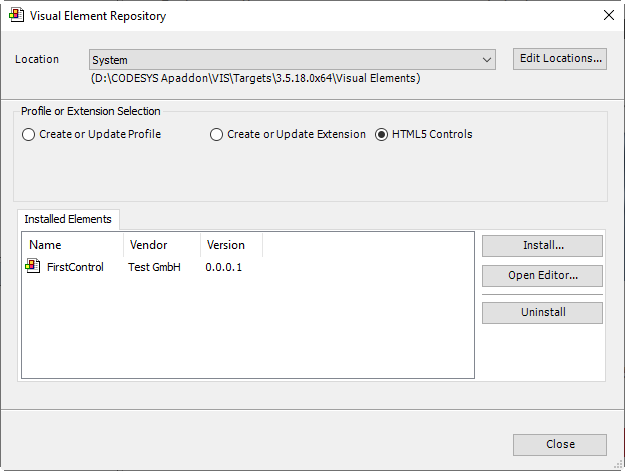
The Visual Element Repository dialog opens.
-
-
In the file selection dialog which opens, select the desired description file of the HTML5 control (
*.html5control.xml).-
-
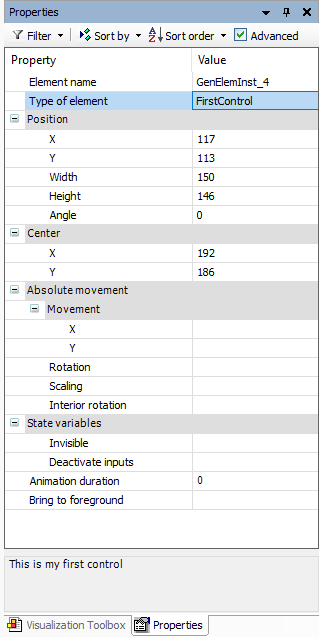
If the description file is valid, then the element is automatically installed into the repository. In the visualization, the control is listed in Installed Elements. You can use it.
-
If the description file is invalid, then an error is issued. Then you need to contact the author of the element.
-
-
Creating an HTML5 control
-
The
 HTML5 Control Editor is located in the installation folder of CODESYS in the Windows Start Menu.
Open the editor.
-
Click
 Save and Install.
-
Your settings are applied and their validity checked. Then the description file is saved and the control is installed in the repository.
-
-
In the visualization element repository, the control is listed in Installed Elements.