Query Editor
Overview
With the , you can edit or create user-defined queries.
The main window of the provides two parts:
-
SPARQL Editor
-
Rightmost the provides the .
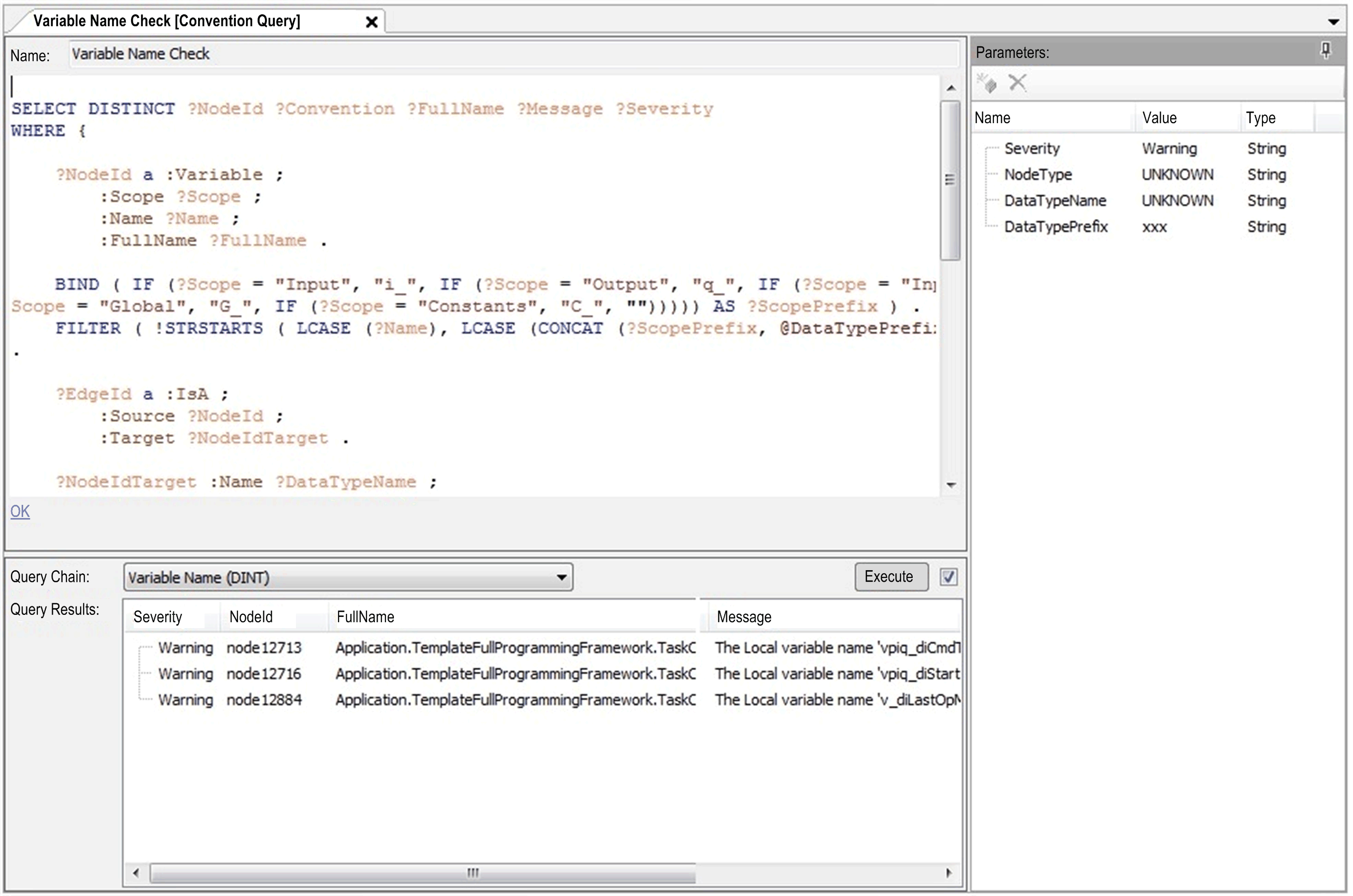
SPARQL Editor
|
Element |
Description |
|---|---|
|
|
Edit the query name. |
|
|
Edit the SPARQL query. |
|
Syntax validation messages |
At the bottom of the query editor, detected SPARQL syntax errors are displayed. Click this message to jump to the detected syntax error in the query editor. |
Query Results
|
Element |
Description |
|---|---|
|
|
Queries can only be executed in the environment of a query chain. If a query is already assigned to query chains, these query chains are available in this list. There is also a default query chain without parameters available. |
|
|
The results of a query are displayed in this table. |
|
check box |
Deselect this check box to disabled automatic query execution. |
|
button |
Click this button to start execution. |