General Information
Library Overview
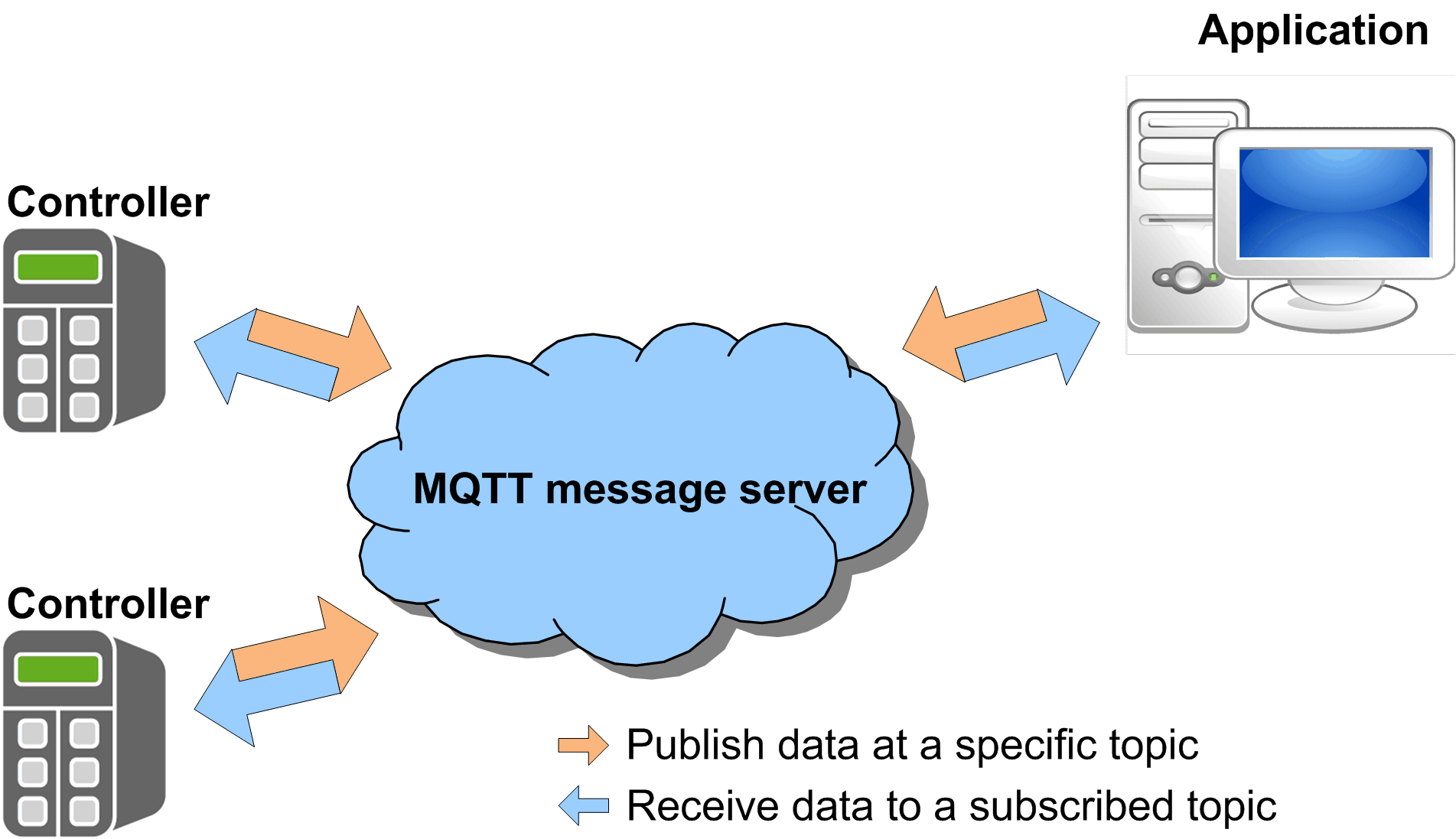
The MqttHandling library implements the Message Queuing Telemetry Transport (MQTT) client functionality in the application program running on a controller. The MQTT provides data exchange between the clients on a publish/subscribe basis. An MQTT client publishes messages (data) on a topic via an MQTT server. The MQTT server, represented by a server, forwards (publishes) the published messages to clients which are subscribed to the respective topic.
This library supports MQTT via a secured connection using TLS (Transport Layer Security).
Whether a connection using TLS is supported depends on the controller where the FB_TcpClient2 is used. Refer to the specific manual of your controller to verify if TCP communication using TLS is supported.
Characteristics of the Library
The table indicates the characteristics of the library:
|
Characteristic |
Value |
|---|---|
|
Library title |
MqttHandling |
|
Company |
Schneider Electric |
|
Category |
|
|
Component |
|
|
Default namespace |
|
|
Language model attribute |
|
|
Forward compatible library |
Yes (FCL) |
Example Project
In conjunction with the library, an example project is provided. The example project demonstrates how to implement the components from the MqttHandling library.
The example project is installed on your PC along with the programming software. To open the project example, proceed as follows:
|
Step |
Action |
Comment |
|---|---|---|
|
1 |
In the EcoStruxure Machine Expert Logic Builder, execute the command . |
– |
|
2 |
In the dialog box, select from the list. |
– |
|
3 |
On the right-hand side of the dialog box, click the button . |
Result: Available examples are listed in the drop down menu. |
|
4 |
Select your example from the drop down menu. |
– |
|
5 |
Select your controller from the list. |
– |
|
6 |
Enter a name for the new project, and select the file location. |
– |
|
7 |
Click the button. |
Result: A new project is created based on the selected example. |
General Considerations
Only IPv4 IP addresses are supported for the communication functions provided with this library.
The TcpUdpCommunication (Schneider Electric) and the CAA Net Base Services library (CAA Technical Workgroup) use the same system resources on the controller. The simultaneous use of both libraries in the same application may lead to disturbances during the operation of the controller.
| WARNING | |
|---|---|
| WARNING | |
|---|---|
| WARNING | |
|---|---|
For more information on organizational measures and rules covering access to infrastructures, refer to ISO/IEC 27000 series, Common Criteria for Information Technology Security Evaluation, ISO/IEC 15408, IEC 62351, ISA/IEC 62443, NIST Cybersecurity Framework, Information Security Forum - Standard of Good Practice for Information Security and refer to Cybersecurity Guidelines for EcoStruxure Machine Expert, Modicon and PacDrive Controllers and Associated Equipment.