EcoStruxure Machine Expert Single Variable Definition
Overview
By publishing the variables in EcoStruxure Machine Expert, they will automatically be available for use in the Vijeo-Designer HMI application.
For variable exchange with the Machine Expert protocol, perform the following steps:
-
Create variables in the controller part.
-
Publish the variables by defining them as Symbols in the controller part. They are now available in the HMI part as EcoStruxure Machine Expert variables.
-
Configure the physical connection (automatically setup by EcoStruxure Machine Expert).
Disabling Automatic Symbol Export to Vijeo-Designer
By default, EcoStruxure Machine Expert automatically exports those variables defined as Symbols to the Vijeo-Designer HMI application.
Once symbols have been transferred to Vijeo-Designer, it is usually not necessary to make the transfer every time you call Vijeo-Designer. If you later add or modify symbols in your EcoStruxure Machine Expert application after having initially transferred the symbols, you can transfer symbols to Vijeo-Designer manually at will. To save time when you open Vijeo-Designer, you can disable the automatic transfer of symbols as follows:
|
Step |
Action |
|---|---|
|
1 |
Select the command from the menu. Result: The dialog box is displayed. |
|
2 |
Select the entry from the list on the left-hand side. |
|
3 |
On the right-hand side, enable the check box . 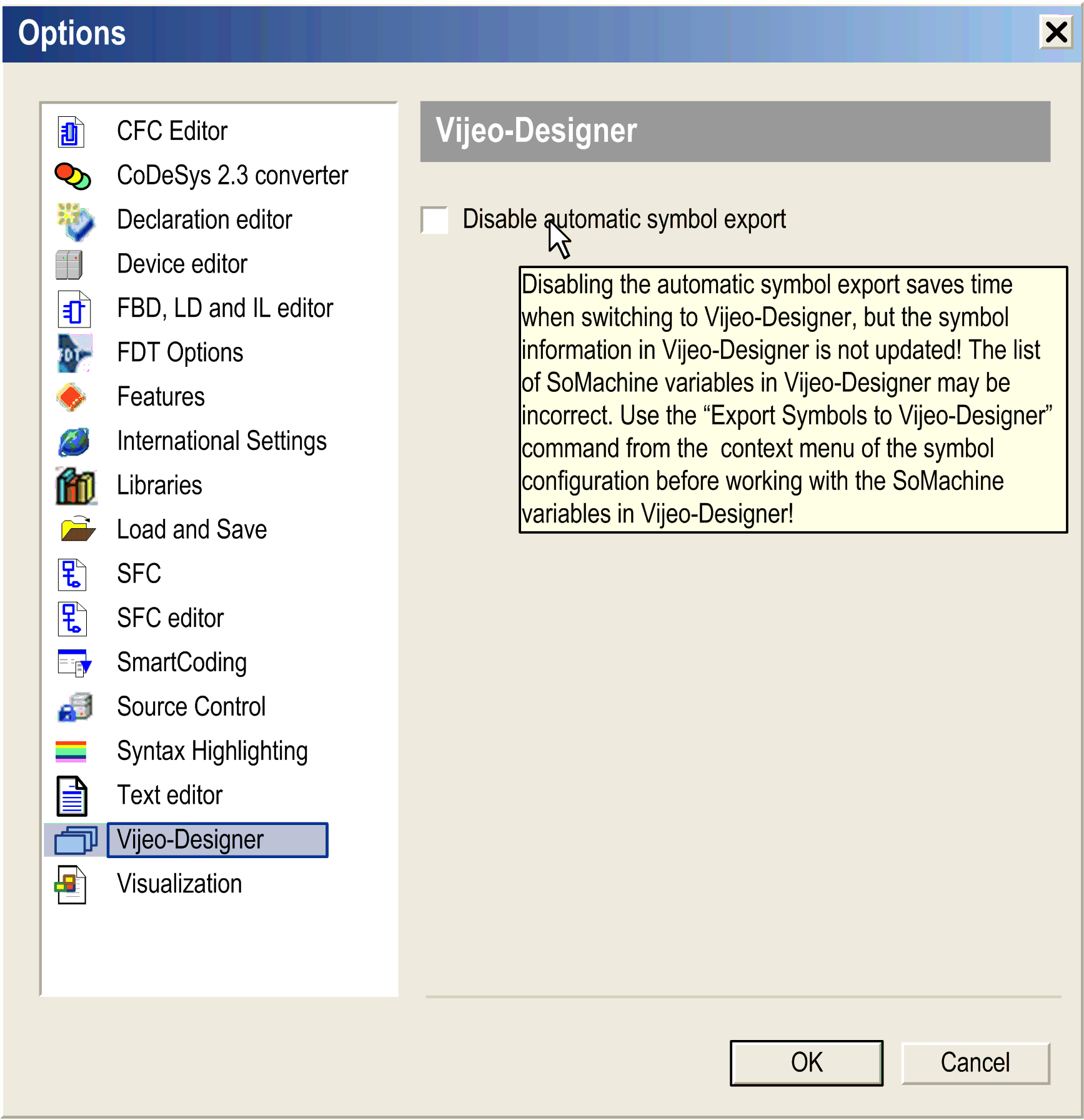
|
|
4 |
Click to close the dialog box. |
| WARNING | |
|---|---|
Variable Types for EcoStruxure Machine Expert - HMI Data Exchange
The following table lists the variable types for EcoStruxure Machine Expert - HMI data exchange:
|
Variable type EcoStruxure Machine Expert |
Variable type Vijeo-Designer |
Variable type EcoStruxure Operator Terminal Expert |
Comment |
|---|---|---|---|
|
BOOL |
BOOL |
BOOL |
-- |
|
BYTE |
Integer |
BYTE |
-- |
|
WORD |
UINT |
WORD |
-- |
|
DWORD |
UDINT |
DWORD |
-- |
|
SINT |
Integer |
SINT |
-- |
|
INT |
INT |
INT |
-- |
|
DINT |
DINT |
DINT |
-- |
|
USINT |
Integer |
USINT |
-- |
|
UINT |
UINT |
UINT |
-- |
|
UDINT |
UDINT |
UDINT |
-- |
|
LINT |
– |
LINT |
-- |
|
ULINT |
– |
ULINT |
-- |
|
REAL |
REAL |
REAL |
-- |
|
LREAL |
– |
LREAL |
-- |
|
STRING |
STRING |
STRING |
-- |
|
WSTRING |
STRING |
WSTRING |
Vijeo-Designer supports WSTRING as a general STRING type. Therefore, you can either exchange only STRINGS or only WSTRINGS with the HMI. A mixture of these two variable types is not allowed. If you use WSTRINGs, all your strings must be WSTRINGs. Indicate to the Vijeo-Designer driver that all strings should be managed as UNICODE WSTRINGs as follows: Select the node or in the tree of Vijeo-Designer and set the parameter to the value . EcoStruxure Operator Terminal Expert can use STRING and WSTRING simultaneously. |
|
ARRAY |
– |
– |
In Vijeo-Designer and EcoStruxure Operator Terminal Expert, you can only reference the elements of an array, not the whole array.
Example: Your array consists of SINTs called Arrays must not contain more than 2,048 elements. If you try to use arrays with more than 2,048 elements in Vijeo-Designer, a message is issued. |
|
Non-zero based array |
– |
Non-zero based array |
In Vijeo-Designer, you cannot import an array that is defined, example: |
|
ARRAY OF ARRAY |
– |
– |
You cannot export to Vijeo-Designer an array that has an array as its element type, such as |
|
DUT |
– |
– |
In Vijeo-Designer and EcoStruxure Operator Terminal Expert, you can only reference the elements of a DUT, not the whole DUT. This behavior is similar to the behavior of arrays. |
|
TIME |
– |
TIME |
– |
|
DATE |
– |
DATE |
– |
|
TOD |
– |
TOD |
– |
|
DT |
– |
DT |
– |
|
REFERENCE TO <Type> |
<Type> (<Type> being one of the supported types in this list)] |
<Type> (<Type> being one of the supported types in this list)] |
Do not share references to ARRAYs or structured variables containing an ARRAY in the symbol configuration editor, as their values will not be displayed correctly on the HMI. |
For further information on variable types for EcoStruxure Machine Expert - HMI data exchange, see the Vijeo-Designer and EcoStruxure Operator Terminal Expert online help.