Ethernet Services
IP Routing
The subtab allows you to configure the IP routes in the controller.
The parameter recalls the options set or not on the configuration page of the TM4ES4 Ethernet module (option not available on the embedded Ethernet port).
When deactivated, the communication is not routed from a network to another one. The devices on the device network are no longer accessible from the control network and related features like Web pages access on device or commissioning of device via DTM, EcoStruxure Machine Expert - Safety and so on are not possible.
The M241 Logic Controller can have up to two Ethernet interfaces. Using a routing table is necessary to communicate with remote networks connected to different Ethernet interfaces. The gateway is the IP address used to connect to the remote network, which needs to be in local network of the controller.
This graphic depicts an example network, in which the last two rows of devices (gray and red) need to be added in the routing table:
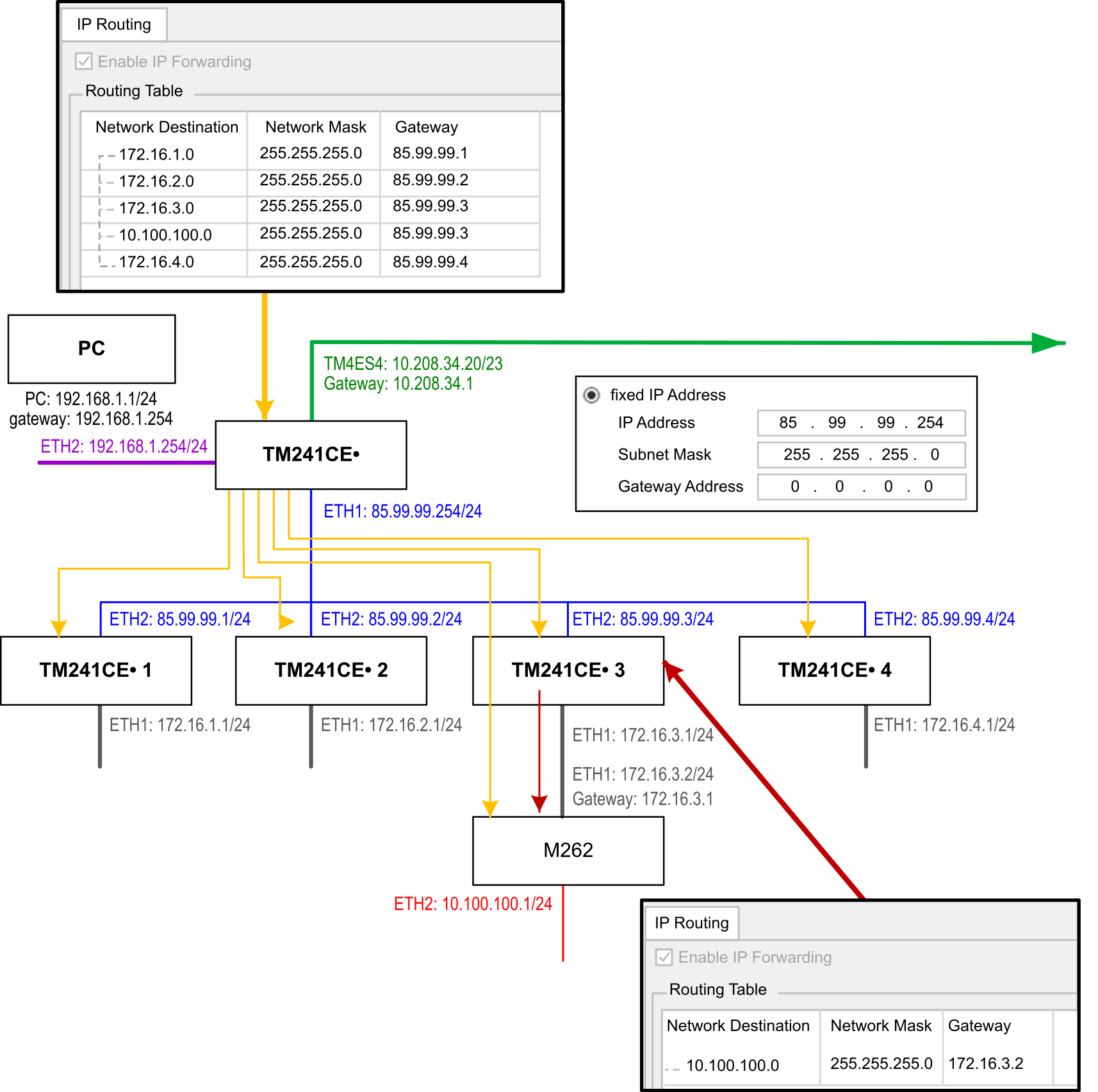
Use the routing tables to manage the IP forwarding.
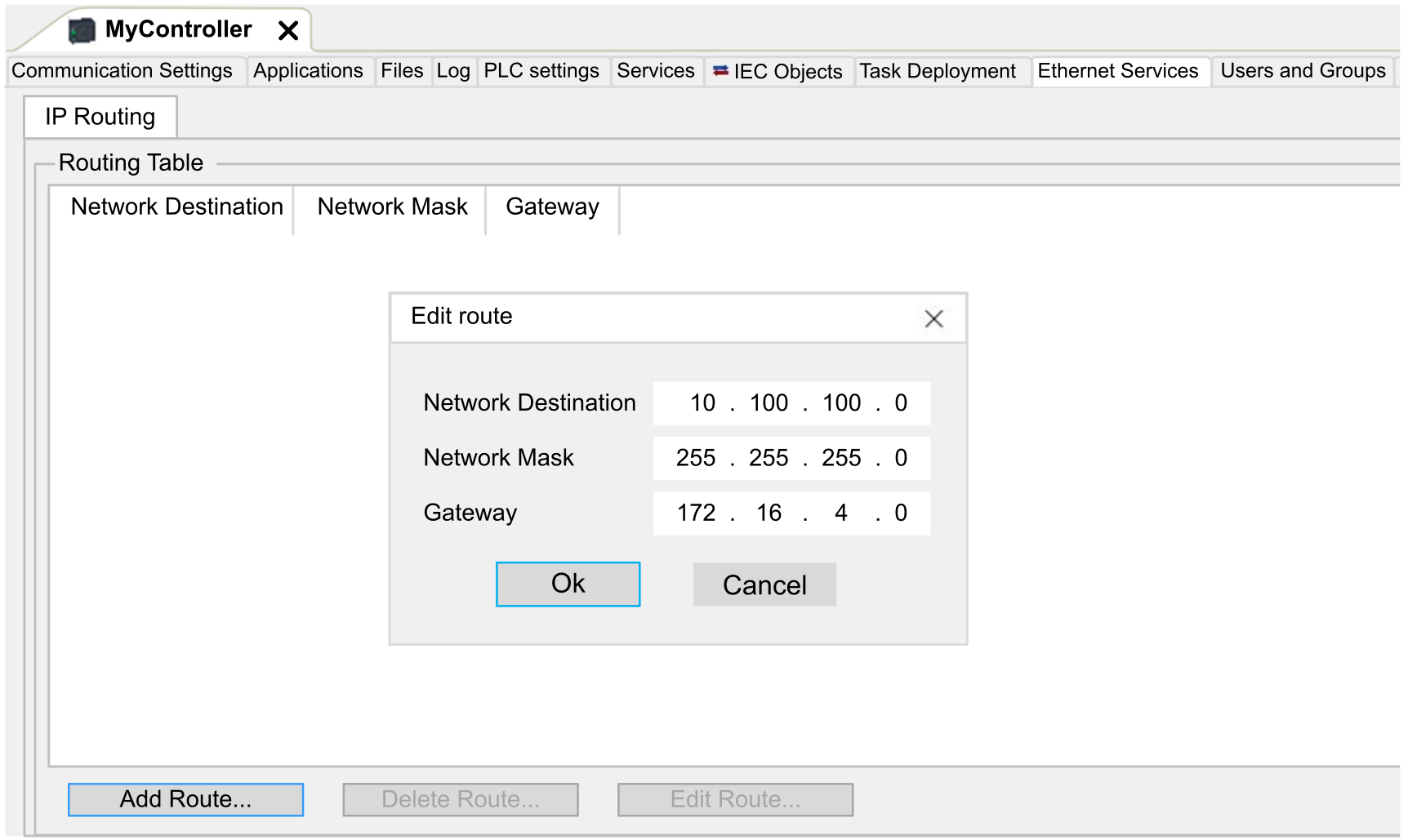
To add a route, double click then click .
For reasons of network security, TCP/IP forwarding is disabled by default. Therefore, you must manually enable TCP/IP forwarding if you want to access devices through the controller. However, doing so may expose your network to possible cyberattacks if you do not take additional measures to protect your enterprise. In addition, you may be subject to laws and regulations concerning cybersecurity.
| WARNING | |
|---|---|