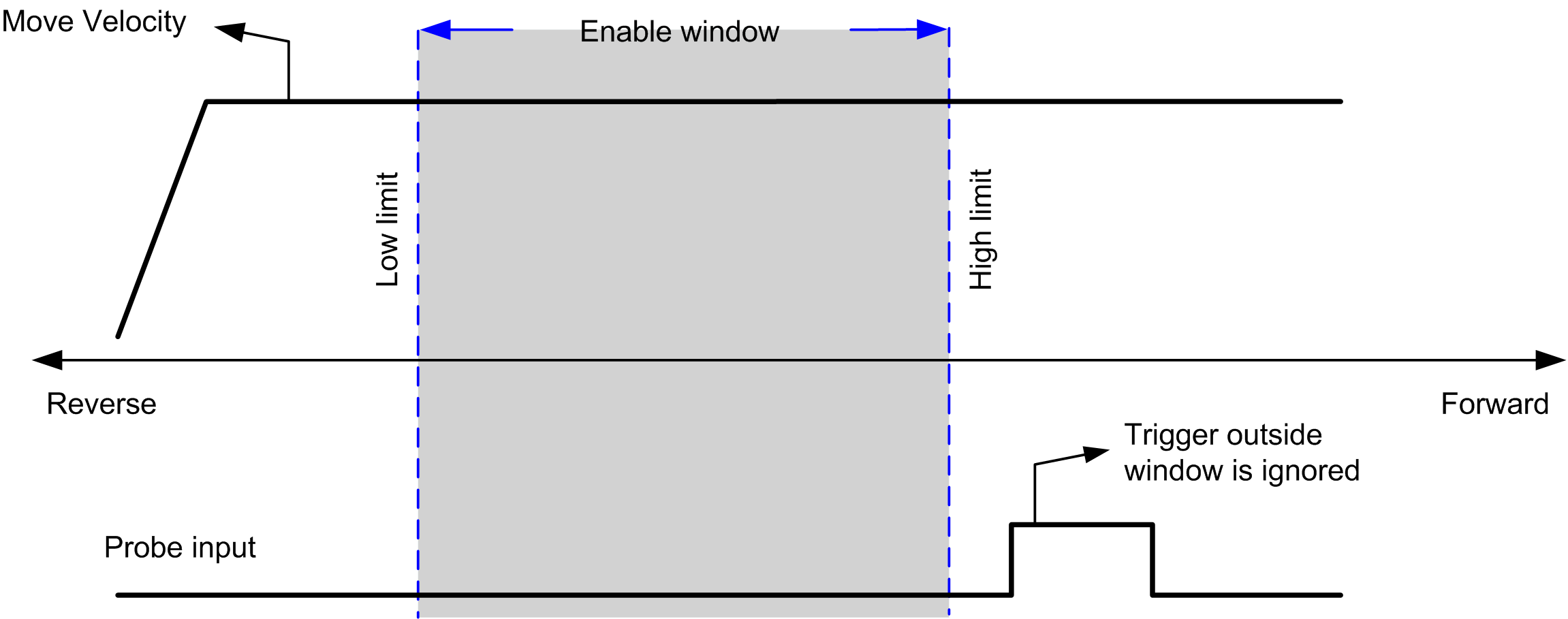
The Probe input is enabled by configuration, and activated using the MC_TouchProbe_PTO function block.
The Probe input is used as an event to:
ocapture the position,
ostart a move independently of the task.
Both functions can be active at the same time, that is, the same event captures the position and start a motion function block.
The Probe input event can be defined to be enabled within a predefined window that is demarcated by position limits (refer to MC_TouchProbe_PTO.
NOTE: Only the first event after the rising edge at the MC_TouchProbe_PTO function block Busy pin is valid. Once the Done output pin is set, subsequent events are ignored. The function block needs to be reactivated to respond to other events.
The position captured is available in MC_TouchProbe_PTO.RecordedPosition.
The BufferMode input of a motion function block must be set to seTrigger.
This example illustrates a change target velocity with enable window:
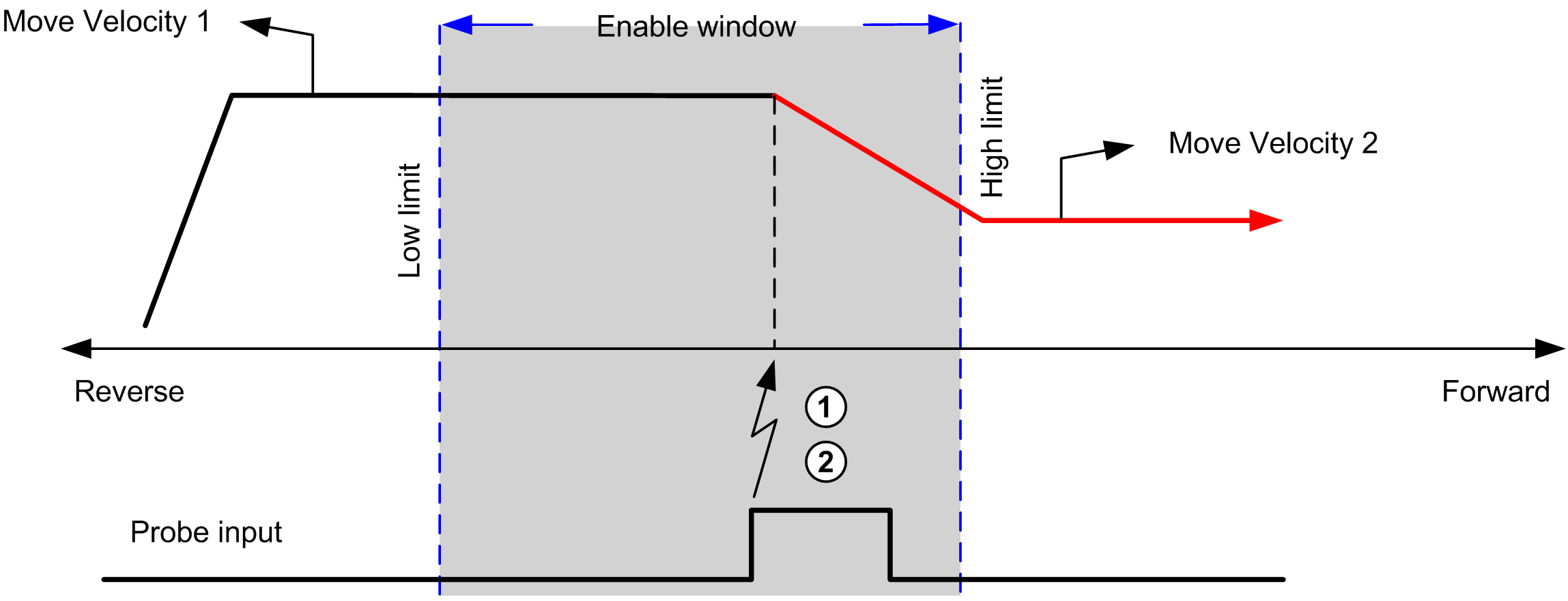
1 Capture the position counter value
2 Trigger Move Velocity function block
This example illustrates a move of pre-programmed distance, with simple profile and no enable window:
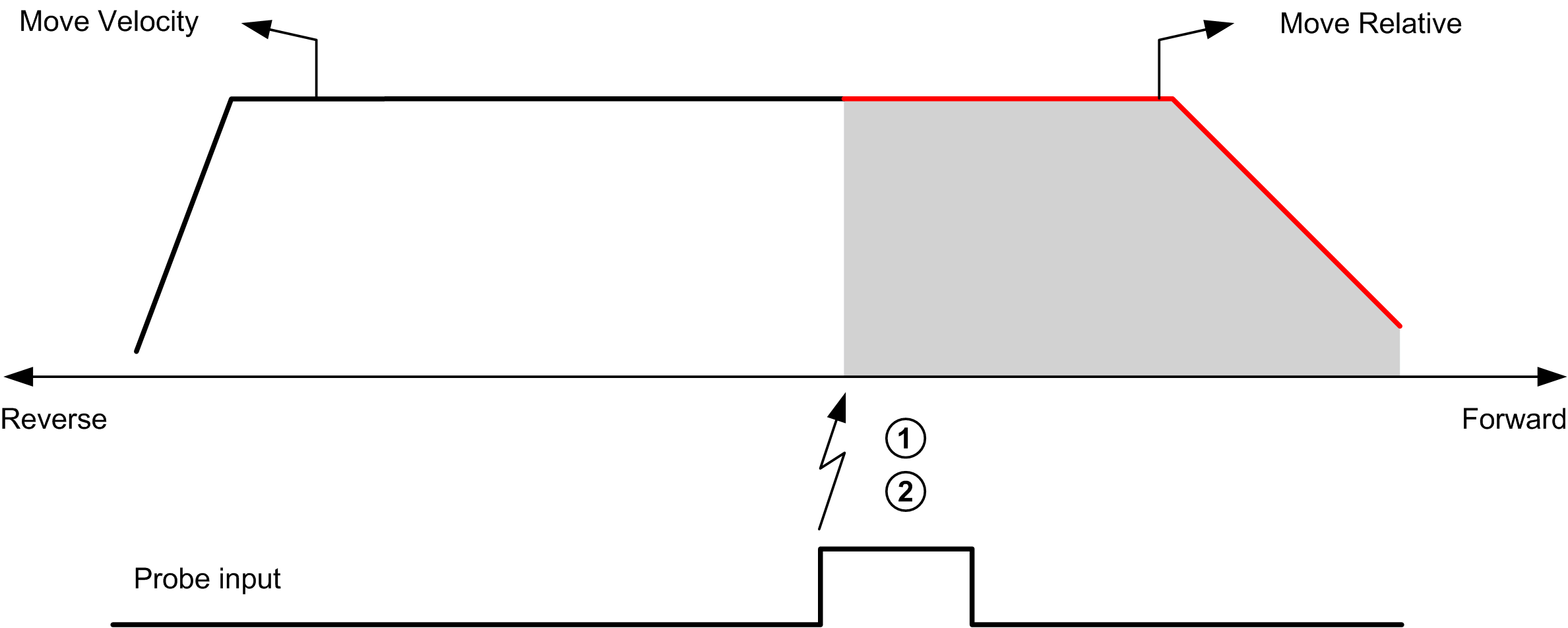
1 Capture the position counter value
2 Trigger Move Relative function block
This example illustrates a move of pre-programmed distance, with complex profile and enable window:
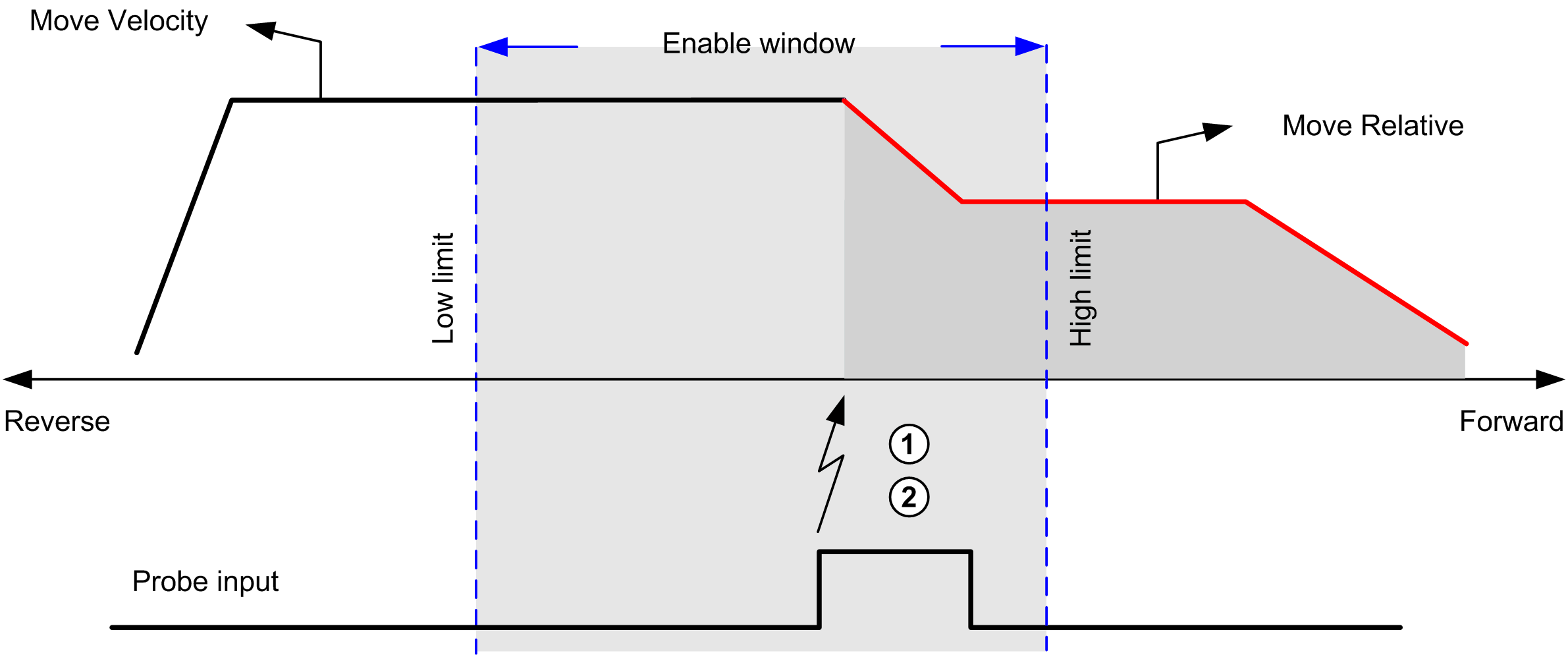
1 Capture the position counter value
2 Trigger Move Relative function block
This example illustrates a trigger event out of enable window: