Select a Password Blocklist Item
When you have created a Password Blocklist item and imported a password blocklist source file you need to select the item that Geo SCADA Expert uses when passwords are being created.
To select the Password Blocklist item you need to access and Configure the Properties of the Root or System Group. The Root Group tab provides you with the option to select the Password Blocklist item that you want to be used within Geo SCADA Expert.
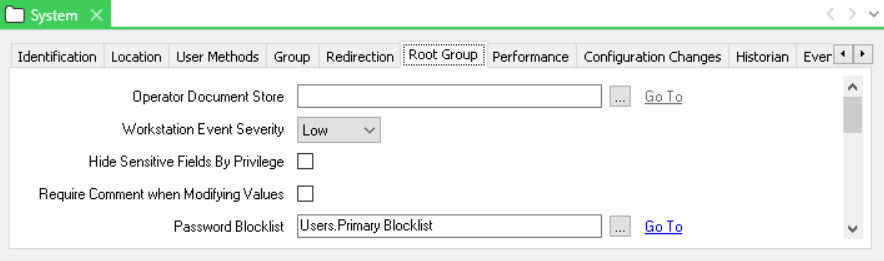
Use the Password Blocklist field to enter the location and name of the Password Blocklist item that will be active or use the browse button to select from the list of available items.
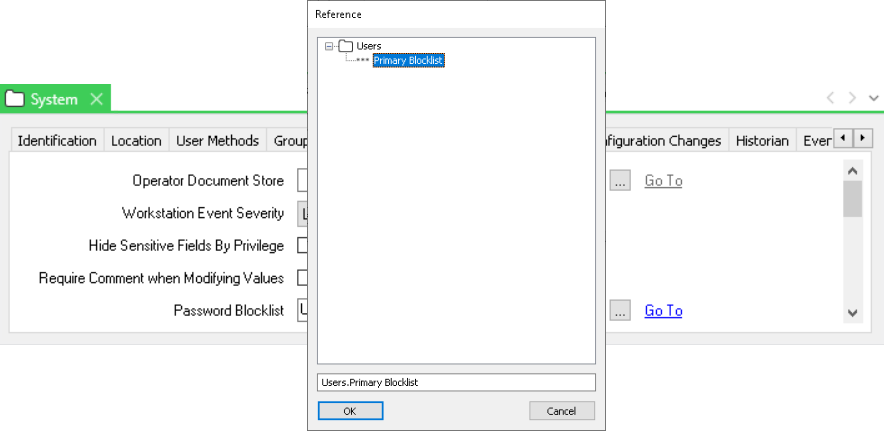
When you have selected the required item select OK, then save the Root Group settings.