 Driver Settings Pane
The figure below is interactive. You can select different parts of the figure in order to access further information about your selection.
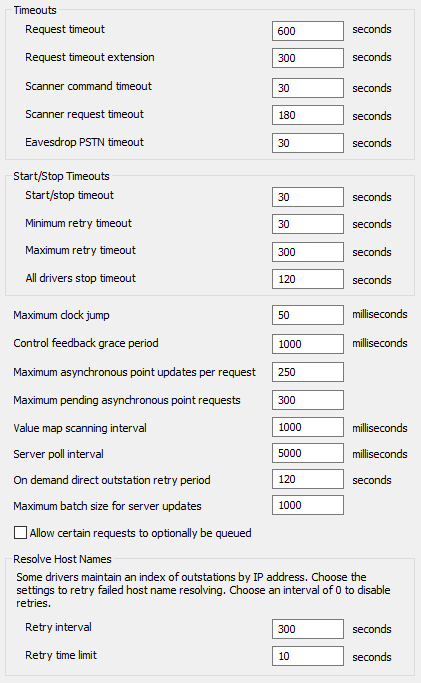
You can use the Drivers section of the Geo SCADA Expert Server Configuration Tool to:
- Define the Driver Request Timeouts (advanced drivers only)
- Define the Scanner Command and Request Timeouts (advanced drivers only)
- Define the PSTN Eavesdropping Timeout (advanced drivers only)
- Define the Driver Start and Stop Timeouts (simple drivers and advanced drivers)
- Detecting a Change to the Server's Clock (advanced drivers only)
- Define the Grace Period for Feedback Sent in Response to Control Checks (advanced drivers only)
- Define the Asynchronous Point Update Settings (advanced drivers only)
- Define the Value Map Scanning Interval (advanced drivers only)
- Define the Server Poll Interval (simple drivers and advanced drivers)
- Define the On Demand Direct Outstation Retry Period
- Define the Maximum Batch Size for Server Updates
- Define whether the Queue Parameter is Available
- Specify Settings to Resolve Host Names.
Before you define the various timeout, update, and interval settings, we recommend that you familiarize yourself with the information in Understanding Request Timeouts.
For information on the various driver specific sections of the Geo SCADA Expert Server Configuration Tool,