The Server Status Tool has a menu that contains options that you can use to:
- Save a Snapshot of the Status Data Currently on Display
- Exit the Server Status Tool
- Define when the Server Status Tool is Updated
- Display the online help
- Display information about the version number of the Server Status Tool.
The Server Status Menu is displayed at the top of the Server Status Tool.
Server Status Menu
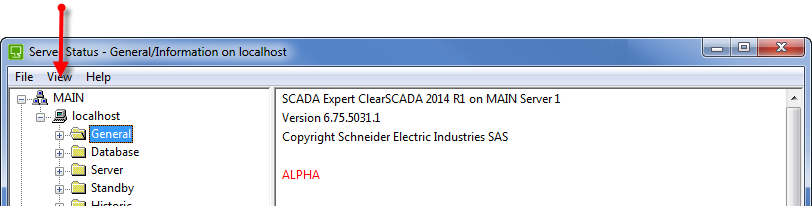
It contains the following options:
- File—Use to access the following options:
- Save Snapshot—Use to take a 'snap shot' of the status information that is currently displayed in the Server Status Display. The status information is stored in a text file (see Save a Snapshot of the Status Data Currently on Display).
- Exit—Use to close the Server Status Tool.
- View—Use to access the following options:
- Refresh Now—Use to update the information shown in the Server Status Tool immediately.
- Update Speed—Use to choose how frequently the information in the Server Status Tool is updated. Choose from the time options (in seconds) or select the Paused option to stop the Server Status Tool from updating (until the Paused option is deselected).
For more information, see Define when the Server Status Tool is Updated.
- Help—Use to access help and version information about the Server Status Tool. The Help menu includes these options:
- Contents—Displays the online help. (You can also display the help for a particular category of server status information by displaying the relevant section of the tool and then selecting the F1 function key.)
- About Server Status—Displays information about the version of the Server Status Tool.