Associated with: Advanced OPC Groups (This action is only available with OPC DA 3.0)
Security permission required to access this pick action: Control
The Control VQT action allows you to write to the point's item in the current server. You need to enable the control settings for a point to display this action . Select the Control VQT pick action to write to the selected point, the following dialog is displayed:
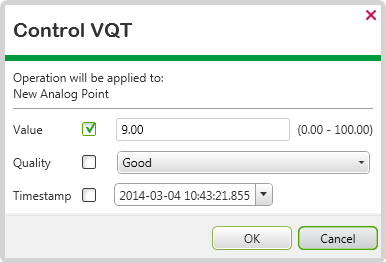
For each point type you can include one or more of the following:
- Value—This allows you to enter a value to write to the item. The type of value varies according to the type of point (an analog point is illustrated above).
- Quality—This allows you to indicate the ‘quality’ or reliability of the item’s data, see Quality Classifications.
- Timestamp—This allows you to select the timestamp to write to the item.
To write a Value, Quality and/or Timestamp to the item, select one or more of the check boxes. Clear the check boxes to exclude any one of the three.
Not all OPC DA servers support every combination of Value, Quality, and Timestamp.