Cancel a Query
You can cancel an SQL query that you have triggered in ViewX or Virtual ViewX. This is useful if you realize that you want to change the SQL for the query, or the query is taking too long to complete. A query that requires a large amount of data to be retrieved from the server might take a long time to process, during which time it can adversely affect system performance. If a query is taking longer than expected to complete, cancel that query and adjust the SQL to reduce the amount of data that needs retrieving. This is especially important with queries that query historic data.
With a query that you have triggered in ViewX or Virtual ViewX, if its execution does not complete immediately, a message is displayed onscreen while that query is running. The message provides feedback on the query's progress and offers you an option to cancel the execution of that query.
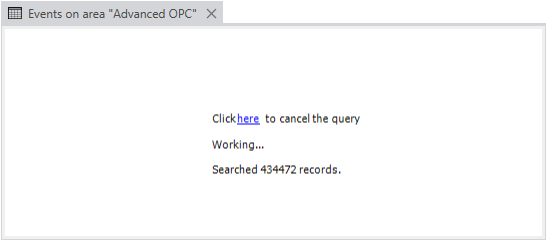
If you opt to cancel the query's execution, a different message is then displayed. The content of this message varies, depending on your User Account permissions and SQL query activity just prior to the query cancellation. The message will contain a combination of the following:
-
Confirmation that the query has been canceled
-
The option of editing the current SQL query (if your User Account has permission to Edit SQL)
-
If you ran a previous uncanceled query just prior to this one, returning to that previous query.
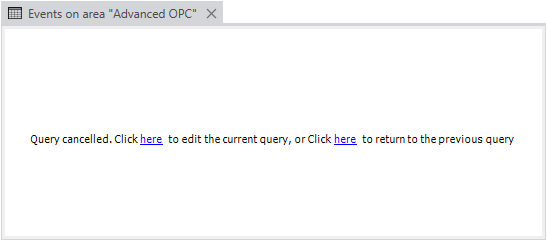
Once the query cancellation message is displayed, you can also opt to close the window that is displaying the message, rather than select any of the other options that are offered in the message.
Further Information
Define the SQL Editing Settings for a User.
Use the Server Status Tool to check the status of recently and currently running SQL Queries: see SQL Query and List Problems.