Copy to Clipboard
You can use the Copy to Clipboard option to copy the List's data to the clipboard.. You can paste the data to a text editor such as Notepad and view the data, or save the data in a file for later use.
To copy a List to the clipboard:
- Right-click on the List.
A context-sensitive menu is displayed.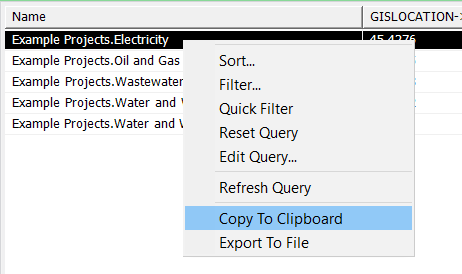
-
Select the Copy to Clipboard option.
The data for all the entries in the List is copied to the clipboard. - Paste the data to the required location.