Import a Password Blocklist Source File
When you have created a Password Blocklist item you need to import the source blocklist text file that you created to make it available to Geo SCADA Expert.
To import the source file:
- Right click on the Password Blocklist item that you have created.
A context-sensitive menu is displayed.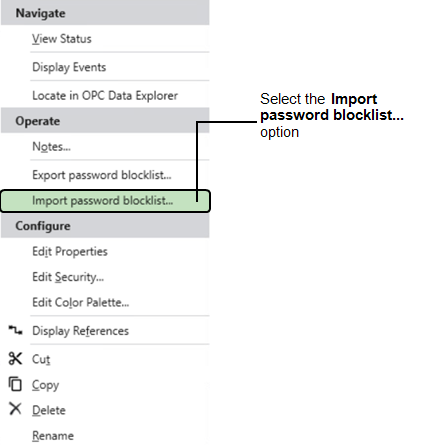
- Select Import password blocklist to display the Import password blocklist dialog.
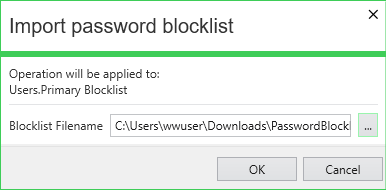
A sample password blocklist source file is provided and located in following directory:
- Enter the name and location of the source file that you want to import or use the browse button to display the location and select the file.
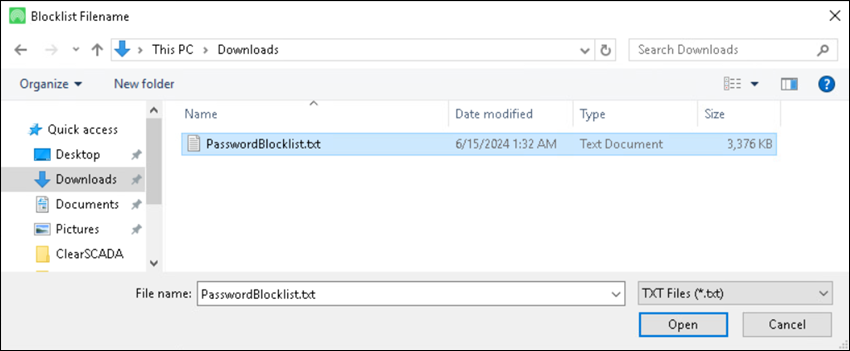
- When you have selected the file you require select the OK button and the file should be imported.
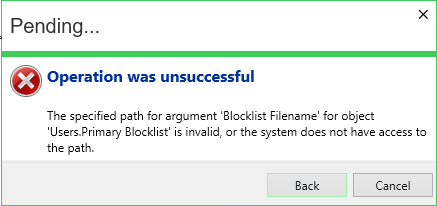
 Import is unsuccessful
If the format of the file is incorrect then the import will fail and the following message is displayed:
When the file is imported the contents are stored within Geo SCADA Expert. The original source file can be archived. When the import is successful you can select the Password Blocklist item to make it active in the Root or System Group.