When you have installed Geo SCADA Expert and configured the settings for the server(s), you need to create a blank database.
To create a blank database:
- Right-click on the Geo SCADA Expert Server icon.
A context sensitive menu is displayed. -
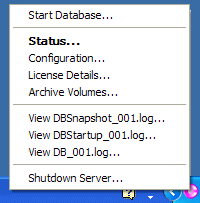
- Select the Start Database option.
A dialog box is displayed.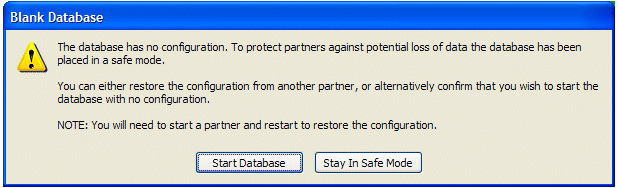
- Select the Start Database button to create a blank database.
ATTENTION: If this is not the first time that you have installed Geo SCADA Expert on the server, selecting Start Database will delete any previous database.
When you have created a blank database, you can proceed to set up the client connections.
For more information, see Welcome to the Client Administration Guide in the Geo SCADA Expert Guide to Client Administration.