The Historic Configuration branch of the Geo SCADA Expert Server Configuration Tool includes an Event Journal entry. Use the Event Journal settings to define the duration, stream size, cache size and so on, for Event Journal data. Event Journal data comprises the event messages that are created and stored when system events occur such as users logging on, controls being issued, and so on.
The Event Journal is always enabled. It can generate large quantities of data so you need to manage how much data is retained online and when it is archived.
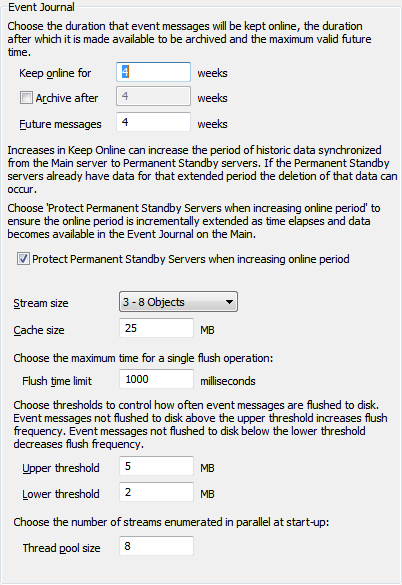
For more information how to use the Event Journal settings, see the topics that are listed in the gray footer section at the bottom of this topic. Select the relevant entry to display the topic that you require.
The Stream Size is intended to be set up and changed only during the commissioning phase. If you have to change the Steam Size on a deployed system, you HAVE to perform the initial stream size transformation on a fully isolated stand-alone server. For more information, see Define the Stream Size for Improved Performance.
To fully configure the server settings for the Event Journal, you should also configure the Events Display Settings for the Event Journal (Events List).
Further Information