Specify Whether ViewX Clients can use Client-Side Automation
ViewX provides a COM automation object called 'Serck.ViewXApplication' that provides programmatic access to automate ViewX. The Server Configuration tool has a setting that provides a way to block the use of this feature, by preventing ViewX from connecting to the server when it is instantiated via client-side automation.
To specify whether ViewX can use client-side automation:
-
Expand the System Configuration branch.
-
Select the ViewX option.
The Client-Side Automation section is displayed.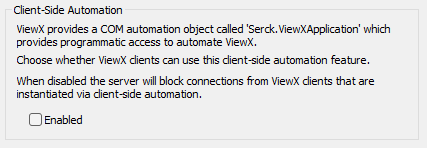
-
Either:
-
Select the Enabled check box to enable COM automation to provide programmatic access to automate ViewX. This is the default on upgrades from Geo SCADA Expert 2021 and earlier versions of Geo SCADA Expert.
Or:
-
Clear the check box to block connections to the server from ViewX clients that are instantiated via client-side automation. This is the default on clean installations of Geo SCADA Expert 2022 onwards.
If a user tries to use client-side automation to automate ViewX while this setting is disabled, the client will stop functioning and will require a restart.
-
-
Repeat the procedure on any other Geo SCADA Expert servers in your system.