Specify the Background Color used in Lists in Original WebX
This section and associated topics apply to the Original WebX client only. Geo SCADA Expert 2025 will be the last version of the product to support and include the deprecated Original WebX client. For web client support, please use Virtual ViewX clients instead of Original WebX clients.
The following settings apply to Original WebX clients.
This section applies to General Lists—for information on the background colors of Alarms, see Define the Alarms List Order and Background Settings.
The System Configuration branch of the Server Configuration Tool contains a WebX category. The category includes a number of sections.
Use the List Colors section to specify the colors used in the background of Lists, except the Alarms List:

- Background: Use to specify the color of the background in Lists.
- Ignore Object Color: Select this check box to override background colors already selected for specific items in Lists.
To change the Background color:
- Click on the Background color button.
A popup color window is displayed. - Either:
- Select a color from the palette.
Or:
- Select the ... option.
The Color window is displayed. - Use the Color window to define a color (see Using the Color Window).
- Select OK to close the Color window.
Example:
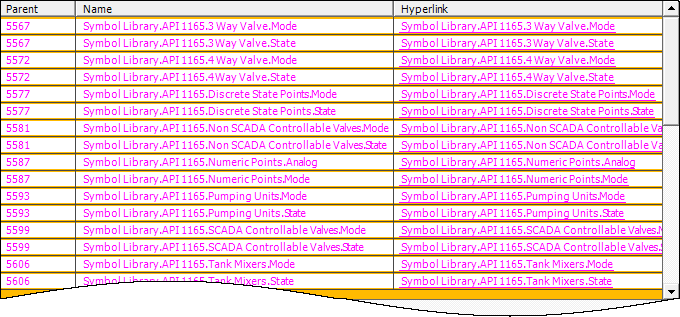
This example illustrates the effect of the List Colors settings when lists are displayed in an Original WebX client:

Will result in a display like this:
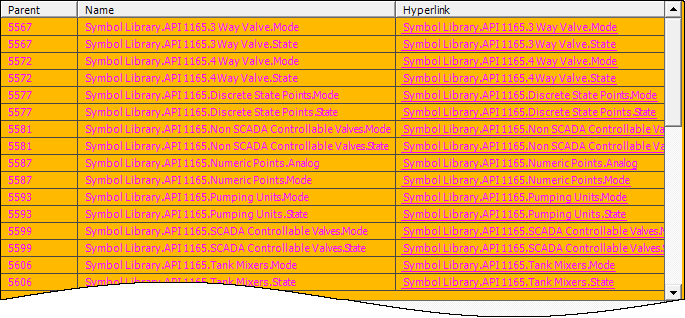
If you select the Ignore Object Color check box:

The background colors specified for the objects are ignored and overridden by the selected color: