The Database branch of the Server Status Tool includes a Longest Point Updates category. You can use the category to investigate potential performance issues in situations in which a point update triggers other processes
Each entry in the Longest Point Updates category represents a point that has taken a long duration to process. By design, the top 10 points are displayed. The point that has taken the longest duration to process takes precedence over the next 9 points and appears at the top of the list by default.
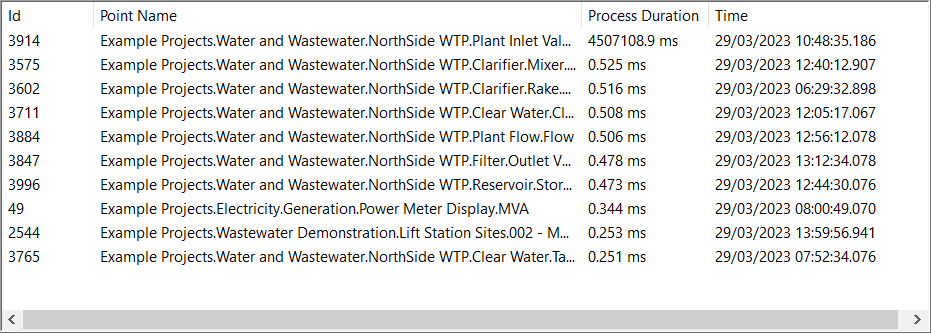
The information for each entry is categorized as:
- Id—A unique number that Geo SCADA Expert uses to identify the point in the database.
- Point Name—The full name of the point, including its full path in the database.
- Process Duration—The longest process duration of the point.
If a process duration looks high, review the configuration to ensure that any database actions that get triggered when the point updates are configured efficiently.
- Time—The time when the processing of the point update concluded.
You can reset the entries by using the Reset All Longest Point Updates option. You can access this option in a context-sensitive menu by right-clicking on an entry in the list.