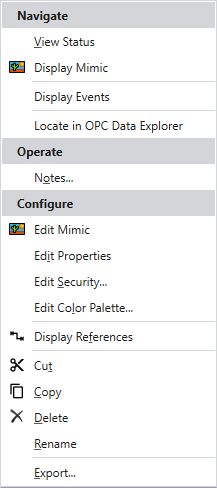
To display the Geo SCADA Expert Object menu, do one of the following:
- Right-click on an item in the Database Bar.
- Click on an item
- Right-click on an entry in a Queries List (see Lists).
The context-sensitive Object menu is displayed. The options vary, depending, for example, on the type of item for which the menu is displayed, and the item’s configuration and current status.
Example: