Selecting Sensor Names
The ZBRN32 Access Point device driver creates individual sources for each of the sensors that are connected to the Access Point. To name the sources, the driver uses the sensor names. You can edit the default sensor names through the setup Vista diagram. See the Configuration section of the application description for details. You can use variable sensor names or fixed sensor names.
NOTE: Use sensor names that are unique in the PME system. This applies to both, variable names and fixed names. For variable names, they must be unique after the variable has been replaced with the Access Point name by the device driver.
Using Variable Sensor Names
The default sensor names include the !!DeviceName!! variable. If the sensor names include this variable, then the driver replaces the variable with the name of the Access Point device as it is specified in the Management Console. In this case, any reference to these sensor sources in the system includes the Access Point device name. For example, the source selectors in the PME applications will group the sensors under the Access Point device name.
NOTE: Diagrams does not recognize the variable and does not replace it with the Access Point device name. Diagrams displays the !!DeviceName!! string as part of the sensor name.
Example:
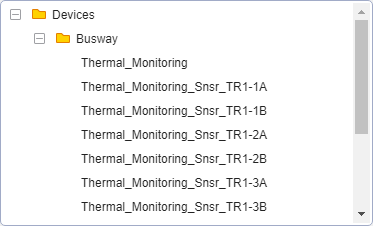
Sensors use variable names (!!DeviceName!!_Snsr_TR1-1A, !!DeviceName!!_Snsr_TR1-1B, ...).
Access Point device in the Management Console

Source selector for sensor sources
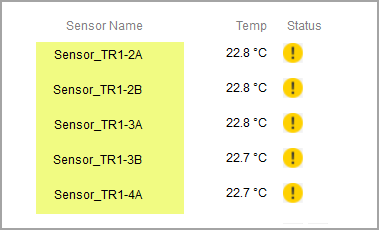
Diagrams display of sensor data

Using Fixed Sensor Names
If you replace the default sensor names, which include the !!DeviceName!! variable, with fixed names, then the sensor sources will not be associated with the Access Point device. Each sensor source will appear as if it was its own device.
Example:
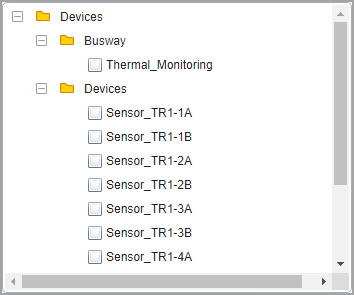
Sensors use fixed names (Sensor_TR1-1A, Sensor_TR1-1B, ...).
Access Point device in the Management Console
Source selector for sensor sources
Diagrams display of sensor data
Names Used in This Application Description
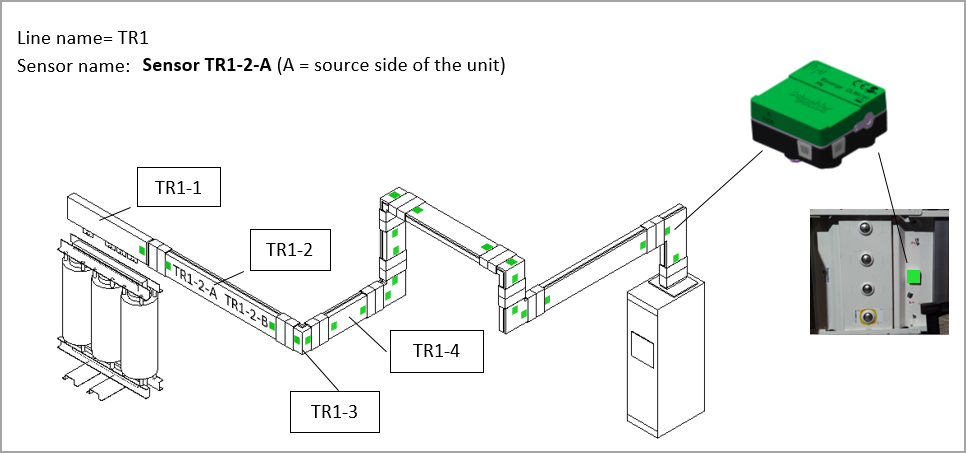
The sensor names used as examples in the screen captures shown in this document are based on the following assumed sensor locations: