Installing EcoStruxure Cobot Expert on Windows
Prerequisites
-
Verify that your system meets the minimum system requirements to install and run EcoStruxure Cobot Expert.
-
To install EcoStruxure Cobot Expert, you must have administrator privileges on the device.
Default Directories
The default destination directory of the EcoStruxure Cobot Expert software installation is:
C:\Program Files\Schneider Electric\EcoStruxure Cobot Expert\V<Version Number>
Installing EcoStruxure Cobot Expert on Windows
|
Step |
Action |
|---|---|
|
1 |
Download the latest software package from the Lexium Cobot page on the Schneider Electric website. |
|
2 |
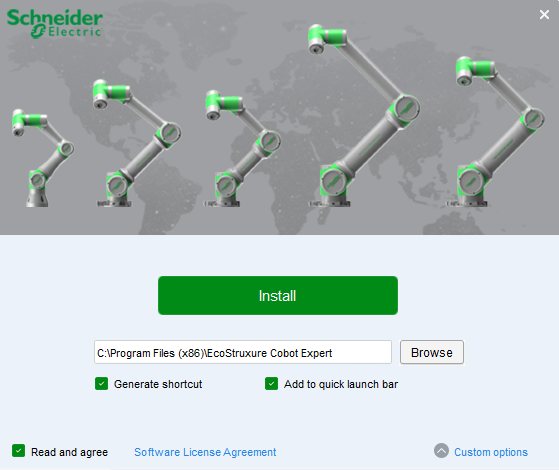
Locate the file EcoStruxure Cobot Expert.exe in the downloaded package and execute it. Result: The EcoStruxure Cobot Expert installation window is displayed. 
|
|
3 |
Click Software License Agreement to read the agreement and, if you agree, click Confirm. 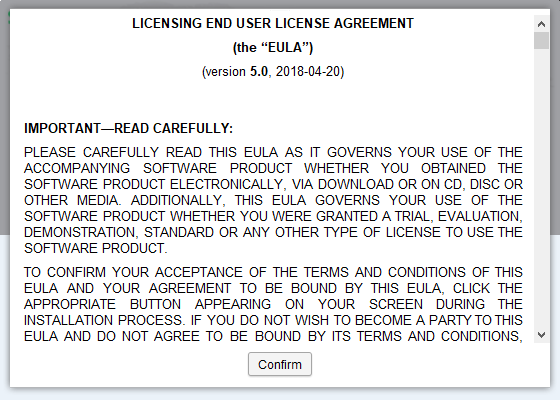
|
|
4 |
Select Read and agree to confirm you read and agreed to the Software License Agreement. |
|
5 |
Optionally, to configure the installation settings, click Custom options. You can configure the following installation settings:
|
|
6 |
Click Install. Result: EcoStruxure Cobot Expert is installed on your computer. When the installation is complete a confirmation prompt is displayed. 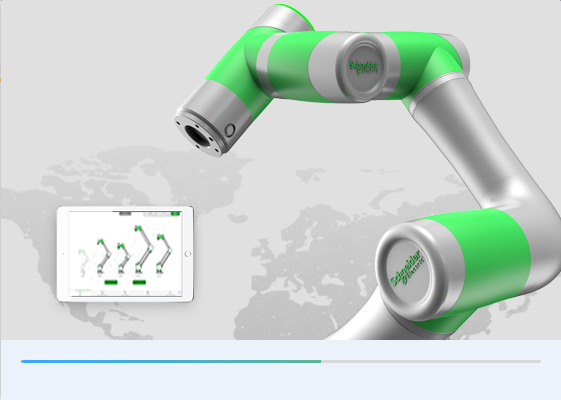
|
|
7 |
When the installation process is complete, click installation complete.
NOTE: Optionally, select Schneider Electric Official Website to open the Schneider Electric website in your browser.

Result: EcoStruxure Cobot Expert is ready for use. |