The Operational settings on the ViewX tab allow you to restrict access to features in ViewX and Virtual ViewXonly. These settings have no effect on a user account when logging on via other types of client.
The properties described in this topic apply both to User Forms and User Pattern Forms. (User Patterns only apply to systems on which Geo SCADA Expert can create new User accounts automatically as part of an External Authentication process. For more information, see Create User Accounts from a User Pattern.)
The Operational settings on the ViewX tab allow you to define whether the user can execute methods on items in the database and view system
Use the Operational section of the ViewX tab to define which operational features are available when the user logs on from a ViewX or Virtual ViewX client. The section only lists operational features that you can set independently to those that apply when the user logs on via
To define which operational features apply when the user logs on via a ViewX or Virtual ViewX client:
-
Either:
- Display the relevant User Form (to define the settings that apply to an individual User account).
- Display the relevant User Pattern Form (if applicable to your system, to define the settings that Geo SCADA Expert is to apply to new User accounts that it might be triggered to create automatically at logon.)
- Select the ViewX tab.
- Define the Operational settings:
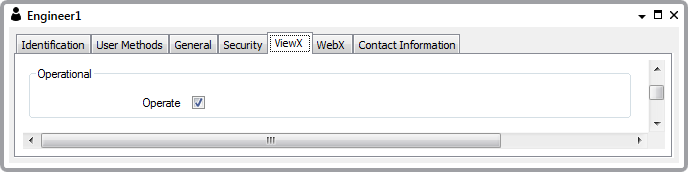
- Operate—Select this check box if the user is allowed to execute methods (perform actions) on items in the database. For example, if the user is to have access to actions such as Hand Control and Override. If you select the Operate check box, the user of this account will only be able to execute methods on items in the Database Bar if the security settings for the individual items also allow the user to execute those methods.
Clear the Operate check box if the user of this account is not to able to execute methods on items in the Database Bar, even if the security settings of an individual item provides access to its methods.
NOTICEUNEXPECTED BEHAVIOR OF APPLICATION
Clearing the Operate check box has no effect on the methods that a user can access from other displaysFailure to follow these instructions can result in unexpected user activity. - Save the configuration.