Enable IO Logging
Associated with: Sparkplug™ Broker items
Security permission required to access this pick action: Diagnostics
Used this pick action to enable I/O logging on a Sparkplug Broker item in the database. When enabled, Geo SCADA Expert logs the communications that occur on the Broker, including any data that is discarded by the driver.
IO Logging on a Broker is not enabled by default. Before enabling such logging, ensure that enough disk space is available to store the log files that will be produced.
Select the Enable IO Logging pick action to display the Enable IO Logging dialog box.
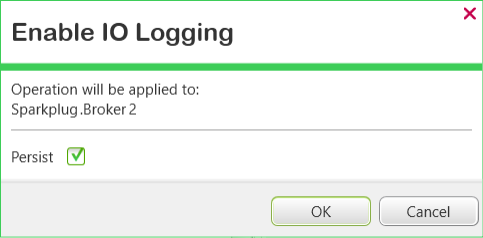
Either:
- Select the Persist check box to set IO logging so that it remains enabled until it is explicitly disabled. IO logging will remain enabled even after the driver or system is shutdown and restarted, or there is a server changeover.
- Clear the Persist check box to temporarily enable IO logging on this Sparkplug Broker item - the IO logging is enabled but will end when the driver or system is shutdown and restarted, or there is a server changeover.
Select the OK button to enable I/O logging on the Sparkplug Broker item.
I/O logging on Sparkplug Broker items works in a similar way to I/O logging on channels on other drivers. For more information, see Enable or Disable Communications Logging on a Channel in the Geo SCADA Expert Guide to Server Administration.
Also see Disable IO Logging.