ATTENTION: This topic relates to the deprecated Original WebX client that is supported by this and previous versions of Geo SCADA Expert. Geo SCADA Expert 2025 will be the last version of the product to support and include the deprecated Original WebX client. For web client support, please use Virtual ViewX clients instead of Original WebX clients. For information about the Virtual ViewX client, click here.
The Geo SCADA Expert web interface allows you to browse your Geo SCADA Expert system’s database.
To browse the Geo SCADA Expert database:
- Select the Database button
on the navigation bar.
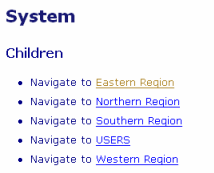
The top level of the Geo SCADA Expert database hierarchy is displayed.Example:
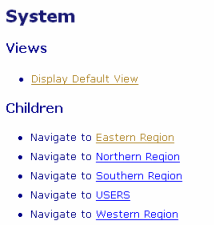
If a Default View is configured for the Root Group on your system, an additional entry is included at the top of the main display area.
Example:
- Either:
- Use the WebX Interface to access the different levels of your database.
or:
- (If applicable) select the ‘Display Default View’ hyperlink to display the Mimic or other ‘file object’ that is configured as the Root Group’s Default View. Such a view is typically produced as an aid to navigating your database and might, for example, comprise an overview of your system.
- Use the WebX Interface to access the different levels of your database.