Specify any Python Libraries that a Python Program is to Use
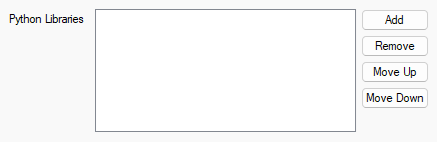
You can store commonly used Python code in Python Libraries (see Write and Edit the Program Code in a Python Library). You can then refer to that code in your Python programs. Use the Python Libraries field on the configuration form of a Python Program item to list the Python Libraries that the program is to use. The field is on the Python Program tab of the configuration form.
Leave the field blank if all of the code that is to be used in the Python Program is unique to that particular program.
A Python Program can only refer to Python code from Python Libraries that are listed in the Python Libraries field of that particular Python Program.
Use the following buttons to adjust the entries that appear in the field:
-
Add—Use to add an existing Python Library to the field. The Python Library item has to be in the same database as the Python Program item.
Select the button to display a Reference browse window. Use the window to locate and select the required entry.
Each Python Library item that is included in the field has to have a unique Module Name. If more that one Python Library item is found to have the same Module Name, a diagnostic message will be displayed when you attempt to Save the configuration.
-
Remove—Use to remove an unwanted Python Library from the field. Select the obsolete entry and then select the Remove button.
-
Move Up and Move Down—Use these buttons to adjust the order of the entries in the field. Select the entry that you want to move, followed by the relevant button. The order of the Python Library entries in the field does not have any effect on the order of their use in the actual program code. The buttons are provided so that you can rearrange the order of the entries to suit your own preferences.
Further Information
Create and Configure a Python Library Item.
Define the Module Name that Identifies the Python Library.
In your Python programs, Refer to Code that is in a Python Library Item.