Define whether Historic Data can be Deleted
You can specify whether users are allowed to delete historic data. This feature is useful to prevent anyone with the appropriate permission from deleting historic data via Trends and the various data access interfaces.
The Historic Configuration branch of the Server Configuration Tool includes a Historic Data section. This section includes the Allow historic data to be deleted setting. Use this setting to determine whether users with the permission to Modify History are allowed to delete historic data.
To change the Allow historic data to be deleted setting:
- Access the Geo SCADA Expert Server Configuration Tool.
- Expand the Historic Configuration branch.
- Select the Historic Data entry.
- Scroll down to the Allow historic data to be deleted check box.
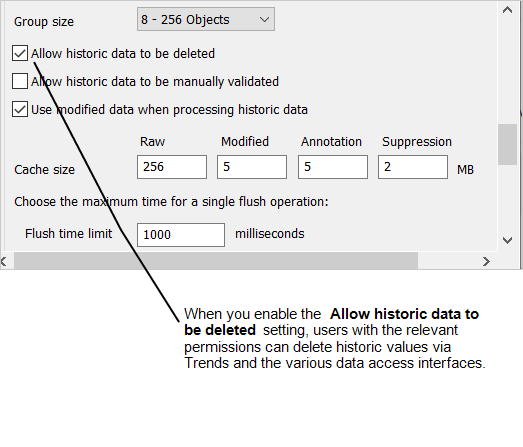
- Either:
- Select the Allow historic data to be deleted check box to allow historic data to be deleted. The Allow historic data to be deleted check box is selected by default. This allows users with the Modify History permission to delete historic data via Trends and various data access interfaces such as:
- Automation
- SOAP
- .NET client API
- OPC HDA
- Clear the Allow historic data to be deleted check box to prevent anyone from deleting historic data. This blocks historic data deletion via Trends and the various data access interfaces.
By design, the setting of the Allow historic data to be deleted check box has no impact on a user's ability to delete the whole of a Point
- Select the Allow historic data to be deleted check box to allow historic data to be deleted. The Allow historic data to be deleted check box is selected by default. This allows users with the Modify History permission to delete historic data via Trends and various data access interfaces such as:
- Apply the changes to the server.
Now that you have enabled or disabled the historic data deletion feature, you can either proceed to configure other Historic settings (see Historic Configuration Settings) or you can continue with the server configuration.
Further Information