Communications Logging Status on Status Displays
On Status displays (also referred to as View windows or View dialogs), the channel's logging status is indicated by these status attributes:
To access a Status display, select the View Status option on the context-sensitive menu for a channel (either in the Database Bar, on the Channels List,
The value for these status attributes is one of the following:
- Enabled—Comms logging, IO logging, TLS logging, or Telnet monitoring is in progress. For Telnet, the status information also includes the number of the port on which Telnet is running. The logging or Telnet monitoring will cease if the driver or system is shutdown and then restarted, or there is a server changeover.
- Enabled (Persist)—Comms logging, IO logging, TLS logging, or Telnet monitoring is in progress and will continue after the driver or system has been shutdown and restarted, and after a server changeover. For Telnet, the status information also includes the number of the port on which Telnet server is running.
- Disabled—Comms logging, IO logging, TLS logging, or Telnet monitoring is deactivated.
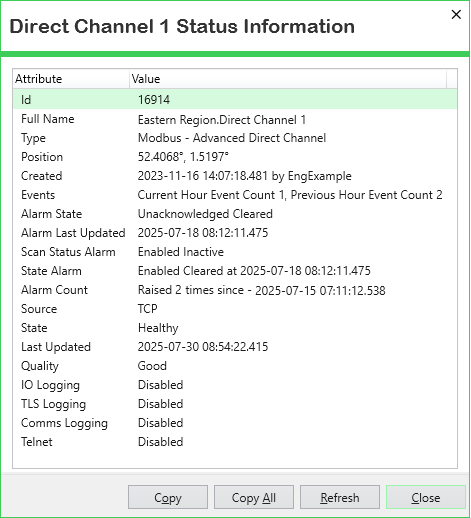
For further information about working with Status displays, see Status Displays.