Display a Communications Log File on a Channel
This topic applies to Comms, I/O, and TLS log files. Only advanced drivers can have all 3 types of log files. Simple drivers only have Comms logging (simple driver log files are similar to I/O log files).
When you have enabled comms, I/O, or TLS logging on a channel (see Enable or Disable Communications Logging on a Channel), you can display the resulting log file in Notepad or a similar text editor application.
To display a communications log file:
- Access the Geo SCADA Expert Server Status tool.
- On the Server Status Tool, expand the system and server, and then expand the General folder and select the Modules option.
The Modules status is displayed. This shows the drivers that are installed and their current status. - Right-click on the relevant driver in the list, for example, the DNP3 driver.
A context-sensitive menu is displayed.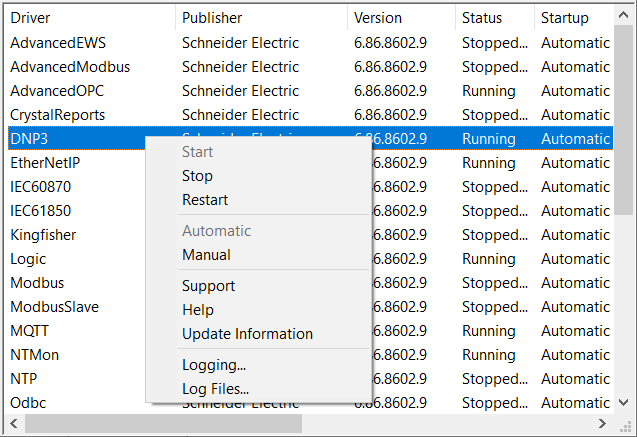
- Select the Log Files option from the context-sensitive menu.
The Module Log File dialog box is displayed. The dialog box displays the log files that exist for the selected driver. If more than 1000 log files exist, the most recent 1000 files are shown.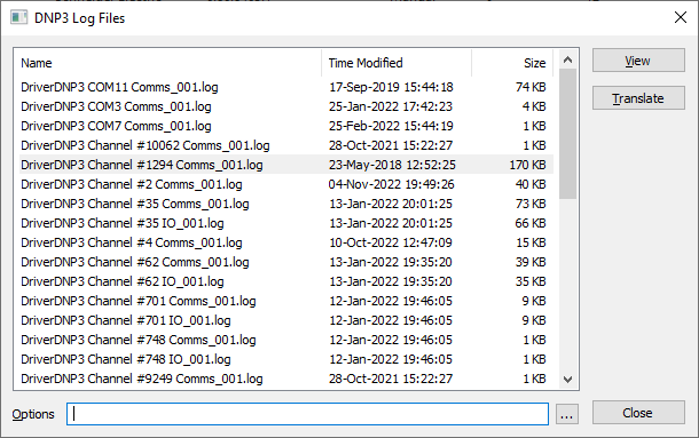
- Locate and select the relevant log file from the list of files.
The filename will have the following format:
<Driver<name> <port> <type>_<nnn>.log
DriverDNP3 COM1 Comms_001.log
(For a Comms log file for a channel that communicates using COM port 1. The channel is on the DNP3 driver.)For more examples of communications log filenames, including ones for I/O and TLS log files, see Communications Logging.
To identify a log file, you can analyze the details of the log files listed in the Name, Time Modified, and Size columns.
-
Either:
Select the View button.
or
Double-click the selected log file.
The log file opens in a text editor such as Notepad.
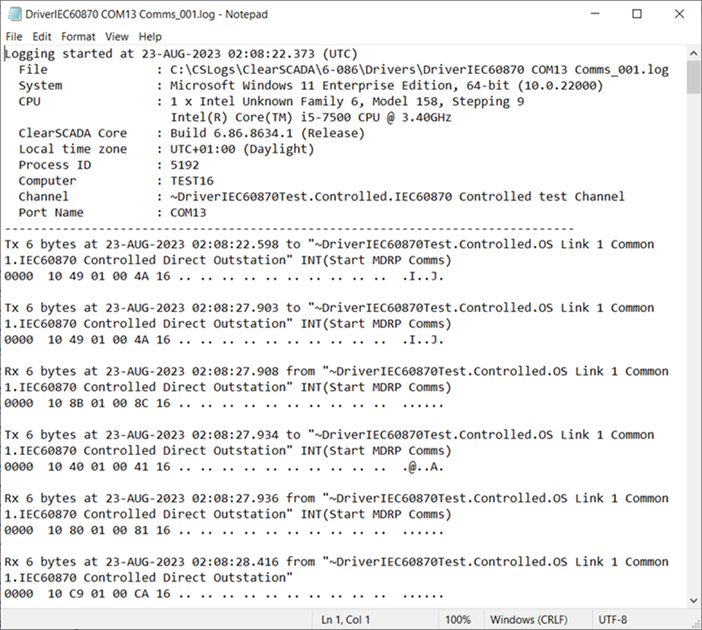
As an alternative to the above procedure, you can use Windows Explorer to locate the log file and then right-click the log file to open with a text editor such as Notepad. If you are unsure as to where the file is located, see Locating the Log Files.
If a translator is available for the driver, you can translate the messages in a Comms or I/0 log file into human readable format. For more information, see Translate a Comms or I/O Log File. (You cannot 'translate' a TLS log file, as the data in that type of log file is encrypted.)