In the Database Schema, there are two sections that show information about the fields:
- Configuration Fields—The Configuration Fields section shows the configuration fields of the class.
- Data Fields—The Data Fields section shows the data fields of the class, that is, the fields that contain the values that are stored for the items.
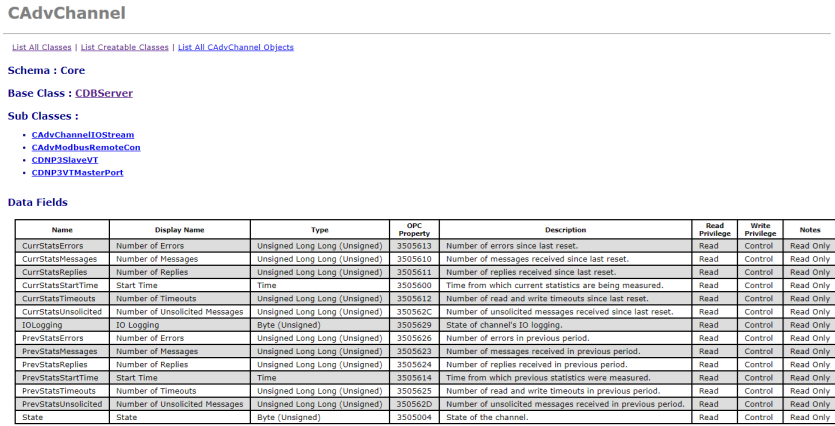
The following information is shown for each field:
- Name—The name of the field.
- Display Name—The localized name of the field. This is the name that is used in ViewX for column headings in Lists and in List filter and List sorting displays, and so on.
- Type—The category of field. For information about the types of field, see Fields.
- OPC Property—Each field is allocated an OPC property that is shown as a hexadecimal number. The properties are either standard OPC properties or vendor specific properties allocated by Schneider Electric. They are used as identifiers and are required by some third-party OPC applications.
The properties allocated by Schneider Electric start at 3505000.
- Description—A localized description of the field. This is the description that is used in ViewX for ToolTips on Forms, List column headings, OPC Data Explorer, and so on.
- Read Privilege—The permission(s) required to read the field. For most fields, the User Account typically has to be assigned the Read permission. To read some 'sensitive' fields (such as IP addresses and port numbers), the User Account requires a different (higher) permission, such as the Configure permission. For more information, see Allocating Security Permissions, and see Permissions for Database Items.
- Write Privilege—The permission(s) required to write a value to the field. If the field is a data field, typically the User Account has to be assigned the Control permission. If the field is a configuration field, typically, the User Account has to be assigned the Configure permission. For configuration fields in security-related tables (such as the CDBUser table), the Security permission is also required. For such security-related database items, this additional requirement also applies to configuration fields in the CDBObject and CAggregate tables; a reminder about this is displayed alongside the Configuration Fields section of those tables in the Database Schema. Be aware that there might also be other considerations and special cases; for a summary of some of these, see Permissions for Database Items. For more information about permissions in general, see Allocating Security Permissions.
- Notes—The Notes entries provide additional information about the field.
The possible types of entry for Notes include:
- Read Only—The field is read-only and cannot be written to.
- Index—The field is indexed to enable quicker searching on that field.
- Enumeration—The Enumeration entries provide additional information about the type of value to which a field can be set.
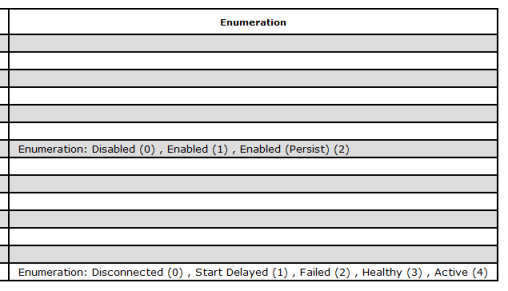
The possible types of entry for Enumeration include:
- Dynamic Enumeration—The field can be any option within the range of options, and the range of options varies according to the individual database item.
- Enumeration—This information is only available for numeric fields and string fields.
For numeric fields, the Enumeration is set to one of a set range of options. It has to be one of the options that are listed after the Enumeration entry. The numbers that follow the options indicate the numeric values that correspond to the option.
Example:
Enumeration: None (0), Event (1), Alarm (2) indicates that the options are the values 0, 1, and 2 and these correspond to the options None, Event, and Alarm respectively.
For string fields, the Enumeration is the actual string value.
- Enumeration (Bitmask)—This information only applies to integer fields. It is similar to the Enumeration information (above) except that the numbers in parentheses indicate a bit of the mask (0 to 'n').
- Range—The value of the field has to be within a range, for example, between 0 and 100 inclusive.
- Interval—The field contains a value that defines a time interval, for example 10 seconds. The Enumeration entry indicates the time units that are used for the interval, such as Seconds. For more information about the intervals that are supported, see Fields.