The Server Status Tool provides status information that is organized into groups of categories, each of which contains sub-categories. The Server group provides status information about the server on which you are using the Server Status Tool and it contains the following sub-categories:
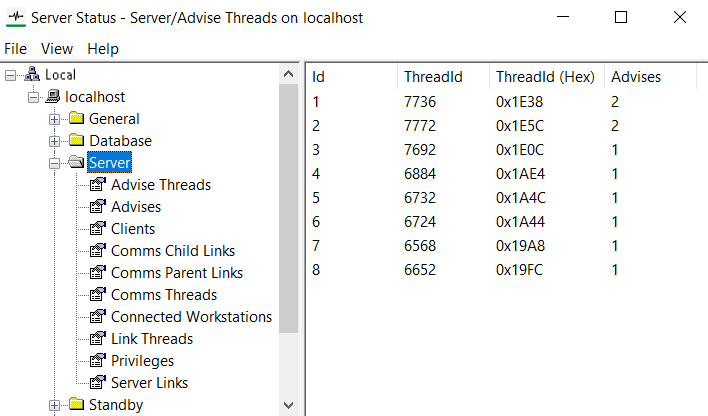
- Advise Threads—Provides status information about the threads that are handling advise links.
- Advises—Provides status information about the advise links between the server and clients.
- Clients—Provides status information about each client that is connected to the server. The number of clients varies according to the size of your Geo SCADA Expert system.
- Comms Child Links—Provides status information about the connections that are multiplexed by the Comms Parent Links.
- Comms Parent Links—Provides status information about the connections between the server and clients.
- Comms Threads—Provides status information about the threads that are handling the server-client connections.
- Connected Workstations—Provides status information about each workstation that is connected to the server. A workstation is a client and is identified by its Workstation ID.
- Link Threads—Provides status information about the threads that are handling the server links.
- Privileges—Provides status information about server-wide user permissions.
- Server Links—Provides status information about the server links between the server and clients.
- PCS Service—Provides status information about the PCS Services that apply to this Geo SCADA Expert server.
- PCS Subscriptions—Provides status information about the database items in Geo SCADA Expert that are subscribed to through the PCS Services.
- PCS Tags—Provides status information about the database tags that are subscribed to through the PCS Services.
NOTE: The above PCS entries appear in the Server Status Tool only if the AVEVA Platform Common Services (PCS) prerequisite component is installed on the Geo SCADA Expert server. For more information, see Geo SCADA Expert Prerequisite Components.