ATTENTION: This topic relates to the deprecated Original WebX client that is supported by this and previous versions of Geo SCADA Expert. Geo SCADA Expert 2025 will be the last version of the product to support and include the deprecated Original WebX client. For web client support, please use Virtual ViewX clients instead of Original WebX clients. For information about the Virtual ViewX client, click here.
WebX clients are computers that connect to your system via an Internet connection (or Intranet connection to your network). Designed to be used remotely, they provide operator-level access to many Geo SCADA Expert features, including alarms. They are ideal for engineers who need to access a Geo SCADA Expert system while working in the field.
Usually, laptop computers are used as WebX clients due to their portability. However, desktop PCs can also be used as WebX clients.
To act as a WebX client, a device needs to have:
- A full version of a supported Windows operating system
- Microsoft Edge in Internet Explorer mode (see Web Browser Support)
- The ViewXCtrl ActiveX control installed
- A connection to the Internet or a company Intranet.
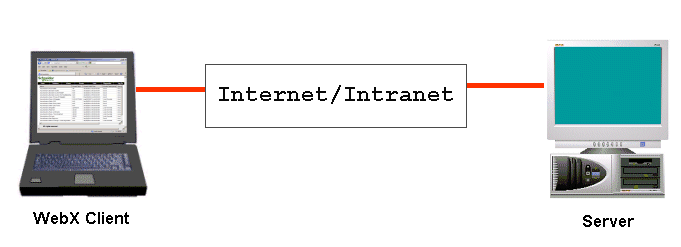
A WebX client provides access to many of the same features and functions as a ViewX Client. However, there are some differences in the interface’s appearance and the way in which you access some functions. Another difference is that you cannot use WebX clients to make configuration changes to the Geo SCADA Expert database (see Differences Between the Original WebX client and ViewX).
For more information on the WebX client, refer to these sections:
- Differences Between the Original WebX client and ViewX
- Run a WebX Client
- System Security - Original WebX, including how to:
- Log On to a WebX Client
- Log Off from a WebX Client
- Change your Password via a WebX Client
(You can only change your password in Geo SCADA Expert if your user account is managed directly in Geo SCADA Expert and you have sufficient permissions to change your own password. If your user account is associated with a Windows or LDAP User Profile, password changes are managed via the relevant Windows domain or LDAP server.)
- Understand the WebX Interface
- Browse your Database on a WebX Client
- Use the WebX Interface.